

10.1 in Touchscreen for Raspberry Pi 1920x1200 - Portable IPS Monitor
10.1 in Touchscreen for Raspberry Pi 1920x1200 - Portable IPS Monitor
Price subject to change. Tap below for current.
Couldn't load pickup availability
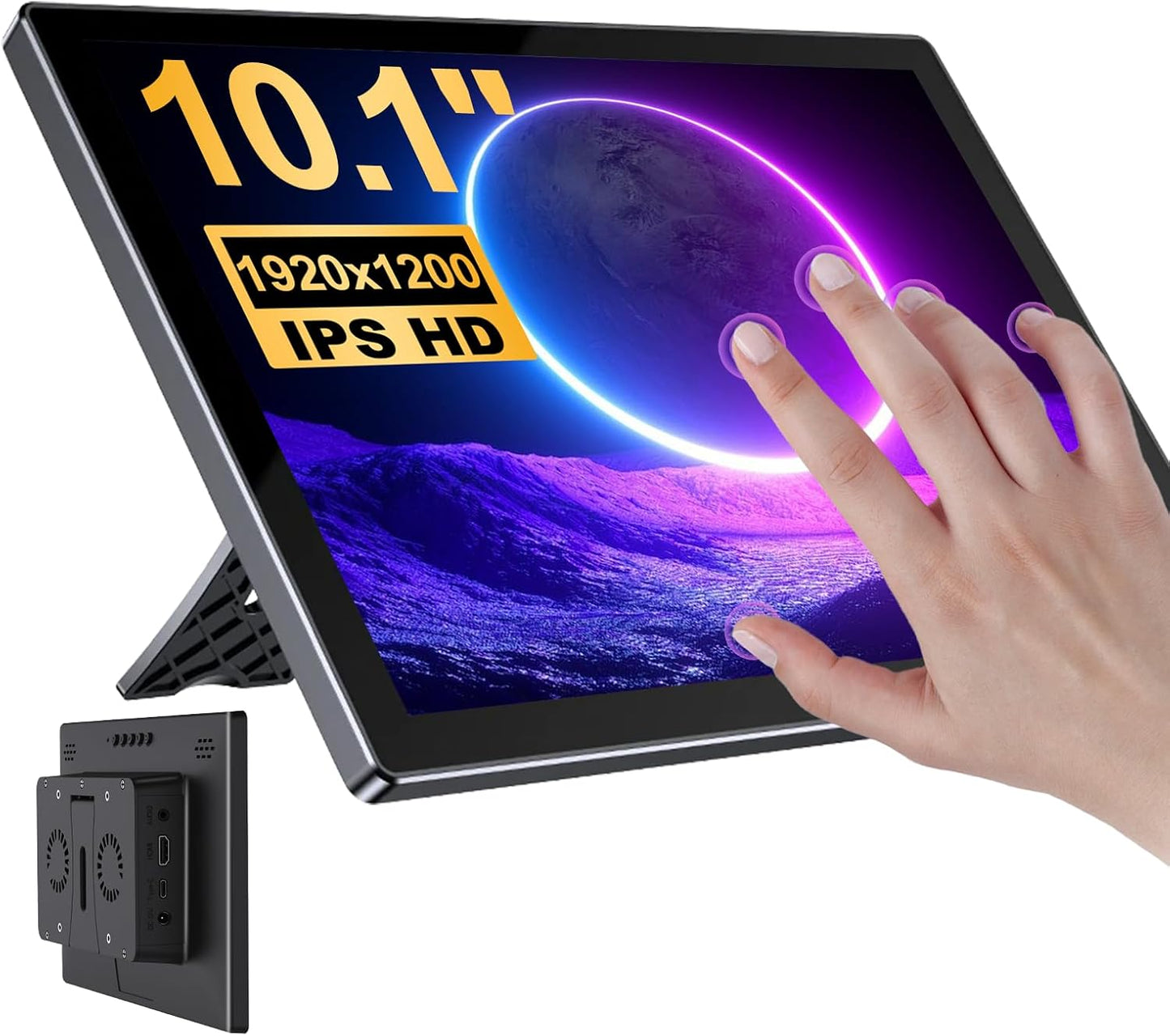
Our review of the 10.1 in touchscreen for Raspberry Pi finds it best suited to hobbyists and makers who need a compact, high-resolution display that doubles as a responsive touch surface. The single biggest reason to buy is the sharp 1920x1200 IPS panel paired with five-point capacitive touch, which makes coding, media playback and small UI projects noticeably easier to see and interact with than typical small Pi displays. Setup is straightforward: HDMI for video and a USB connection for touch, and the display works plug-and-play with common desktop systems.
Key Features
- 1920x1200 IPS screen: The high-resolution panel delivers accurate color and wide 178 degree viewing angles that improve visibility for code, images and video.
- Eye protection: The IPS glossy screen is designed to reduce blue light and flicker, making longer development or media sessions easier on the eyes.
- Five-point capacitive touch: Multi-touch gestures like tapping, zooming and scrolling respond quickly for a natural interaction with Raspberry Pi projects and lightweight applications.
- Built-in audio: Stereo dual speakers plus a 3.5 mm headphone jack provide usable sound for media and alerts without extra speakers.
- Wide compatibility: HDMI video and USB touch support make the monitor compatible with Raspberry Pi models, Windows systems and many single-board computers and consoles.
- Three output modes: Expansion, copy and second screen display modes let users choose how to extend or mirror their primary display for different workflows.
Who It's For
This display is ideal for Raspberry Pi enthusiasts, makers, and developers who want a compact, high-density screen for coding, retro gaming fronts, kiosks or media playback. The responsive touch and full-HD-plus resolution make it a good fit where desktop space is limited but visual clarity matters.
Those who primarily use iOS devices should look elsewhere for touch support, because touch functionality is disabled on iOS. Users seeking a large workstation monitor or professional color-critical panel will also find this unit too small for those workflows.
Pros & Cons
Pros
- Sharp 1920x1200 IPS display gives clear text and vibrant media for a 10.1 in screen.
- Five-point capacitive touch feels responsive and supports common gestures for intuitive control.
- Built-in stereo speakers and headphone jack deliver convenient audio without extra hardware.
- Plug-and-play HDMI video works with many systems, and USB enables touch on supported platforms.
Cons
- Touch is disabled on iOS, limiting functionality for iPhone or iPad users.
- The glossy IPS finish may show reflections in very bright environments.
Specifications
| Display size | 10.1 in |
| Panel type | IPS LCD |
| Resolution | 1920 x 1200 |
| Touch | Five-point capacitive touch |
| Audio | Stereo dual speakers, 3.5 mm headphone jack |
| Video input | HDMI |
| Compatibility | Raspberry Pi models, Windows, Linux, Jetson Nano and other HDMI devices |
Our Verdict
The 10.1 in 1920x1200 touchscreen is a practical, good-value choice for Raspberry Pi users and makers who need a compact, sharp display with reliable touch and onboard audio. It pairs easily with single-board computers and common desktop systems, and its eye-care focused IPS panel is a thoughtful touch for longer sessions. It is not suitable when iOS touch support or a large, professional monitor is required.
Frequently Asked Questions
Does the touch require drivers?
The display is plug-and-play for video via HDMI; touch typically uses a USB connection and works without extra drivers on Windows and many Linux distributions.
Will it work with Raspberry Pi 5?
Yes, the monitor is compatible with Raspberry Pi 5 and earlier Raspberry Pi models for video and touch when connected correctly.
Can I use headphones?
Yes, the monitor includes a 3.5 mm headphone jack as well as built-in stereo speakers for audio output.
Editor's Take
A practical, good-value 10.1 in touchscreen for Raspberry Pi and makers that combines a sharp 1920x1200 IPS panel with responsive five-point touch and built-in audio, best for compact projects and coding but not for iOS touch use or large workstation needs.

Recently viewed
Recently viewed products will appear here as customers browse the store.