

Laptop Screen Extender 14in 1080P IPS Portable Monitor - Dual Screen
Laptop Screen Extender 14in 1080P IPS Portable Monitor - Dual Screen
Price subject to change. Tap below for current.
Couldn't load pickup availability
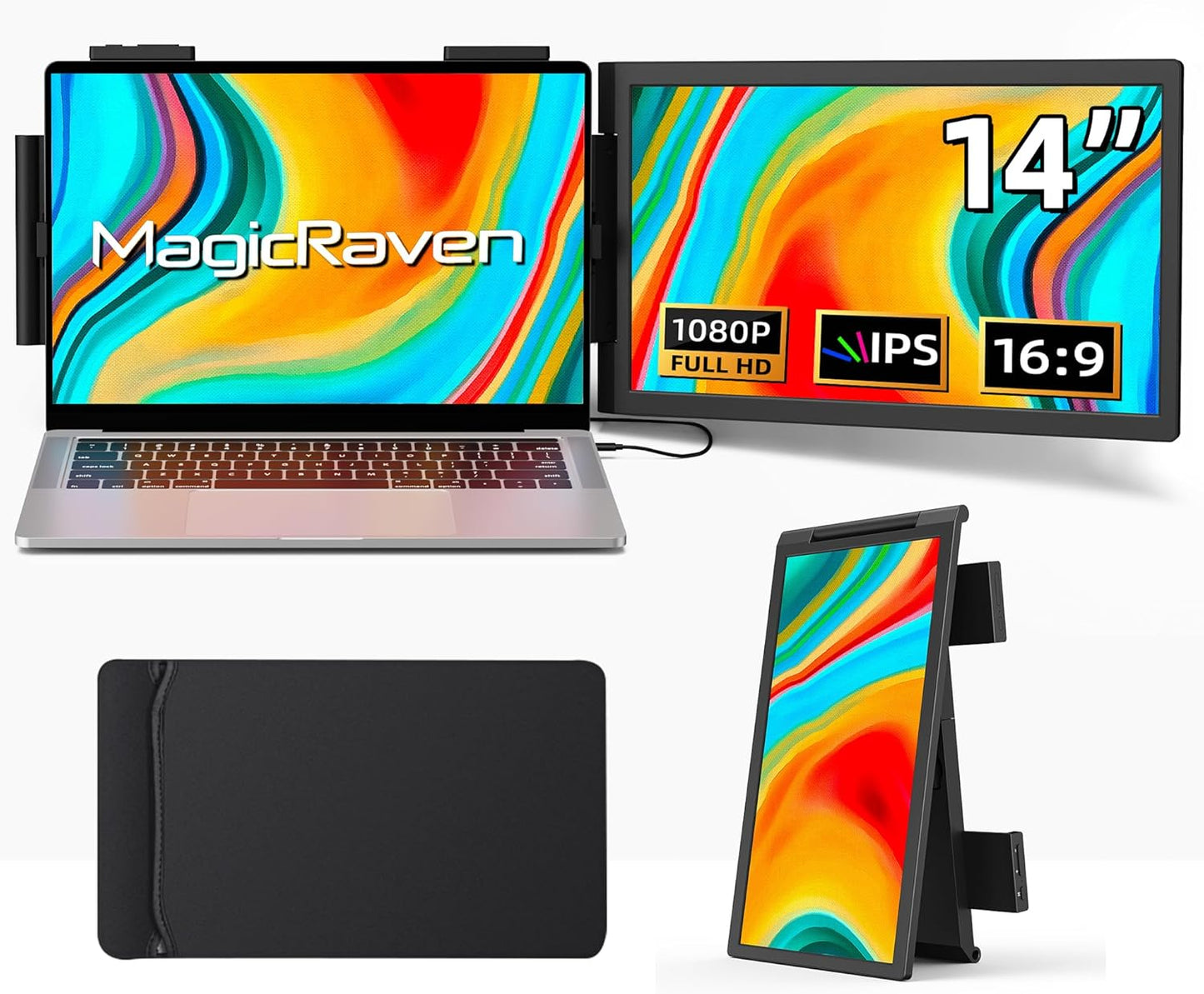
In this review the Laptop Screen Extender is presented as a simple, portable way to add a second display when working away from a dedicated desk. The review finds this 14in 1080P IPS attachable monitor best for people who need more screen space without carrying a bulky external display; its single biggest advantage is that it clips to a 14-16.5in laptop and runs plug-and-play over USB-C or HDMI so users can extend their workspace instantly. For anyone who juggles code, charts, or multiple documents, the extender meaningfully reduces window switching.
Key Features
- Attachable design: Slides onto a compatible laptop and creates a second screen without adding permanent desk footprint, which is ideal for tight work areas or travel.
- 14in FHD IPS panel: The 1920x1080 IPS display delivers wide viewing angles and accurate colors at 100% sRGB so content and code remain easy to read and compare.
- Good brightness and contrast: At 300 nits brightness and a high contrast ratio, the picture stays clear under indoor lighting and in cafes or hotel rooms.
- Flexible rotation: The attachable screen rotates up to 250 degrees so the viewing angle can be adjusted for presentations or comfortable side-by-side layouts.
- Simple connectivity: Plug-and-play with included USB-C and HDMI cables removes driver hassles and works with Windows, Mac, Chrome, Android, Linux, Switch and game consoles.
- Lightweight portability: Weighing about 2.04 lbs and coming with a carry bag, it tucks into luggage and is convenient for commuters and frequent travelers.
Who It's For
The Laptop Screen Extender is best for remote workers, IT professionals, programmers, stock traders and gamers who need quick additional screen space while traveling or working from a coffee shop. Its attachable form factor suits people who want a dual-screen setup without a full desktop monitor or a separate stand.
It is less suited for users who require a large permanent monitor for intensive color-critical work or those who need ultra-high refresh rates for competitive gaming, since the product focuses on portability and general productivity rather than extreme color grading or esports performance.
Pros & Cons
Pros
- Easy plug-and-play setup with USB-C and HDMI connections for broad device compatibility.
- Bright, 14in FHD IPS panel with 100% sRGB delivers clear, consistent color and viewing angles.
- Lightweight and attachable design saves desk space and fits into a carry bag for travel.
- Includes both cables in the package and supports many operating systems and consoles.
Cons
- When using HDMI the monitor requires an external power adapter, adding a small extra convenience step.
- The 14in size may be too small for users who prefer larger desktop monitors for extended productivity sessions.
Specifications
| Screen size | 14in |
| Resolution | 1920x1080 (FHD) |
| Panel type | IPS |
| Brightness | 300 nits |
| Color | 100% sRGB |
| Weight | Approximately 2.04 lbs |
| Connectivity | USB-C and HDMI (cables included) |
Our Verdict
The Laptop Screen Extender is a practical, cost-effective way to add a second display for people who work on the go or in tight spaces; it pairs a sharp 14in FHD IPS panel with simple plug-and-play connectivity and a travel-friendly weight. For most remote workers, developers and casual gamers who need extra screen real estate without a bulky monitor, it offers strong value, while users needing larger screens or specialized high-refresh features should look elsewhere.
Frequently Asked Questions
Will this work with my laptop?
The monitor supports USB-C and HDMI connections and works with Windows, Mac, Chrome, Android and Linux systems; check that your laptop accepts display output over USB-C or has an HDMI port.
Is a driver required?
No drivers are required for normal operation; the unit is plug-and-play with the included cables.
Do I need external power?
USB-C can power the monitor when the host supports power delivery; when using HDMI the monitor needs connection to a power adapter.
Editor's Take
The Laptop Screen Extender is a practical, portable 14in FHD IPS monitor that adds useful second-screen space for remote workers, developers and travelers; it offers plug-and-play connectivity and strong value for mobile productivity.

Recently viewed
Recently viewed products will appear here as customers browse the store.