

47.2 in Office Desk with Power Outlet & Monitor Stand - Space-Saving
47.2 in Office Desk with Power Outlet & Monitor Stand - Space-Saving
Price subject to change. Tap below for current.
Couldn't load pickup availability
In this review of the 47.2 in Office Desk with Power Outlet & Ergonomic Monitor Stand, the bottom line is straightforward: this desk is a smart choice for students, remote workers and gamers who need a compact, configurable workstation with integrated charging. The single biggest reason to buy is the extended adjustable monitor stand that comfortably fits two screens and lifts them to eye level, reducing neck strain. Practical extras like a fabric drawer, built-in power and Type-C ports, and LED lighting make it a versatile pick for small rooms where a tidy, multi-function setup matters.
Key Features
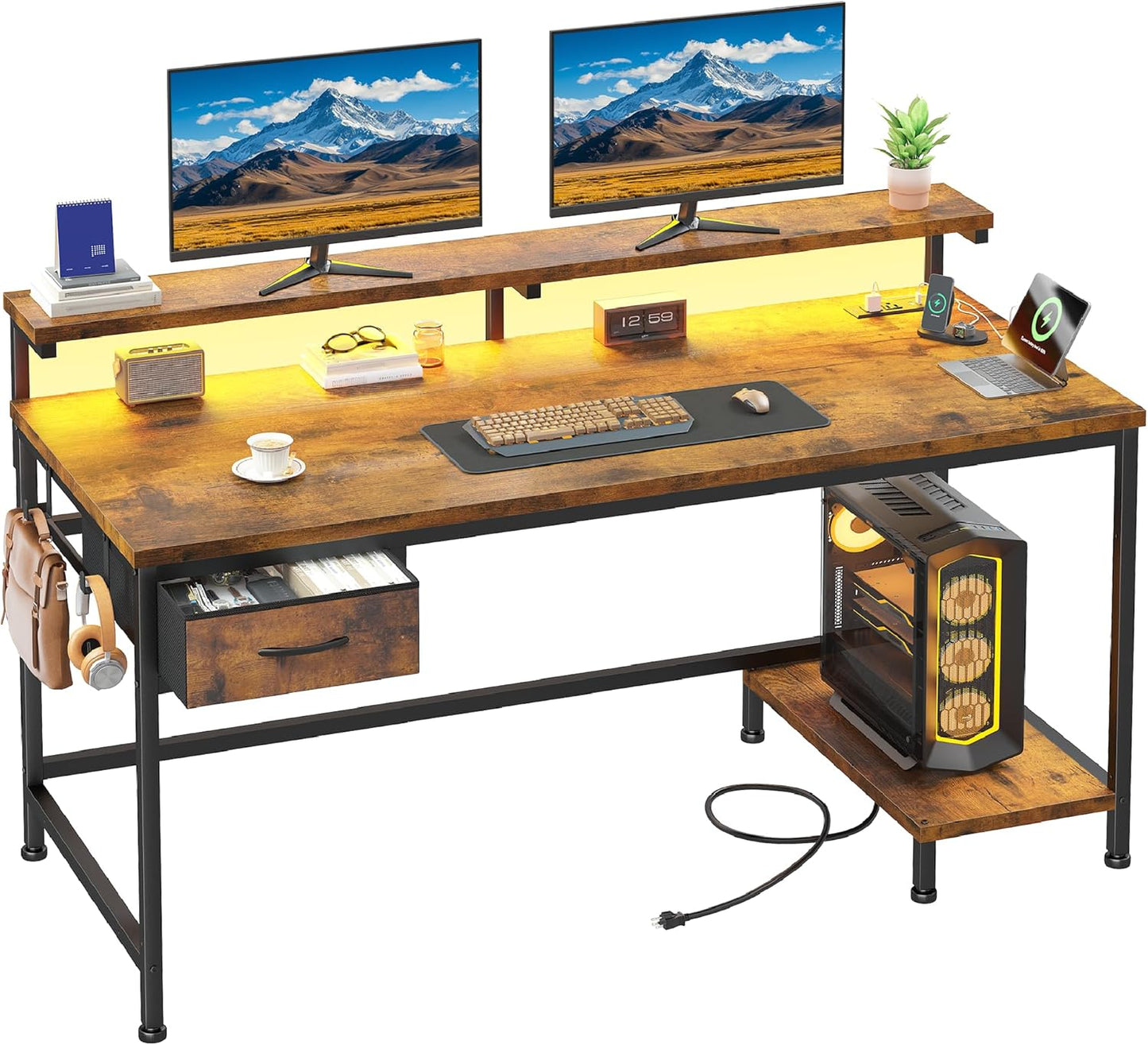
- 47.2 in adjustable monitor stand: Raises dual monitors to eye level to help relieve neck and upper back pressure during long sessions.
- Integrated charging station: Two AC sockets and two Type-C ports let you power a laptop, phone and accessories without hunting for wall outlets.
- Flexible layout: The drawer can be swapped left or right and the CPU stand adjusts to four positions so the desk fits varied room arrangements.
- Fabric storage drawer: A breathable, dust-resistant non-woven drawer keeps documents, cables and stationery organized without adding bulk.
- LED light strip with memory: Twenty static colors and 22 dynamic modes let you set ambient lighting to reduce eye fatigue and personalize a gaming or work mood.
- Quick assembly: Clear instructions and labeled hardware aim to get the desk ready in about 20 minutes for a fast setup.
Who It's For
This desk suits people working in small spaces who need a compact but capable workstation: college students in dorms, remote workers in a spare corner, and casual or entry-level gamers who want a clean setup with RGB-style lighting. The dual-monitor stand especially benefits anyone who spends hours on spreadsheets, coding or competitive play and needs screens raised to eye height.
Those who need a heavy-duty, commercial-grade desk or who want large built-in drawers and deep filing storage should look elsewhere; the lightweight fabric drawer and adjustable CPU stand favor flexibility and space economy over heavyweight storage capacity.
Pros & Cons
Pros
- Adjustable 47.2 in monitor stand improves ergonomics for dual-display setups.
- Built-in power and Type-C ports reduce cable clutter and make charging convenient.
- Flexible configuration with movable drawer and multi-position CPU stand adapts to different rooms.
- LED lighting and a breathable fabric drawer add practical and aesthetic value for small spaces.
Cons
- Assembly experiences are mixed; some users report hole alignment issues that can complicate setup.
- The fabric drawer is lightweight and not designed for heavy filing compared with solid wood drawers.
Specifications
| Overall width | 47.2 in |
| Monitor stand | Extended, adjustable to raise dual screens |
| Power | 2 AC sockets and 2 Type-C ports |
| Storage | Fabric drawer (non-woven), swap left/right |
| CPU stand | Adjustable to 4 positions (left, right, inside, outside) |
| LED lighting | 20 static colors, 22 dynamic modes, memory function |
| Assembly | Manual and hardware included; approx. 20 minutes |
Our Verdict
The 47.2 in desk is a well-rounded, space-saving workstation that balances ergonomics, connectivity and style. It offers excellent value for students, remote workers and gamers who want a configurable desk with built-in power and a dual-monitor riser, though buyers should allow extra time for careful assembly and accept that the fabric drawer prioritizes light storage over heavy-duty filing.
Frequently Asked Questions
Can the monitor stand fit two large monitors?
Yes, the 47.2 in extended monitor stand is designed to accommodate two monitors and raise them to eye level for better ergonomics.
Where are the power ports located and what do they support?
The desk includes two AC sockets and two Type-C ports integrated into the surface for powering laptops, phones and peripherals without extra adapters.
Is assembly difficult?
Most buyers can assemble the desk in about 20 minutes using the included manual, but some users report mixed experiences with hole alignment, so a second set of hands and patience can help.
Editor's Take
A solid, space-saving workstation that pairs a 47.2 in adjustable monitor stand with built-in AC and Type-C charging; ideal for students, remote workers and gamers who prioritize ergonomics and flexibility, though assembly can require care.

Recently viewed
Recently viewed products will appear here as customers browse the store.