

4K Webcam for PC 4K UHD Video Calling - Clear 1080P@60FPS Webcam
4K Webcam for PC 4K UHD Video Calling - Clear 1080P@60FPS Webcam
Price subject to change. Tap below for current.
Couldn't load pickup availability
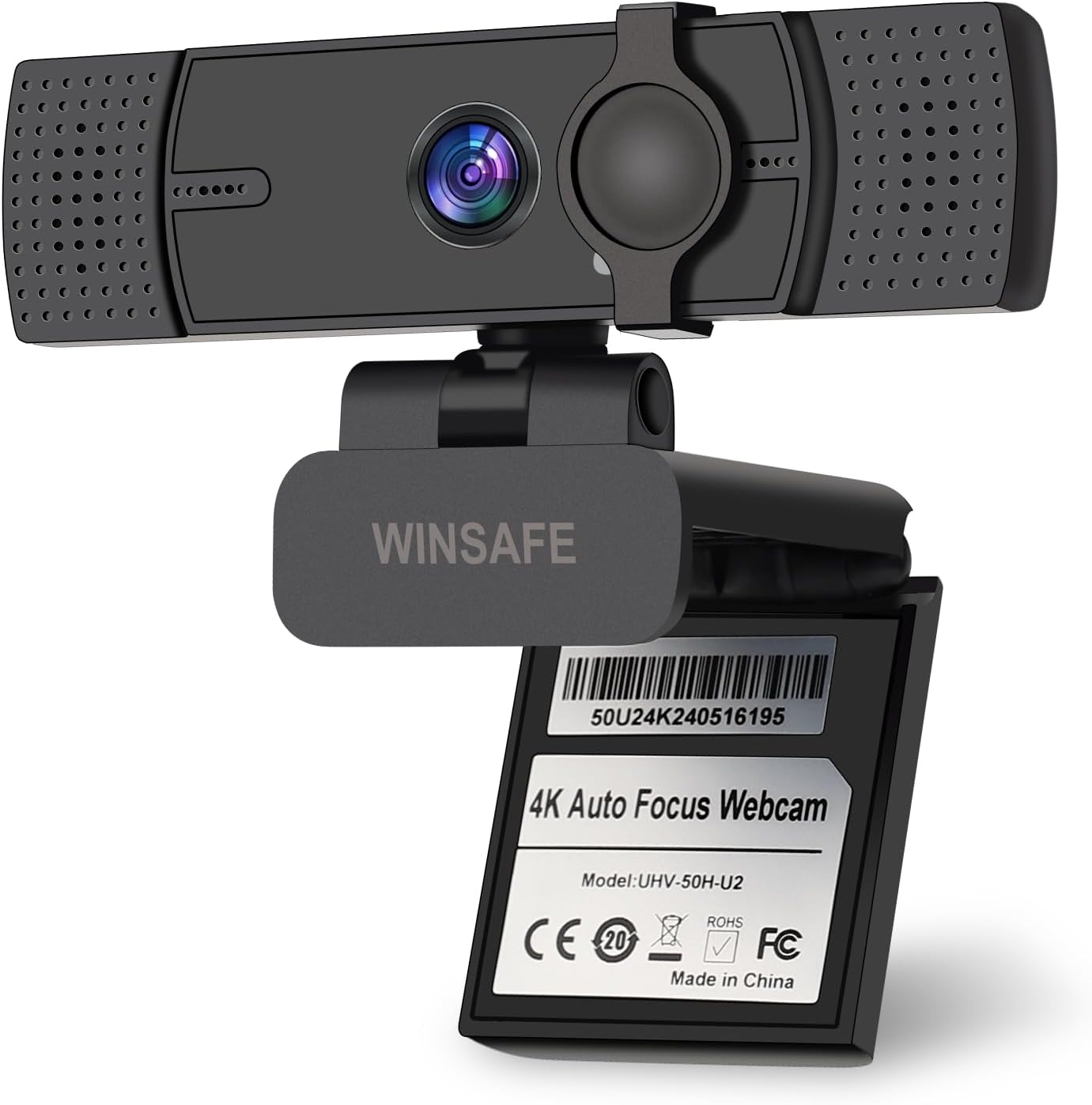
In this review the 4K Webcam for PC is assessed as a practical, high-resolution camera for video calls, online teaching and streaming. The single biggest reason to buy is its 4K UHD sensor and flexible frame rate options that deliver noticeably sharper video than typical 1080p webcams while remaining plug-and-play for everyday use. The reviewer found the image clarity, fast PDAF autofocus and the dual noise-cancelling microphones particularly useful for small meetings, streaming and recorded lessons where clear visuals and reliable audio matter.
Key Features
- 4K UHD resolution: A 1/2.55 12.2MP CMOS sensor supports up to 4K@30FPS and 1080P@60FPS for crisp detail and vivid color in well-lit environments.
- PDAF autofocus: Phase detection autofocus keeps a moving subject sharp and reduces hunting during live presentations or streaming sessions.
- Dual noise-cancelling microphones: Two omnidirectional mics pick up voice clearly and filter background noise up to about 8 ft, improving call audio without a separate microphone.
- Wide 70 FOV and auto light adjustment: The combination of a 70 field of view and automatic light correction suits individual presenters or small groups of 2-3 people without manual exposure fiddling.
- Flexible mounting and adjustments: 360 horizontal rotation, 90 vertical tilt, a 180 adjustable stand and standard tripod nut let users frame shots from many angles.
- USB plug and play with privacy cover: Works with USB-A or USB-C via adapter, no drivers required, and a sliding privacy cover secures the lens when not in use.
Who It's For
The webcam is best for remote teachers, small-team remote workers and casual streamers who want better-than-1080p image quality without complex setup; switching to 4K via OBS or other apps unlocks the full sensor when desired. Its flexible mount and auto light adjustment are helpful for people who change locations or lighting during the day.
It is less suitable for users who need ultra-low latency professional broadcast gear or those who rely exclusively on mobile-only apps that do not expose higher resolution settings; also note the camera defaults to 1080P and requires compatible software to enable 4K capture.
Pros & Cons
Pros
- High-resolution sensor that delivers clear, detailed video at 4K or smooth 1080P@60FPS.
- Reliable PDAF autofocus and auto light adjustment that keep subjects sharp across lighting changes.
- Built-in dual noise-cancelling mics provide usable audio without an external microphone for many users.
- Flexible mounting and a privacy cover make it practical for home and office setups.
Cons
- Video defaults to 1080P; 4K must be enabled in third-party apps like OBS, which adds a setup step for some users.
- While microphones are adequate for typical calls, dedicated external mics still outperform it for professional podcasting or music capture.
Specifications
| Sensor | 1/2.55 12.2MP UHD CMOS |
| Max resolution | 4K@30FPS; 1080P@60FPS |
| Field of view | 70 degrees |
| Autofocus | PDAF autofocus with auto light adjustment |
| Microphones | Dual noise-cancelling omnidirectional mics (effective ~8 ft) |
| Mounting | 360 horizontal, 90 vertical, 180 stand, 1/4 in tripod nut |
| Connectivity | USB plug and play; USB-A and USB-C adapter included |
Our Verdict
The 4K Webcam for PC is a solid midrange camera for educators, remote workers and streamers who want a step up in image quality without complicated installation. Its 4K capable sensor, PDAF autofocus and dual mics deliver tangible benefits for video calls and recordings, and the privacy cover and flexible mounting make it practical. It represents good value for anyone seeking clearer video and integrated audio while accepting that enabling 4K may require compatible apps.
Frequently Asked Questions
Does the webcam require drivers?
The camera uses USB UVC plug-and-play, so no additional drivers are required for major operating systems.
Can I use 4K resolution on any platform?
4K must be enabled in apps that allow selection of higher capture resolutions such as OBS; many conferencing apps default to 1080P.
Are the microphones good for recording podcasts?
The dual noise-cancelling mics are fine for calls and casual streaming but a dedicated external microphone is recommended for high-quality podcasting.
Editor's Take
The 4K Webcam for PC is a practical midrange camera delivering clearer video with a 4K-capable sensor, PDAF autofocus and dual noise-cancelling mics, offering good value for educators, remote workers and casual streamers.

Recently viewed
Recently viewed products will appear here as customers browse the store.