

8K Dual Monitor KVM Switch Dual HDMI 2.1 - 2 Computers, 2 Monitors
8K Dual Monitor KVM Switch Dual HDMI 2.1 - 2 Computers, 2 Monitors
Price subject to change. Tap below for current.
Couldn't load pickup availability
Our review of the 8K Dual Monitor KVM Switch looks at whether this box is a practical solution for users who need to run two computers across two screens while sharing one keyboard and mouse. The bottom line: it is best for power users and gamers who demand high resolution and refresh rates, since its support for 8K@60Hz and 4K@120Hz gives noticeably crisper images and smoother motion. Setup is largely plug-and-play, and the included wired remote and USB 3.0 ports make switching convenient, though a few connectivity caveats mean it is not entirely trouble-free for every environment.
Key Features
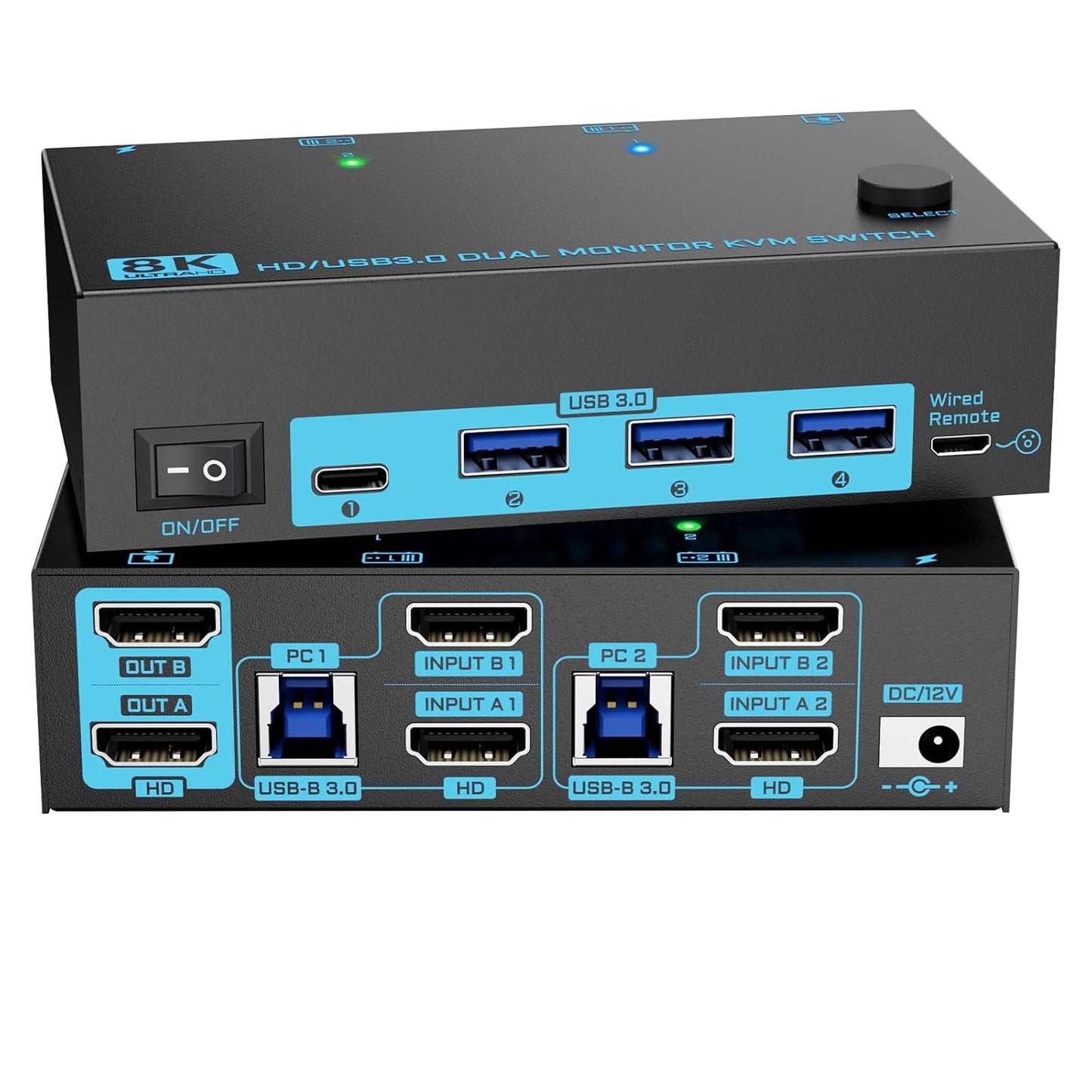
- Dual Monitor HDMI 2.1: Lets two computers share two displays in either mirror or extend mode so workflows that need simultaneous multi-display access stay efficient.
- High Resolution Support: Handles up to 8K@60Hz or 4K@120Hz for gaming and media work that benefits from ultra high definition and high refresh rates.
- USB 3.0 Peripheral Sharing: Provides one USB-C and three USB 3.0 ports with 5Gbps transfer speeds so keyboards, mice, external drives and cameras can be shared with faster throughput than USB 2.0.
- Multiple Switching Methods: Allows switching via a front panel button or the included wired remote controller, with LED indicators to show the active computer for tidy desk operation.
- External Power and One-Key Reset: Includes a 12V power port for high-power USB devices and a dedicated power switch to force a re-recognition without unplugging cables.
Who It's For
This KVM is aimed at home office professionals, content creators, and gamers who want to consolidate two computers onto two monitors while sharing a single keyboard and mouse. Its support for HDMI 2.1 resolutions makes it particularly attractive to those who need high refresh rate performance for gaming or smooth video playback.
Users who lack two HDMI outputs on a laptop or who rely on long HDMI runs should look elsewhere or prepare additional adapters and high quality HDMI 2.1 cables, since the device reaches peak performance only with standard HDMI 2.1 cables within about 1.5m.
Pros & Cons
Pros
- Supports very high resolutions and refresh rates for a sharp, fluid display experience.
- Convenient USB 3.0 sharing with multiple ports and 5Gbps transfer speed.
- Wired remote control and front-panel switching keep a desk neat and make switching quick.
Cons
- Some users report intermittent screen blackouts or flaky connectivity, so results can vary by setup and cable quality.
- Maximum resolution requires short, standard HDMI 2.1 cables and compatible source hardware.
Specifications
| Model Type | Dual HDMI 2.1 KVM Switch |
| Display Support | Up to 8K@60Hz or 4K@120Hz |
| USB Ports | 1 USB-C + 3 USB 3.0 (5Gbps) |
| Inputs/Outputs | 2 computers in, 2 monitors out |
| Controls | Front panel button and wired remote controller |
| Power | External 12V adapter with one-key power off/reset |
| Included Cables | Two USB-A to B cables |
Our Verdict
The 8K Dual Monitor KVM Switch is a strong value for users who need multi-display, multi-computer workflows and demand high resolution and refresh rates. It excels when paired with short HDMI 2.1 cables and compatible hardware, offering fast USB peripheral sharing and convenient switching. Those who rely on long HDMI runs or have inconsistent HDMI cabling may encounter occasional blackouts, so consider cable quality and device compatibility before purchasing.
Frequently Asked Questions
Can I use this with gaming consoles?
Yes, it is compatible with HDMI devices like game consoles and supports high refresh rates, but use short HDMI 2.1 cables to reach max resolution.
Does it share USB devices at full speed?
Yes, the USB ports are USB 3.0 with up to 5Gbps transfer, suitable for external drives, cameras and other peripherals.
What if a monitor fails to show signal?
Try the one-key power off/reset and verify both HDMI and USB cables are connected; poor cables or unsupported source outputs are common causes.
Editor's Take
A good fit for power users and gamers who need two computers on two monitors; delivers excellent resolution and USB 3.0 sharing when used with short HDMI 2.1 cables, though some setups may see occasional connectivity quirks.

Recently viewed
Recently viewed products will appear here as customers browse the store.