

8K HDMI KVM Switch Dual Monitor 2 Computers - 8K@60Hz, USB 3.0 Hub
8K HDMI KVM Switch Dual Monitor 2 Computers - 8K@60Hz, USB 3.0 Hub
Price subject to change. Tap below for current.
Couldn't load pickup availability
In this review the 8K HDMI KVM Switch is judged as a focused tool for users who need to control two computers with one keyboard, mouse and two monitors. The single biggest reason to buy is its dual-monitor support at high resolutions: it can drive two displays up to 8K@60Hz or a single display at 4K@120Hz, making it a practical option for power users with dual HDMI outputs. Setup is straightforward for compatible systems, and the built-in USB 3.0 hub simplifies sharing peripherals between machines.
Key Features
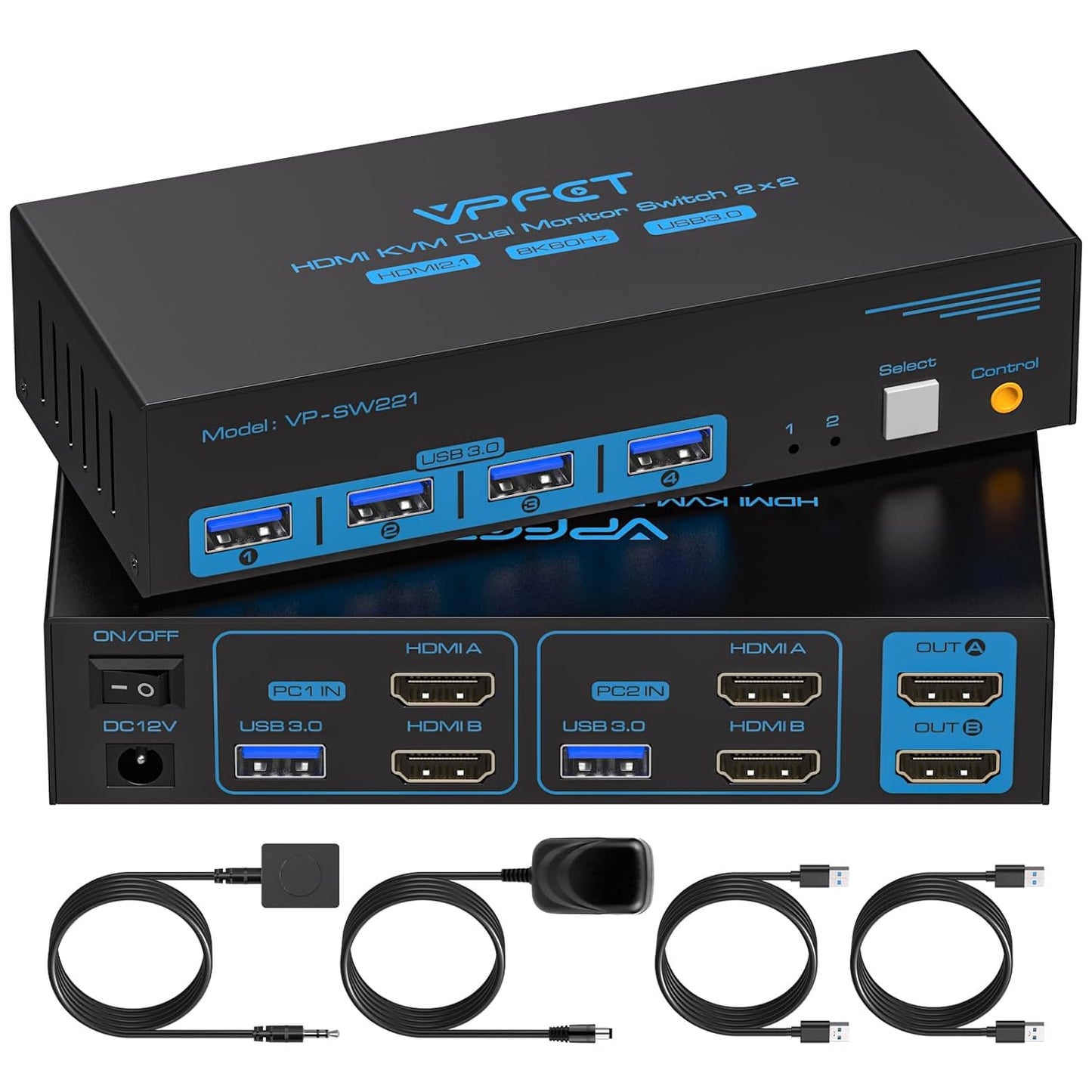
- Dual monitor support: Lets one set of keyboard and mouse control two computers while sending video to two HDMI monitors in copy or extend mode.
- High resolution video: Supports up to 8K@60Hz and 4K@120Hz for crisp, lifelike images and backward compatibility with lower resolutions.
- USB 3.0 hub: Four USB 3.0 ports provide up to 5Gbps for fast peripherals and compatibility with USB 2.0 devices.
- External power stability: Includes a 12V power adapter so high-power USB devices remain stable when shared through the switch.
- Simple switching: Switch between the two connected PCs using the front panel or the included wired desktop controller for one-touch control.
Who It's For
The KVM switch is best for professionals and enthusiasts who already have two HDMI outputs on each computer and need persistent dual-monitor setups, such as content creators, developers, or traders who want fast switching and high-resolution output. It is also suited to users who need to share multiple USB peripherals like webcams, printers, or external input devices across two hosts.
This product is not ideal for laptop users with a single HDMI output, for systems that rely on DisplayPort-only outputs without HDMI adapters, or for MacBook users, since the device requires two dedicated HDMI outputs per computer and is not compatible with all laptop dock configurations.
Pros & Cons
Pros
- Reliable dual-monitor switching with excellent picture quality reported at 4K and up to 8K@60Hz.
- Fast USB 3.0 ports let shared peripherals operate at higher transfer rates than USB 2.0.
- External 12V power supply ensures stable operation for connected USB devices and reduces host load.
Cons
- Requires two HDMI outputs and one USB-A port on each computer, so it will not add dual-monitor capability to single-output systems.
- HDMI cables are not included and the switch requires HDMI 2.1-compliant cables under 6 ft for full performance, which adds extra setup cost.
Specifications
| Model type | Dual-monitor HDMI KVM switch |
| Maximum resolution | 8K@60Hz; 4K@120Hz compatible |
| Ports per host | 2 HDMI outputs and 1 USB-A |
| Monitor ports | 2 HDMI inputs (OUTA, OUTB) |
| USB | 4 x USB 3.0 ports (up to 5Gbps) |
| Power | Included 12V power adapter |
| Compatibility | Windows, Linux, Unix, Mac OS (note: not compatible with some MacBook setups) |
Our Verdict
The 8K HDMI KVM Switch is a strong choice for users who already have dual HDMI outputs on each computer and want high-resolution dual-display control with fast USB sharing. Its video fidelity, USB 3.0 hub and external power make it good value for professional setups, though buyers should budget for HDMI 2.1 cables under 6 ft and confirm host compatibility before purchasing.
Frequently Asked Questions
Do I need special cables?
Yes. Use HDMI 2.1-compliant cables no longer than 6 ft to achieve the stated resolutions.
Will it work with a MacBook?
The switch is not compatible with all MacBook configurations; it requires two native HDMI outputs, so many MacBooks will not be supported.
Can I share external hard drives?
Yes, but high-power USB devices may require the included 12V power adapter for stable operation.
Editor's Take
The 8K HDMI KVM Switch is a practical choice for users with dual HDMI outputs who need high-resolution dual-display control and fast USB sharing; confirm host compatibility and use HDMI 2.1 cables under 6 ft for best results.

Recently viewed
Recently viewed products will appear here as customers browse the store.