

acer Chromebook 311 11.6 in HD Laptop - Lightweight Everyday
acer Chromebook 311 11.6 in HD Laptop - Lightweight Everyday
Price subject to change. Tap below for current.
Couldn't load pickup availability
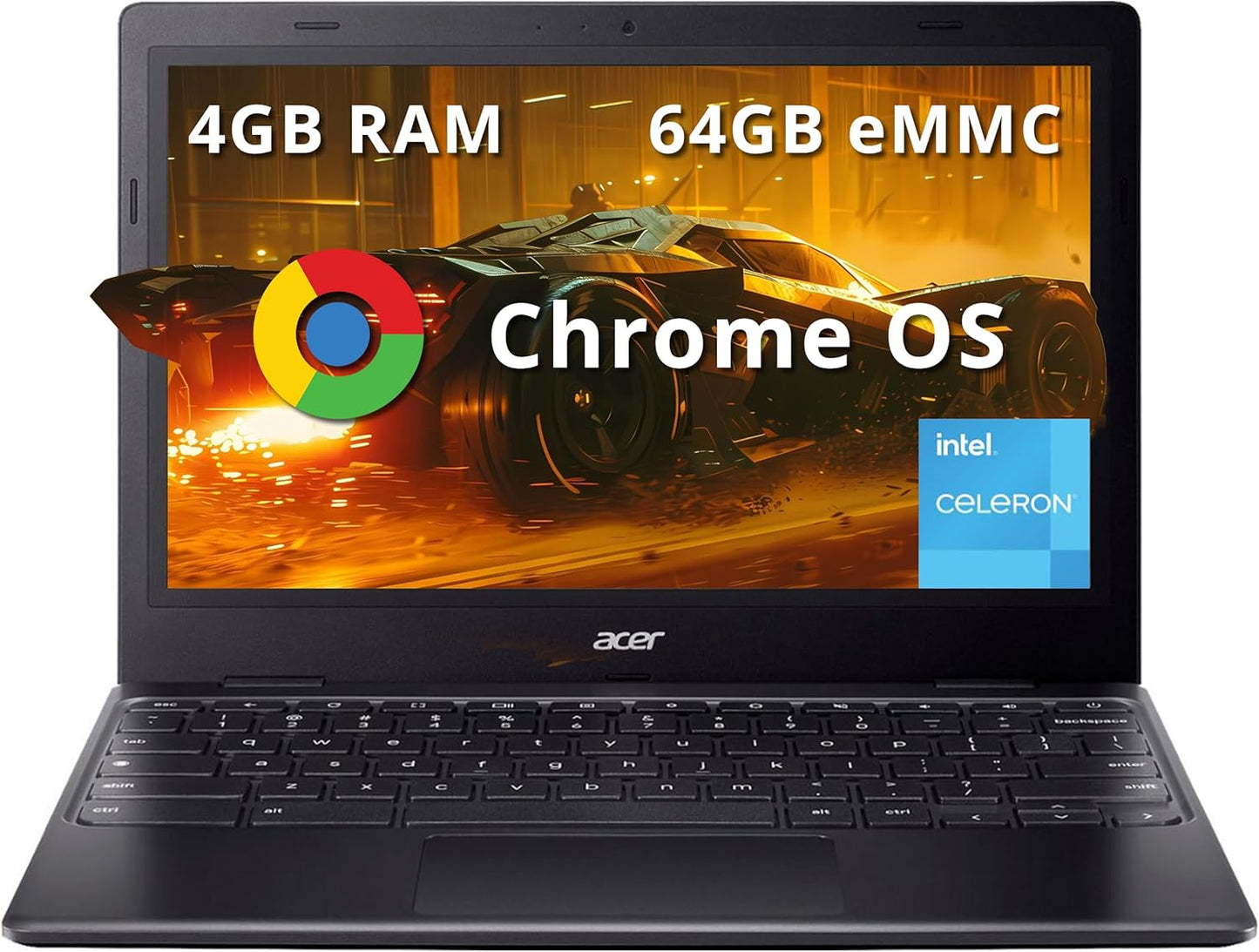
Our review of the acer Chromebook 311 finds it is a practical, low-cost laptop for students, casual users and anyone who needs a dependable web-first machine. The single biggest reason to buy is its combination of an 11.6 in HD display, long battery life and a lightweight build that makes it easy to carry between classes or rooms while delivering solid picture quality for streaming and video calls. This refreshed unit runs Chrome OS smoothly on the Intel Celeron N4500 and comes with a clear HD webcam for reliable remote meetings.
Key Features
- 11.6 in HD display: Provides bright, easy-to-read visuals and a screen size that balances portability with comfortable media viewing.
- Intel Celeron N4500: A low-voltage processor that keeps power draw down while handling everyday browsing, streaming and document work.
- 4GB LPDDR4X RAM: Enough high-bandwidth memory to run multiple browser tabs and cloud apps without frequent slowdowns.
- 64GB eMMC storage: Offers local space for files and supports high-definition video playback while relying on cloud storage for larger libraries.
- Intel UHD Graphics and HD webcam: Delivers clear picture quality for videos and video calls, making meetings and streaming look good on the go.
- Compact connectivity: USB-C, USB-A, HDMI and a headphone jack cover common peripherals and external displays for presentations or extended use.
Who It's For
The Chromebook 311 is ideal for students, parents buying a secondary laptop for children or anyone who wants a simple, cloud-centric machine for browsing, video calls and media streaming. Its lightweight 2.65 lb chassis and small footprint suit commuters and users who need a device for email, calendars and web apps.
People who need heavy local storage, advanced photo or video editing, or demanding software should look elsewhere, as the N4500 CPU, 4GB of RAM and 64GB eMMC are tuned for basic multitasking and cloud workflows rather than intensive creative work.
Pros & Cons
Pros
- Good value for money with a mix of portability and useful everyday performance.
- Responsive performance for web apps and streaming thanks to the N4500 and LPDDR4X memory.
- Clear HD webcam and solid picture quality on the 11.6 in display for video calls and shows.
- Compact set of ports including USB-C, USB-A and HDMI for simple connectivity.
Cons
- Limited local storage and modest CPU power mean it is not suited for heavy multitasking or large local media libraries.
- Sound quality and wireless connectivity may be average for users with high expectations, though generally adequate for casual use.
Specifications
| Display | 11.6 in HD |
| Processor | Intel Celeron N4500 |
| Memory | 4GB LPDDR4X RAM |
| Storage | 64GB eMMC |
| Graphics | Intel UHD Graphics |
| Ports | 1 x USB-C 3.2, 1 x USB-A 3.2, 1 x HDMI, 1 x Headphone/Mic |
| Dimensions & Weight | 11.65 x 7.83 x 0.71 in, 2.65 lbs |
Our Verdict
The acer Chromebook 311 is a solid, affordable choice for students and light users who prioritize portability, battery life and a simple cloud-first experience. It delivers good picture quality and reliable everyday performance for the price, making it a strong value for anyone who mainly uses web apps, streaming and video calls.
Frequently Asked Questions
Can this Chromebook run common web apps and video calls?
Yes. The Intel Celeron N4500 with 4GB LPDDR4X handles browser-based apps and HD video calls reliably for typical users.
Is the storage enough for media and schoolwork?
64GB eMMC is fine for documents and some media, but the Chromebook pairs best with cloud storage for larger files and libraries.
How portable is the laptop?
Very portable: the 11.6 in HD screen and 2.65 lb weight make it easy to carry daily between classes or meetings.
Editor's Take
The acer Chromebook 311 is a lightweight, value-focused laptop that offers good everyday performance, a clear HD webcam and a comfortable 11.6 in screen, making it a strong choice for students and casual users who rely on cloud apps.

Recently viewed
Recently viewed products will appear here as customers browse the store.