

ApoloSign Digital Calendar 21.5 in - Smart Touchscreen Family Planner
ApoloSign Digital Calendar 21.5 in - Smart Touchscreen Family Planner
Price subject to change. Tap below for current.
Couldn't load pickup availability
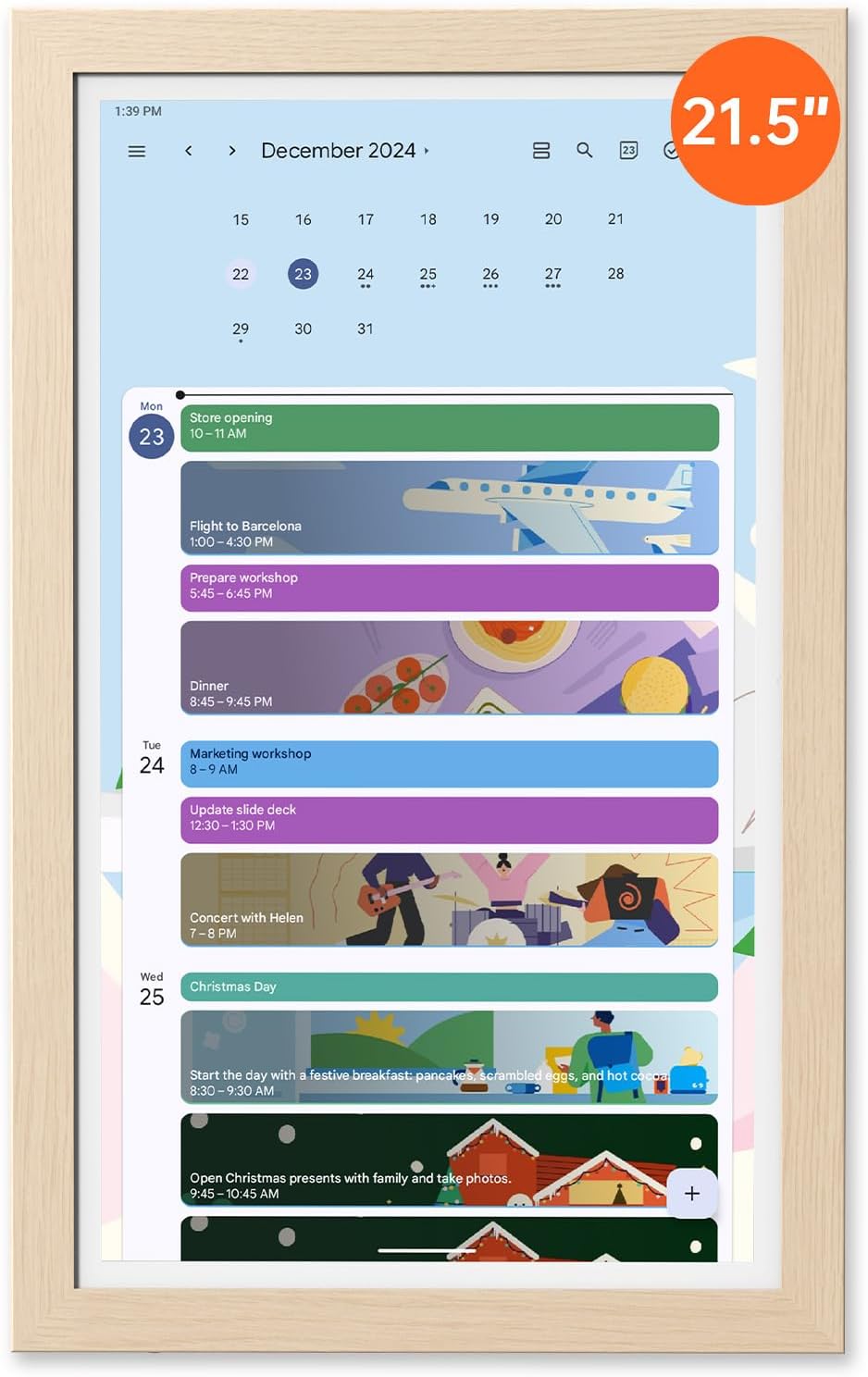
In this review of the ApoloSign Digital Calendar, the bottom line is clear: this 21.5 in smart touchscreen is best for busy households that need a single visible hub for schedules, chores and shared reminders. Setup is straightforward and the calendar shines when syncing with Google Calendar, iCloud and Outlook, making it easy to stop missing appointments and coordinate family life. The device doubles as a photo frame and daily dashboard, so the biggest reason to buy is its combination of large, easy-to-read display and flexible, customizable widgets that put family planning front and center.
Key Features
- All-in-one family organizer: Syncs with Google Calendar, iCloud and Outlook so shared events and appointments appear on one central display for everyone at home.
- Customizable dashboard: Drag-and-drop widgets for chores, grocery lists and meal plans let households tailor a homepage to daily routines.
- HD touchscreen with wooden frame: Incell + AG technology delivers clear, low-glare viewing and a warm wood frame that fits common home decors.
- Memory wall screensaver: Use Google Photos or direct uploads to display family photos as a screensaver without subscription fees.
- Flexible placement: Wall mounting hardware is included and the display supports portrait or landscape orientation for different mounting needs.
- Simple setup and support: Plug in, connect to Wi-Fi and follow the on-screen prompts, with 24/7 customer support available if help is needed.
Who It's For
The ApoloSign Digital Calendar is ideal for families and shared households who want a visible, always-on planner that combines calendars, to-dos and photo displays in one device. Parents who manage school schedules, meal planning and rotating chores will appreciate the large touchscreen and widget customization that make shared routines visible to everyone.
It is less suited to someone who only needs a small, portable calendar or prefers a minimal device that does not integrate apps; those users should look for a compact planner or a basic digital frame instead. Users who expect a full desktop computing experience should also consider a tablet or smart display dedicated to apps and media.
Pros & Cons
Pros
- Large, clear 21.5 in display makes family schedules and photos easy to read across a room.
- Seamless syncing with Google Calendar, iCloud and Outlook reduces missed events and doubles as a shared hub.
- Custom widgets and Google Play compatibility let households build a personalized dashboard for chores, groceries and weather.
- Included wall mount and elegant wooden frame mean it integrates well into kitchens and common areas.
Cons
- Some setup steps require following the on-screen Google Services flow; the company provides a tutorial but initial configuration may confuse less technical users.
- Stand is sold separately if wall mounting is not desired, which may be an added expense for some buyers.
Specifications
| Screen size | 21.5 in |
| Display technology | Incell + AG touchscreen |
| Calendar sync | Google Calendar, iCloud, Outlook, Yahoo |
| Apps | Supports Google Play apps |
| Screensaver | Memory wall via Google Photos or direct upload, no subscription |
| Mounting | Wall mount included; compatible stands sold separately |
| Support | 24/7 customer support (U.S./Canada compensation policy) |
Our Verdict
The ApoloSign Digital Calendar is a practical, family-focused smart display that combines calendar syncing, customizable widgets and a photo-capable screensaver in a large, attractive package. It delivers strong organization value for households that need a shared visual planner and is worth the investment for those who mount it in a kitchen or common area where everyone can see and interact with it.
Frequently Asked Questions
Which calendars can it sync with?
The device supports syncing with Google Calendar, iCloud and Outlook; Google account login is done in calendar settings.
Can the screensaver show shared album photos?
The screensaver can show photos from Google Photos or images uploaded directly; check settings and album permissions for shared albums.
Why might the screen turn off or restart?
Sleep Mode may be enabled under Settings -> Display -> Sleep Mode; adjust or disable it if the display is turning off unexpectedly.
Editor's Take
The ApoloSign Digital Calendar is a family-friendly 21.5 in smart touchscreen that centralizes calendars, chores and photos into one attractive hub; it is a good value for households that want a visible, shared planner.

Recently viewed
Recently viewed products will appear here as customers browse the store.