

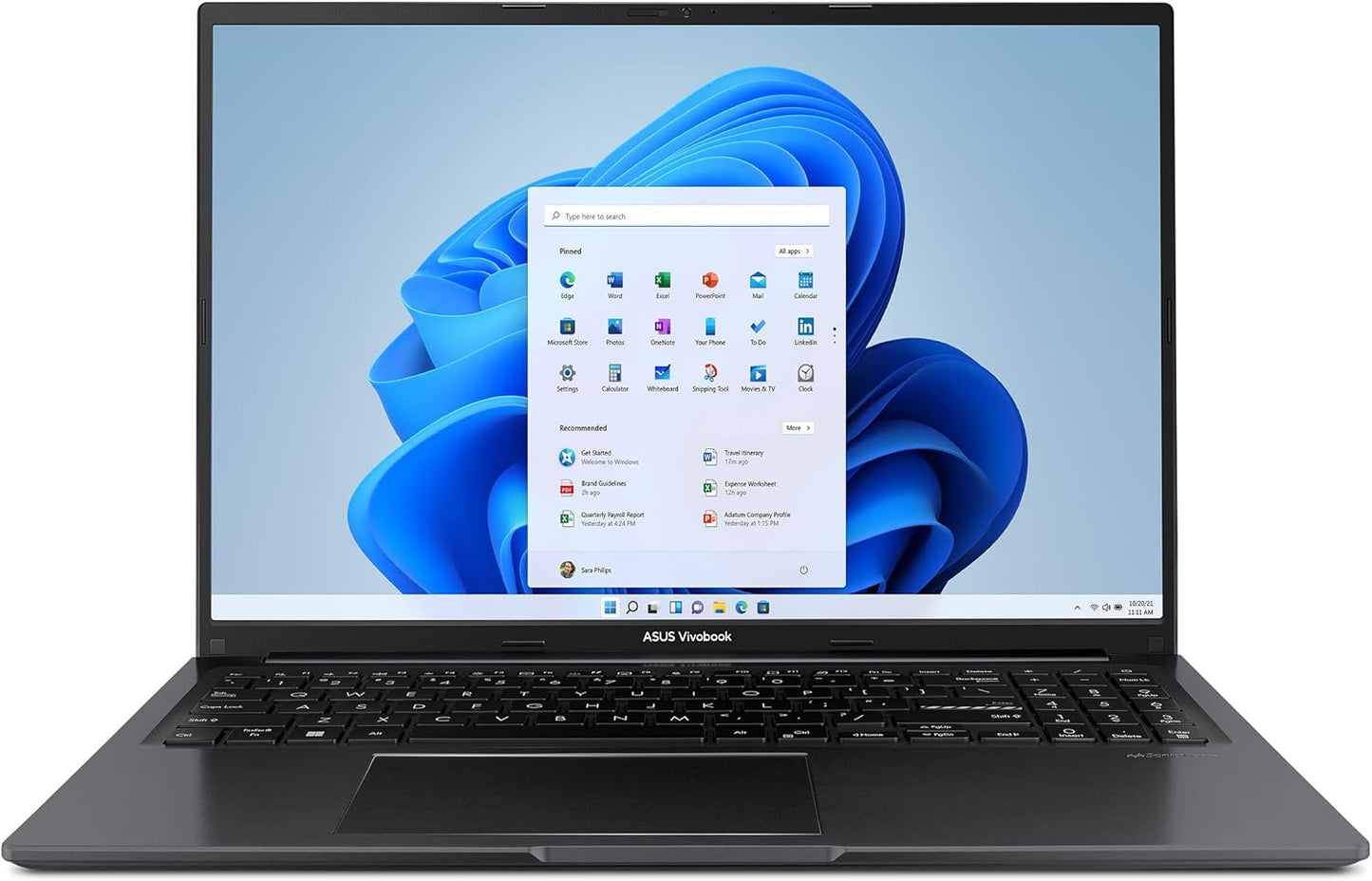
ASUS Vivobook 16 Laptop - Smooth 16 WUXGA Performance
ASUS Vivobook 16 Laptop - Smooth 16 WUXGA Performance
Price subject to change. Tap below for current.
Couldn't load pickup availability
In this review the ASUS Vivobook 16 is evaluated as a midrange everyday laptop aimed at students, remote workers, and content consumers who want a larger 16in screen without a heavy desktop replacement. The bottom line: the Vivobook 16 pairs a roomy 16 WUXGA 16:10 display and a modern Intel Core i5-13500H CPU with a lightweight chassis and sensible features, making it a good pick when you want responsive performance, long screen real estate, and straightforward connectivity for daily productivity.
Key Features
- 16 WUXGA 16:10 display: The 1920 x 1200 panel with ultra-slim NanoEdge bezels delivers more vertical space for documents and web browsing, which improves productivity compared with traditional 16:9 screens.
- 13th-gen Intel Core i5 processor: The Core i5-13500H (up to 4.7 GHz, 12 cores) provides smooth multitasking and responsive performance for common workflows and light content creation.
- Fast storage and adequate memory: The 512GB M.2 NVMe PCIe 3.0 SSD and 8GB DDR4 RAM offer speedy boot and app load times for everyday use and quick file access.
- Practical connectivity: A mix of USB Type-C, USB 3.2 and USB 2.0 ports plus micro HDMI and a 3.5mm combo jack make it easy to attach peripherals and external displays without adapters.
- Portable, military-tested chassis: At about 4.14 lbs and 0.78 in thick, the Vivobook 16 is lightweight for a 16in laptop and meets US MIL-STD 810H for durability in typical travel scenarios.
- Productivity and communication aids: Features like a 180 lay-flat hinge, a physical webcam shield, ASUS AI Noise-Canceling Technology and dedicated mic keys improve the everyday conferencing and typing experience.
Who It's For
The Vivobook 16 is best for students, remote professionals and home users who want a larger display for multitasking, document work, and media consumption without paying for a high-end workstation. Its Core i5 CPU and NVMe SSD suit people who run many tabs, productivity suites and basic photo edits.
People who need a high-end graphics workstation, extensive RAM for heavy multitasking or professional video editing should look elsewhere; the integrated Intel UHD Graphics and 8GB RAM are not intended for demanding 3D work or large-scale media projects.
Pros & Cons
Pros
- Large 16:10 display with slim bezels gives noticeably more usable vertical space for documents and browsing.
- Responsive everyday performance thanks to the Core i5-13500H and NVMe SSD; boots and resumes very quickly as customers note.
- Good onboard audio for the class, with several customers praising the sound quality and clarity.
- Practical features like a lay-flat hinge, webcam shield and AI noise canceling enhance usability for meetings.
Cons
- 8GB of RAM is acceptable for many tasks but may limit heavy multitasking or future-proofing without an upgrade option.
Specifications
| Display | 16 WUXGA (1920 x 1200) 16:10, NanoEdge bezels |
| Processor | Intel Core i5-13500H, up to 4.7 GHz, 12 cores |
| Graphics | Intel UHD Graphics |
| Memory & Storage | 8GB DDR4 RAM, 512GB M.2 NVMe PCIe 3.0 SSD |
| Operating System | Windows 11 Home |
| Weight & Thickness | About 4.14 lbs, 0.78 in thick |
| Connectivity | USB-C 3.2 Gen 1, USB-A 3.2 Gen 1, USB-A 2.0, micro HDMI 1.4, Wi-Fi 5, Bluetooth 4.1 |
Our Verdict
The Vivobook 16 is a strong value for anyone who wants a roomy 16in display, quick everyday performance and useful conference-friendly features in a lightweight chassis. It balances speed, storage and sensible ports for students and professionals, though buyers seeking heavy-duty graphics or large memory footprints should consider higher-tier configurations.
Frequently Asked Questions
Does this model handle video calls and meetings well?
The combination of ASUS AI Noise-Canceling Technology, a physical webcam shield and dedicated mic keys makes it well suited for clear conferencing in typical home and office environments.
Is the storage fast enough for daily use?
Yes, the 512GB M.2 NVMe PCIe 3.0 SSD provides fast boot and app load times that improve responsiveness for everyday workflows.
Can it run demanding games or creative apps?
It uses Intel UHD Graphics and 8GB RAM, so casual gaming and light creative work are fine, but high-end gaming and professional video editing will be limited without a discrete GPU or more memory.
Editor's Take
The Vivobook 16 offers a roomy 16 WUXGA screen, responsive Core i5 performance and fast NVMe storage in a lightweight chassis, making it a strong value for students and remote workers who need productive everyday performance.

Recently viewed
Recently viewed products will appear here as customers browse the store.