

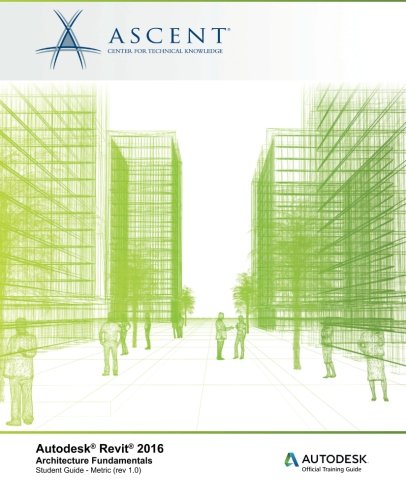
Autodesk Revit 2016 Architecture Fundamentals - Metric
Autodesk Revit 2016 Architecture Fundamentals - Metric
Price subject to change. Tap below for current.
Couldn't load pickup availability
In this review of Autodesk Revit 2016: Architecture Fundamentals - Metric, the guide is evaluated as a practical, project-oriented training resource for architects and students learning Building Information Modeling. The book's biggest strength is its focus on workflow: it teaches Revit through real design tasks so users learn the interface, modeling tools, and documentation processes in the same sequence they would use them on an actual project. This makes it a solid choice for someone who wants hands-on, process-driven learning rather than a collection of isolated tips.
Key Features
- Project-based learning: Lessons follow a typical architectural design process so readers learn tools in context and see how changes update across views.
- User interface orientation: Early chapters orient readers to the Revit interface, reducing the learning curve for those new to BIM software.
- Modeling fundamentals: The guide covers essential elements such as walls, doors, windows, floors, ceilings, and stairs so users can build complete architectural models.
- Documentation workflow: Instruction progresses to construction documentation, demonstrating how the model drives printable sheets and coordinated views.
- Metric focus: Content is tailored to metric units, making it directly usable for projects and students working in those standards.
Who It's For
This guide is best suited to architecture students, junior architects, and BIM coordinators who need a structured, stepwise introduction to Autodesk Revit and how it supports design through documentation. The focus on a central 3D model and on tasks typical to architectural workflows helps readers move from basic drawing and editing to full project documentation.
Experienced Revit users or specialists seeking advanced parametric family creation or industry-specific workflows may find the material basic; those users should look for advanced or specialized Revit titles instead.
Pros & Cons
Pros
- Clear, process-driven lessons that mirror real project workflows and reduce theory-only learning.
- Comprehensive coverage of core modeling elements so readers can construct standard architectural components.
- Progression to construction documentation illustrates how the model controls printable sheets and coordinated views.
Cons
- Content is focused on fundamentals and metric units, so advanced users or those needing imperial examples may need supplemental material.
Specifications
| Title | Autodesk Revit 2016: Architecture Fundamentals - Metric |
| Publisher / Brand | Ascent - Center for Technical Knowledge |
| Software focus | Autodesk Revit 2016 (Architecture) |
| Teaching approach | Project-based training guide covering design to documentation |
| Units | Metric |
| Topics covered | User interface, drawing, editing, modeling elements, documentation |
Our Verdict
Autodesk Revit 2016: Architecture Fundamentals - Metric is a practical, well-sequenced training guide that delivers strong value for students and early-career architects who need to learn BIM workflow and documentation. Its project-based approach and metric orientation make it a sensible investment for those working in metric environments, while advanced users should supplement it with specialized materials.
Frequently Asked Questions
Is this guide suitable for beginners?
Yes. It starts with the user interface and basic drawing tools, then builds to modeling and documentation.
Does it cover construction documentation?
Yes. The lessons progress into the processes that take the model to printable sheets and coordinated views.
Are measurements in imperial units?
No. The content is prepared specifically in metric units.
Editor's Take
A practical, project-driven training guide that teaches Revit 2016 fundamentals and construction documentation in metric units, ideal for students and junior architects who need workflow-focused instruction.

Recently viewed
Recently viewed products will appear here as customers browse the store.