AV Access Docking Station for Dual Monitor Setup with KVM Switch
AV Access Docking Station for Dual Monitor Setup with KVM Switch
Price subject to change. Tap below for current.
Couldn't load pickup availability
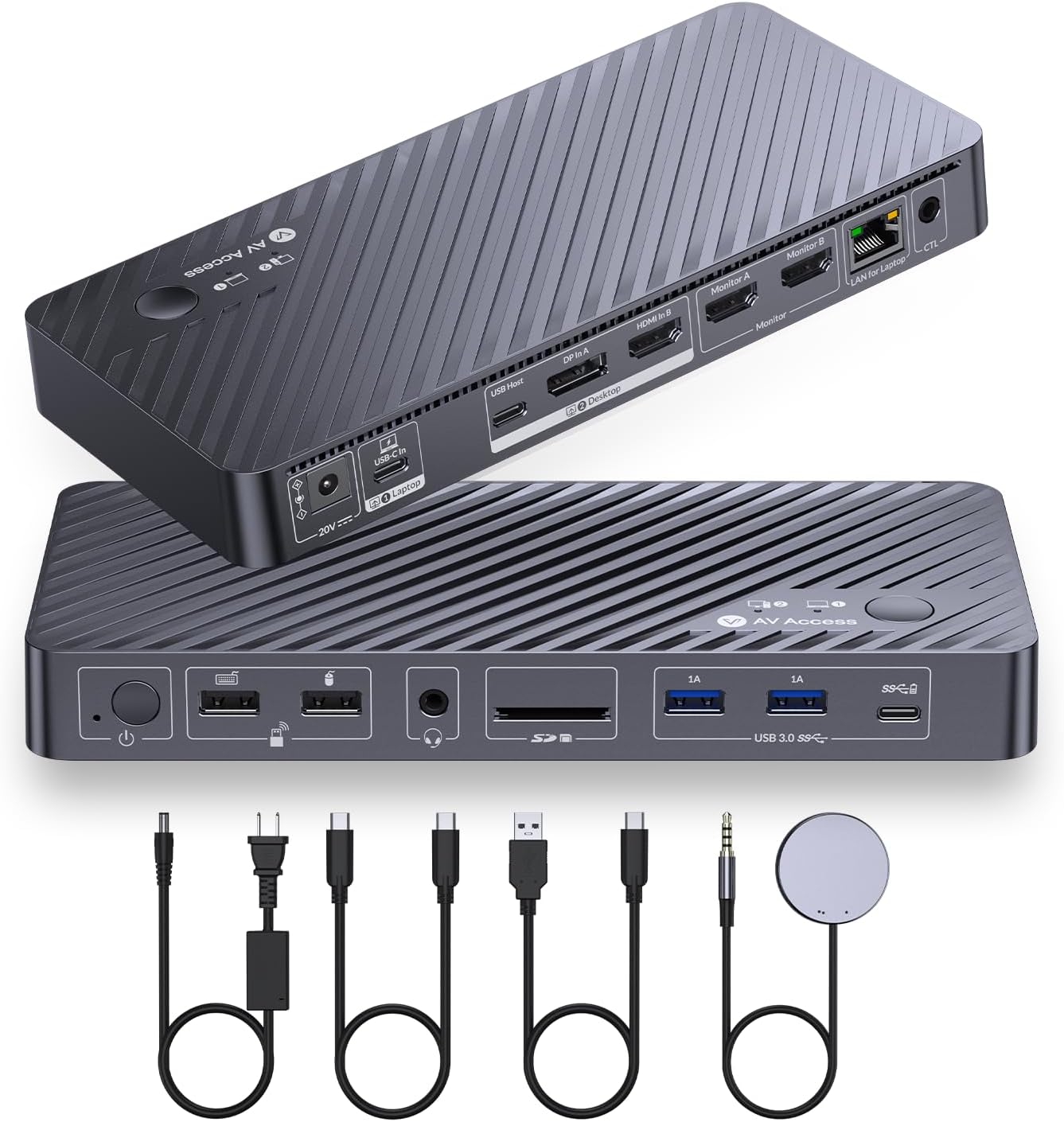
The AV Access Docking Station is a versatile solution for anyone looking to enhance their workspace with dual monitor capabilities. This KVM switch allows you to control two computers seamlessly using a single set of peripherals, making it ideal for both productivity and entertainment. With its sleek design and robust functionality, this docking station is a must-have for professionals and gamers alike.
One of the standout features of this KVM docking station is its ability to support dual monitor output at impressive resolutions. It can handle up to 4K@60Hz, ensuring that your visuals are crystal clear and vibrant. Whether you're working on detailed graphics or enjoying a gaming session, the high refresh rate of 1440p@144Hz and 1080p@240Hz guarantees a smooth experience.
This all-in-one USB-C docking station comes equipped with 10 ports, making it incredibly easy to connect all your essential devices. With multiple USB 3.0 and 2.0 ports, a USB-C data port, an SD card reader, and a 3.5mm headset jack, you can create a complete desktop environment without any hassle. The inclusion of a Gigabit LAN port also ensures that you have stable internet access while working.
Power management is another key aspect of the AV Access Docking Station. It provides up to 65W charging for your USB-C laptop, allowing you to keep your device powered throughout the day. The integrated LAN port simplifies your setup by combining charging, networking, and video/data transmission into a single cable.
Switching between computers is a breeze with this KVM switch for laptop and desktop. You can easily toggle between devices using the top-panel button or the included remote control. The EDID emulation and hardware wake-up features ensure that you experience fast, stable switching without any annoying display flickers or resolution issues.
It is important to note that this docking station only supports mirrored output on macOS. To ensure optimal performance, make sure to connect the HDMI IN, DP IN, and USB-C to A cable to your desktop. This will help you get the most out of your dual monitor setup.
In conclusion, the AV Access Docking Station is an exceptional choice for anyone looking to enhance their dual monitor experience. With its robust features, seamless switching, and high-quality output, it stands out as a top-tier solution for both work and play.
Share