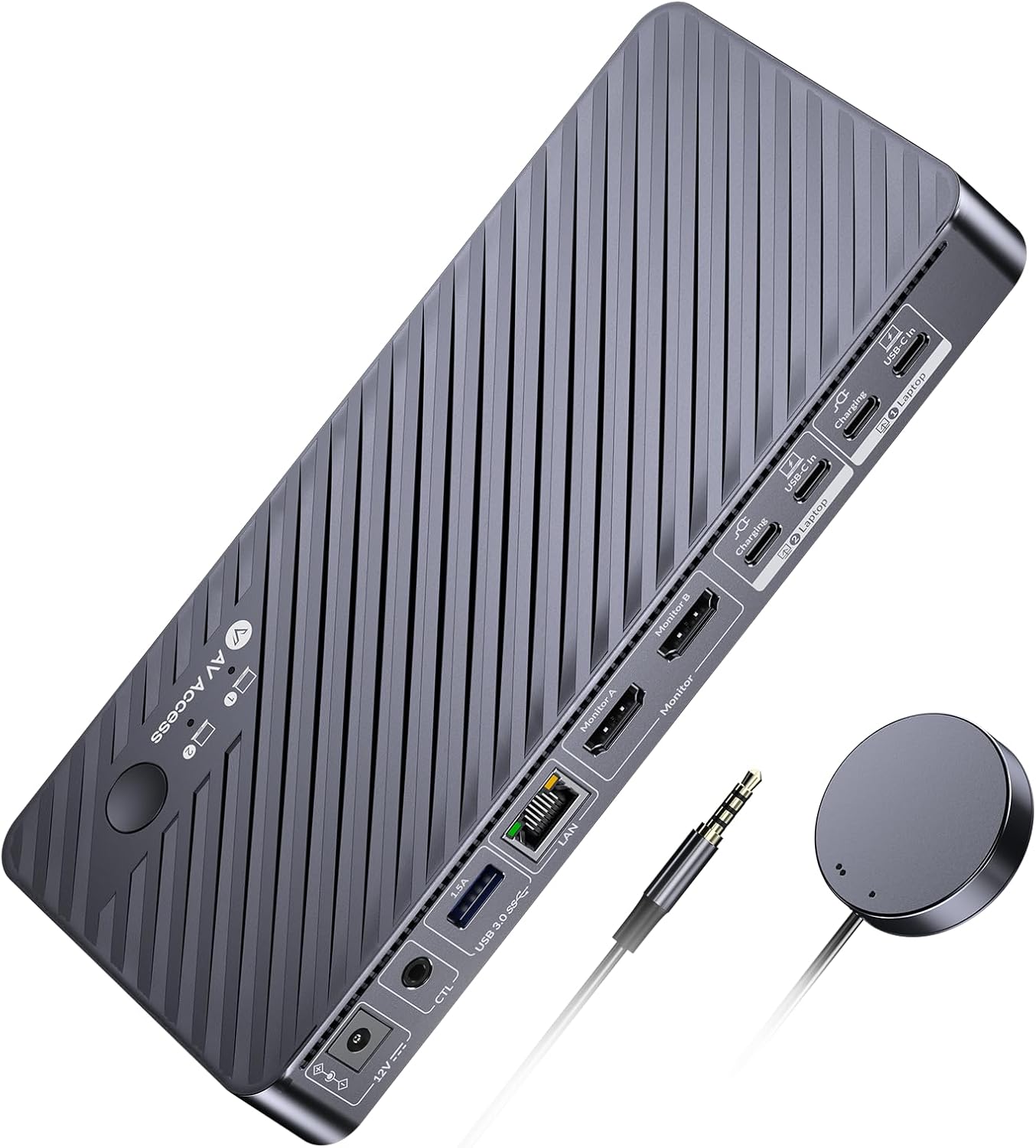
AV Access KVM Switch for Dual Monitors and Laptops - 4K UHD
AV Access KVM Switch for Dual Monitors and Laptops - 4K UHD
Couldn't load pickup availability
The AV Access KVM switch is a game-changer for anyone looking to enhance their workspace efficiency. With the ability to connect two monitors to two laptops, this dual-monitor KVM switch allows for seamless switching between work and personal devices. This feature is particularly beneficial for those who juggle multiple tasks, as it significantly boosts productivity.
Equipped with dual HDMI outputs, the KVM switch docking station offers a powerful 11-in-1 solution. It provides a variety of shared ports, including three USB 3.0 ports, two USB 2.0 ports, one USB-C port, one Gigabit Ethernet port, a 3.5mm headset jack, an SD card slot, and two HDMI outputs. This versatility makes it easy to build a comprehensive workstation at home.
One of the standout features of this KVM switch is its 1G Ethernet capability. It ensures that both laptops can access stable, high-speed internet simultaneously, regardless of which device you are currently using. This is a significant advantage for users who require reliable internet connectivity for their tasks.
The USB-C MST technology allows for dual 4K video output, making it perfect for users who need high-resolution displays. Each USB-C input port is paired with a charging port that supports simultaneous 100W charging, provided you use the original laptop power adapter. However, it's important to note that some USB-C laptops, especially those with integrated graphics, may not support dual 4K video output, so verifying your laptop's capabilities is essential.
Switching between laptops is effortless and fast, thanks to the KVM switch's EDID emulation and automatic PC wake-up functions. Users can switch between devices in just 2-3 seconds using either the front panel button or the included wired remote controller, making it incredibly user-friendly.
For gamers, the 4K UHD support is a major selling point. The KVM switch can handle resolutions up to 4K@60Hz, as well as 2560x1440@144Hz and 1080P@240Hz/165Hz. This ensures a smooth, lag-free gaming experience, which is crucial for high-speed racing games and other fast-paced genres.
It's important to keep in mind that MacOS does not support USB-C MST, which means that users may only see duplicate content when connecting two monitors. Additionally, for optimal performance, ensure that your laptop's original adapter is connected to the USB-C port marked for charging.
Share