

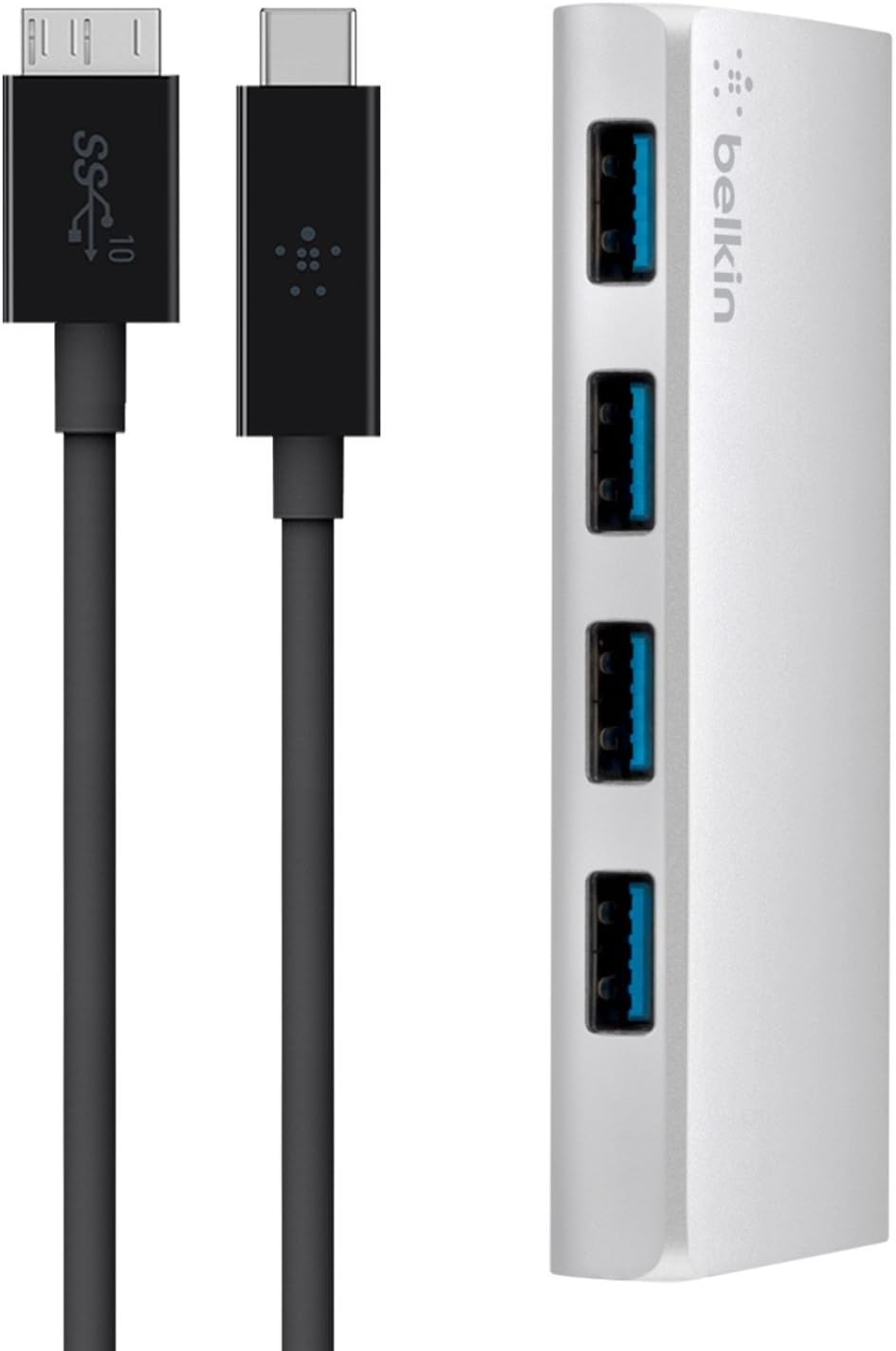
Belkin 4-Port USB-C Hub with Cable - Fast USB 3.0 Hub
Belkin 4-Port USB-C Hub with Cable - Fast USB 3.0 Hub
Price subject to change. Tap below for current.
Couldn't load pickup availability
Our review of the Belkin 4-Port USB-C Hub with Cable finds it a practical and straightforward way to connect existing USB-A peripherals to modern USB-C laptops. The bottom line: this hub is for users who need four powered USB 3.0 ports from one USB-C connection and want reliable, no-frills data transfer up to the USB 3.0 limit. In real-world use it shines at connecting keyboards, mice, thumb drives and wired accessories to MacBook or Chromebook Pixel models without fuss, offering a simple cable-attached design and active ports to keep devices charged.
Key Features
- USB 3.0 data speed: Offers up to 5 Gbit/s transfer rate for fast file moves between a laptop and connected drives or flash storage.
- Four USB-A ports: Lets users attach up to four USB-A peripherals at once, reducing the need to swap cables for common accessories.
- Powered/active ports: Provides active ports that support quicker charging for connected devices compared with passive hubs.
- USB-C to USB-A cable: Integrates a USB-C cable so the hub connects directly to a USB-C port on modern laptops without adapters.
- Compact design: Small, cable-attached body fits easily in a laptop bag and pairs naturally with MacBook and Chromebook Pixel systems.
Who It's For
The Belkin 4-Port USB-C Hub is aimed at users who have a USB-C laptop but still rely on several USB-A peripherals, such as external drives, card readers, mice and wired keyboards. It is particularly useful for MacBook and Chromebook Pixel owners who need more USB-A connections without carrying separate adapters.
Those who need multi-gigabit docking features like video output, Ethernet or SD card slots should look elsewhere, since this hub focuses on providing four USB-A ports and USB 3.0 data and charging rather than a wide array of port types.
Pros & Cons
Pros
- Provides four powered USB 3.0 ports, enabling multiple peripherals to connect through a single USB-C port.
- Data transfer up to 5 Gbit/s supports quick file copying for external drives that use USB 3.0 speeds.
- Compact, integrated cable design is easy to pack and use with modern laptops like MacBook and Chromebook Pixel.
Cons
- Does not include other connectors such as HDMI, Ethernet or SD card slots for users seeking a full docking solution.
Specifications
| Brand | Belkin |
| Model | 4-Port USB 3.0 Hub with Cable (F4U088VF) |
| Port type | USB-C to 4 x USB-A (USB 3.0) |
| Data speed | Up to 5 Gbit/s (USB 3.0) |
| Includes | Hub, USB C-/3.1 Micro-B cable 1 m, instruction manual |
| Color | Black / Grey |
Our Verdict
The Belkin 4-Port USB-C Hub is a sensible, cost-effective option for anyone needing extra USB-A ports on a USB-C laptop. It delivers the expected USB 3.0 transfer speeds and powered ports in a compact package, making it good value for users who want reliable connections for peripherals without the complexity of a full dock.
Frequently Asked Questions
Will this hub charge my phone?
Yes, the hub has active ports that support faster charging than passive hubs, but charging speed depends on the connected device and cable.
Is the included cable detachable?
The hub ships with an integrated USB-C cable (USB C-/3.1 Micro-B 1 m) intended to connect directly to your laptop.
Does it work with MacBook and Chromebook Pixel?
Yes, the hub is described as an ideal accessory for MacBook and Chromebook Pixel models and works with USB-C equipped laptops for connecting USB-A peripherals.
Editor's Take
The Belkin 4-Port USB-C Hub is a compact, value-oriented solution for adding four powered USB-A ports to USB-C laptops, delivering USB 3.0 transfer speeds and reliable connections for common peripherals.

Recently viewed
Recently viewed products will appear here as customers browse the store.