

BestParts 3.5/2.5 in Hard Disk Tray Type D6 - NAS Drive Caddy
BestParts 3.5/2.5 in Hard Disk Tray Type D6 - NAS Drive Caddy
Price subject to change. Tap below for current.
Couldn't load pickup availability
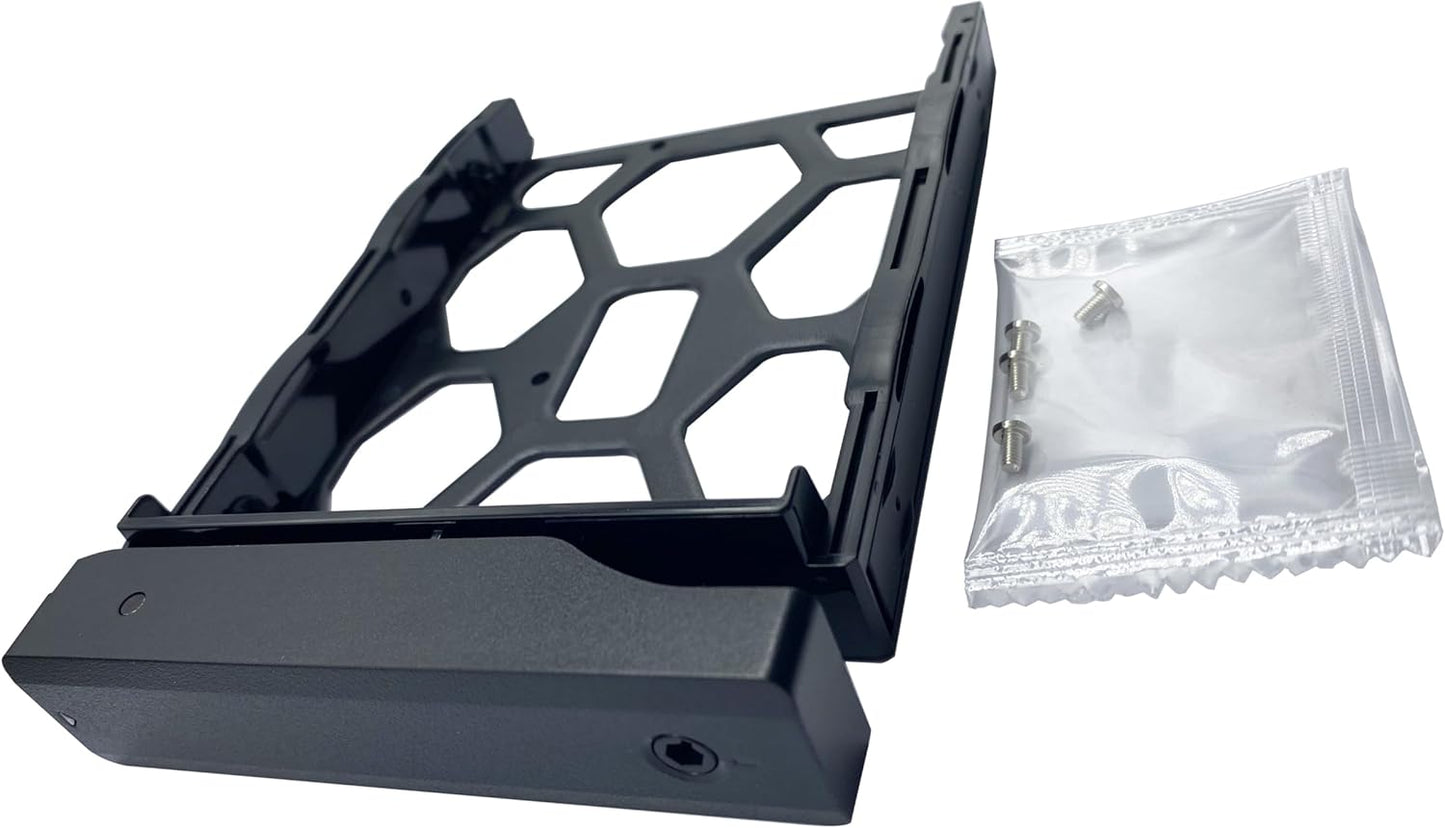
In this review the BestParts 3.5/2.5 in Hard Disk Tray (Type D6) is judged as a straightforward replacement caddy for a long list of Synology-style NAS chassis. The bottom line: it is for users who need a direct, no-frills drive tray that fits models like DS1513+, DS1515, DS1817 and many DX and DS series enclosures. Our review found the tray installs cleanly, includes the necessary screws, and matches the mechanical fit expected from an OEM-style carrier, so it is useful when a lost or damaged caddy must be replaced quickly.
Key Features
- Compatibility: The tray supports a long list of NAS models so replacements are simple when a specific enclosure needs the same form factor.
- Dual drive support: Designed for both 3.5 in and 2.5 in drives, giving flexibility for desktop hard drives or laptop SSDs without extra adapters.
- Included hardware: The package includes one tray and four screws so users can mount a drive straight out of the box without searching for fasteners.
- Form factor match: The carrier follows the expected dimensions and mounting points for the supported NAS models, which preserves tray alignment and drive connection.
- Replacement convenience: As a single-piece caddy, it works well for quick field swaps or to bring a spare on hand for a multi-bay NAS deployment.
Who It's For
This tray is aimed at owners of compatible NAS enclosures who need a direct replacement for a lost, damaged, or broken drive caddy. It suits home lab users, small business admins, and anyone maintaining Synology-style multi-bay boxes listed in the compatibility notes who want a cost-effective like-for-like tray.
It is not for users who need hot-swap electronics, integrated fans, or trays with locking keys and advanced anti-vibration features. If you require branded warranty support tied to an OEM tray or a tray with extra accessories, look for the original manufacturer's parts instead.
Pros & Cons
Pros
- Direct fit for many DX and DS series models makes replacement simple and predictable.
- Accepts both 3.5 in and 2.5 in drives so it is versatile for HDDs and SSDs.
- Includes the four screws needed to secure a drive, which reduces setup hassle.
Cons
- Design is basic and does not include advanced locking or anti-vibration features some users may prefer.
Specifications
| Product type | 3.5 in/2.5 in Hard Disk Tray (Type D6) |
| Compatible models | Selected DX and DS series NAS models including DS1513+, DS1515, DS1817, DX1222, DS1621+ and others |
| Included items | 1x tray, 4x screws |
| Drive sizes supported | 3.5 in and 2.5 in |
| Brand | BestParts |
| Use case | Replacement drive caddy for multi-bay NAS |
Our Verdict
The BestParts Type D6 tray is a practical, affordable replacement for compatible NAS enclosures and offers clean mechanical compatibility and immediate usability thanks to included screws. Buy it when you need a reliable spare or a quick field replacement; skip it only if you require OEM warranty parts or specialized trays with locks or vibration damping.
Frequently Asked Questions
Will this tray fit a DS1515+?
Yes, the product lists DS1515+ among compatible models and installs like a standard replacement caddy.
Are mounting screws included?
Yes, the package includes one tray and four screws to secure a drive.
Can I mount a 2.5 in SSD in this tray?
Yes, the tray supports both 3.5 in and 2.5 in drives so SSDs can be mounted directly.
Editor's Take
The BestParts Type D6 tray is a practical, affordable replacement for compatible NAS enclosures, offering reliable mechanical compatibility and included screws for immediate installation.

Recently viewed
Recently viewed products will appear here as customers browse the store.