

15.6in Portable Touchscreen Monitor - FHD IPS Travel Display
15.6in Portable Touchscreen Monitor - FHD IPS Travel Display
Price subject to change. Tap below for current.
Couldn't load pickup availability
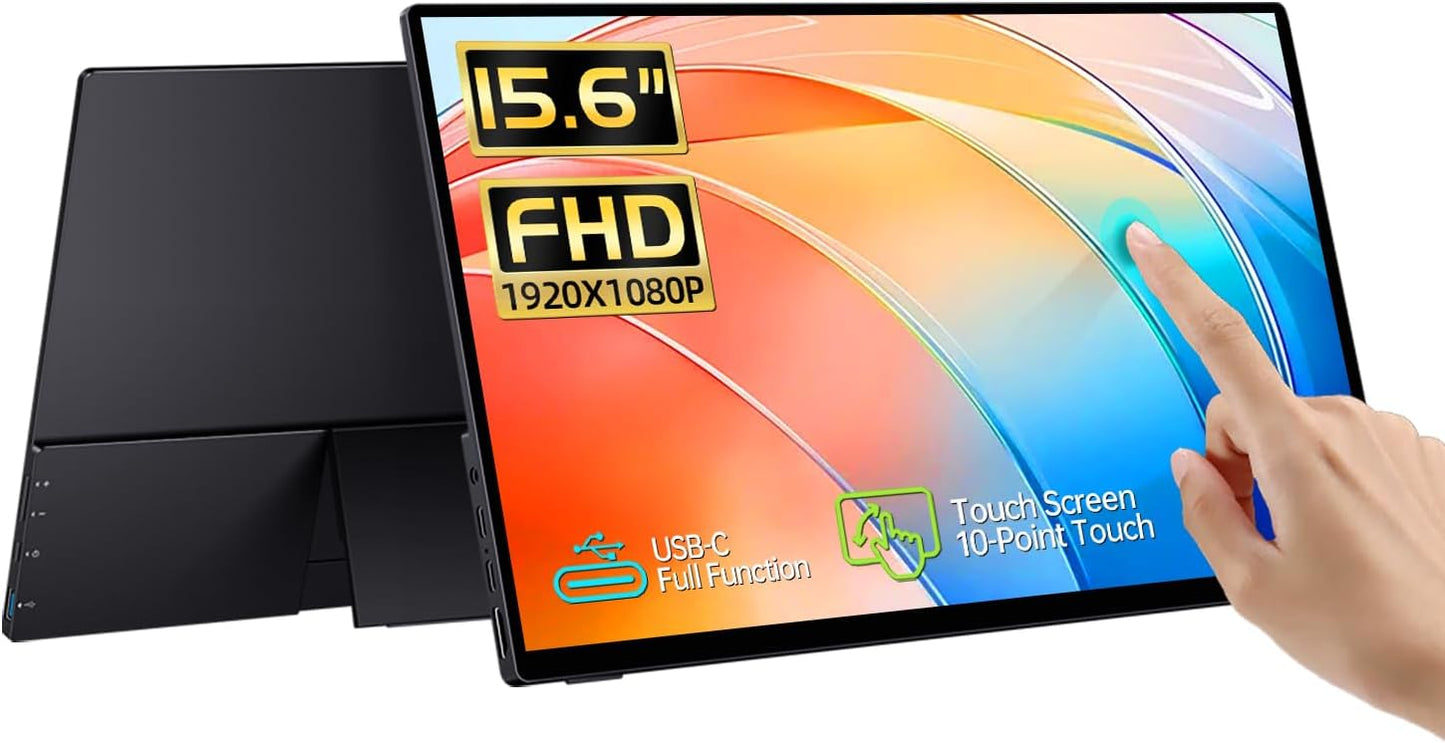
In this review of the 15.6in Portable Touchscreen Monitor from CAPERAVE, the bottom line is simple: it is best for users who need a true, travel-ready second screen with touch capability and solid picture quality. The standout reason to buy is the built-in 10-point capacitive touch on a Full HD IPS panel, which turns a laptop or compatible Type-C device into a touch-enabled workstation without driver installs. The review covers daily use for productivity, light gaming with consoles, and media playback while noting a few connectivity caveats for older devices.
Key Features
- 10-point capacitive touch: Adds touch control to Windows and macOS laptops via Type-C, making small tasks and annotations faster and more intuitive.
- 15.6in FHD IPS panel: Delivers 1920x1080 resolution and 178 viewing angles for accurate colors and wide visibility when sharing the screen.
- Blue light reduction and flicker-free: Reduces eye strain during long sessions, which helps for work or streaming over extended periods.
- Full-size HDMI and USB-C: Connects to laptops, desktops, consoles, and phones with flexible cabling options for video and power.
- Built-in kickstand and speakers: The integrated stand provides stable positioning at common viewing angles while onboard speakers supply usable audio for casual media.
- Plug & Play: Requires no driver installation for supported systems, making setup straightforward for most users.
Who It's For
The monitor is ideal for travelers, students, remote workers, and gamers who need a slim, lightweight secondary display with touch input. If you often work from cafes or move between offices and need a 15.6in panel that fits in a backpack, this device brings touchscreen convenience and Full HD visuals without heavy bulk.
Those who should look elsewhere include iPhone or iPad users who want touchscreen support on iOS or iPadOS devices, and users with older laptops that lack DisplayPort over USB-C or Thunderbolt support unless they are willing to use the HDMI+USB-C workarounds. Also, anyone requiring ultra-high refresh rates for competitive gaming should consider a dedicated gaming monitor instead.
Pros & Cons
Pros
- Responsive 10-point touch works natively on Windows and macOS via the correct Type-C connection.
- Clear, vibrant FHD IPS display with wide viewing angles suits video and multitasking.
- Thin, lightweight design and built-in kickstand make it genuinely portable.
- Built-in speakers provide decent audio for casual use without extra peripherals.
Cons
- Touch does not support iOS or iPadOS, and some Android phones/tablets are not compatible for touch.
- Full touch+video over a single Type-C requires DP Alt Mode or Thunderbolt on the host, which not all laptops provide.
Specifications
| Screen size | 15.6 in |
| Resolution | 1920 x 1080 (FHD) |
| Panel type | IPS with 178 viewing angle |
| Touch | 10-point capacitive touch (Windows, macOS) |
| Ports | Full-size HDMI, USB-C (DP Alt Mode/Thunderbolt support) |
| Extras | Tempered glass, built-in kickstand, built-in speakers |
| Compatibility | Windows, macOS, Samsung DeX; not for iOS/iPadOS touch |
Our Verdict
This 15.6in portable touchscreen is a practical, well-made option for people who need a compact second display with touch capability and reliable FHD visuals. It offers strong value for travelers, remote workers, and console users who want a portable screen with speakers and a sturdy kickstand, provided your laptop or device supports DP Alt Mode or Thunderbolt for full single-cable functionality.
Frequently Asked Questions
Does the touch work with MacBooks?
Yes, touch works with macOS when the laptop has a Type-C port supporting DisplayPort over USB-C or Thunderbolt 3/4 and the monitor is connected with a USB-C to USB-C cable.
Can I use this with a game console?
Yes, the monitor accepts full-size HDMI input and works with consoles like Switch and PS4/5 for portable gaming and media playback.
Is any driver needed for touch?
No driver installation is required for supported Windows and macOS systems; the monitor is plug & play when connected correctly.
Editor's Take
This 15.6in portable touchscreen is a practical, well-made second display that adds responsive touch and solid FHD visuals for travelers and remote workers, offering good value when your device supports DP Alt Mode.

Recently viewed
Recently viewed products will appear here as customers browse the store.