

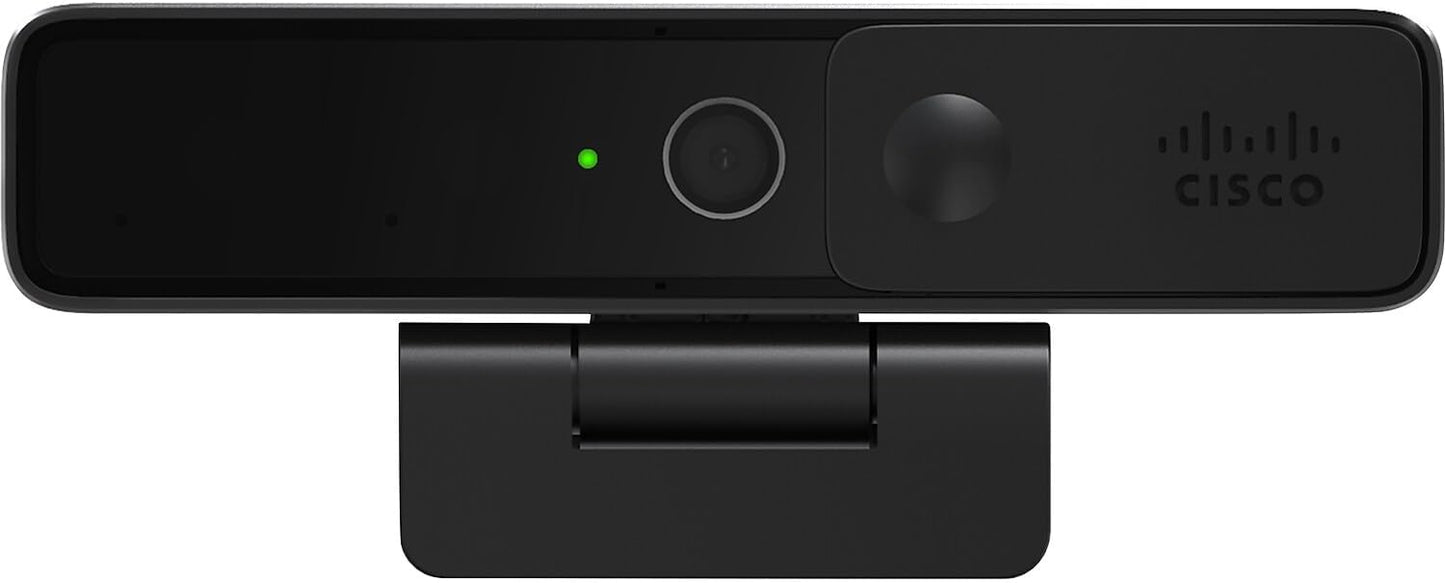
Cisco Desk Camera 4K - 4K Ultra HD Webcam for Professional Video
Cisco Desk Camera 4K - 4K Ultra HD Webcam for Professional Video
Price subject to change. Tap below for current.
Couldn't load pickup availability
Our review of the Cisco Desk Camera 4K finds it best suited for professionals and content creators who need a reliable, high-quality USB webcam for video conferencing, streaming, and recording. The single biggest reason to buy is its consistent 4K ultra-HD video with strong low-light handling and fast auto-focus, which produces a sharper, more natural image than most built-in laptop cameras. The camera also offers dual microphones and IT-focused management features, making it a practical choice for small IT teams that want a managed endpoint for hybrid work.
Key Features
- Up to 4K Ultra HD video: Delivers detailed video suitable for presentations and streaming where image clarity matters.
- Low-light performance with iHDR: Keeps subjects visible and color-accurate in dim rooms or late-night calls.
- Dual-microphone audio: Captures clear voice audio for meetings without requiring a separate microphone in many setups.
- AI-based intelligent features: Provides platform-aware capabilities when used with Webex to improve framing and meeting workflows.
- Centralized device management: Enables IT teams to manage, monitor, and service the camera via Webex Control Hub for easier deployment.
- Flexible mounting: Can be attached to an external monitor, laptop, or tripod for varied workspace setups.
Who It's For
The Cisco Desk Camera 4K is ideal for business professionals, remote workers, and streamers who need dependable, high-resolution video and decent built-in audio without adding multiple peripherals. It is particularly useful for organizations already using the Webex platform that want centrally managed hardware to simplify deployment and troubleshooting.
Those who should look elsewhere include buyers with very tight budgets or casual users who only need occasional video calls; there are lower-cost webcams that trade management features and some image quality for a smaller price. If you rely exclusively on non-Cisco platform features, the advanced management functions will be less valuable.
Pros & Cons
Pros
- Excellent image clarity up to 4K with vibrant color and effective low-light handling.
- Integrated dual microphones provide usable meeting audio for most desktop environments.
- Designed for IT management, making rollout and service simpler for organizations using Webex Control Hub.
- Flexible mounting options let users place the camera on a monitor, laptop, or tripod easily.
Cons
- Higher price point than basic webcams, which may affect perceived value for casual users.
- Some advanced intelligence features are optimized specifically for Webex, so benefits are reduced on other platforms.
Specifications
| Video resolution | Up to 4K Ultra HD |
| Microphones | Dual built-in microphones |
| Low-light | iHDR low-light performance |
| Zoom | Up to 15x digital zoom |
| Connectivity | USB-C / USB-A compatible with Windows and MacOS |
| Management | Centralized via Webex Control Hub |
| Warranty | 1-year limited hardware warranty |
Our Verdict
The Cisco Desk Camera 4K is a strong choice for professionals and small IT environments who want a managed, high-resolution webcam with reliable low-light performance and useful built-in audio. It represents good value when its management and platform integrations are used, though casual users may find a lower-cost webcam sufficient.
Frequently Asked Questions
Is this camera compatible with non-Cisco meeting apps?
Yes. While optimized for Webex, the camera works with popular third-party meeting and video applications on Windows and MacOS.
Can the camera be managed centrally?
Yes. The camera supports centralized management and serviceability through Webex Control Hub when used with a Webex subscription.
What warranty is included?
The product includes a one-year limited hardware warranty for peace of mind.
Editor's Take
The Cisco Desk Camera 4K is a managed, high-resolution webcam that delivers excellent low-light video, usable built-in audio, and centralized IT management, making it a good choice for professionals and organizations using Webex.

Recently viewed
Recently viewed products will appear here as customers browse the store.