

CLVX 1 Wireless Touchpad Keyboard - One Surface Typing & Gestures
CLVX 1 Wireless Touchpad Keyboard - One Surface Typing & Gestures
Price subject to change. Tap below for current.
Couldn't load pickup availability
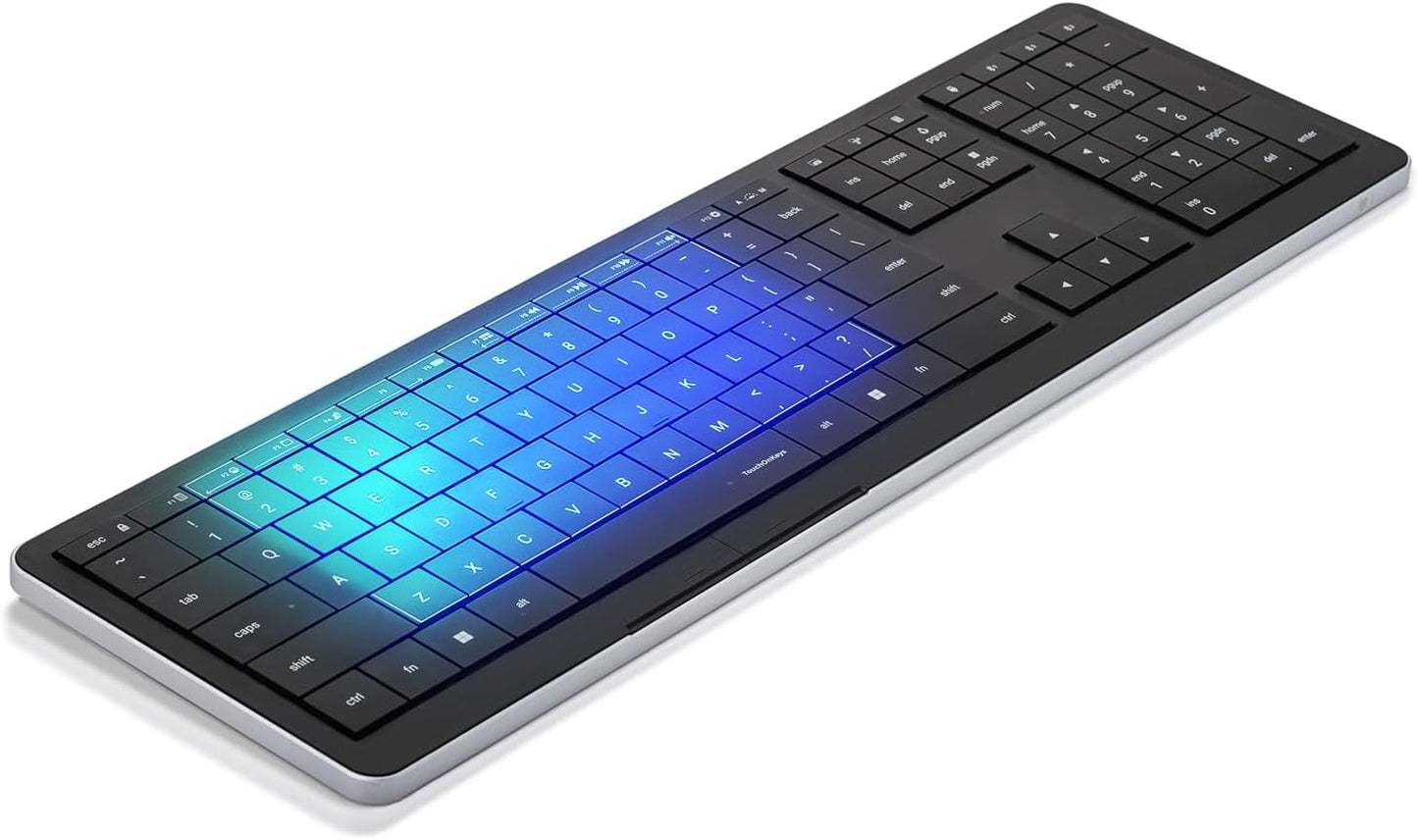
In this review the CLVX 1 is presented as a focused pick for users who want to eliminate a separate mouse and keep hands on the keys. The main reason to buy is its single, continuous surface that combines a keyboard and touchpad so you can type, swipe and scroll without lifting your hands, improving flow for desk or couch setups. The review looks at ergonomics, connectivity and customization to show who gets the most from this hybrid design.
Key Features
- One Surface: The integrated touch surface replaces a separate mouse or trackpad so users can keep hands on the keyboard to maintain flow while working or browsing.
- Multi-device Ready: Connect up to three devices via Bluetooth or use the USB-C connection to switch quickly between a laptop, tablet or TV.
- Silent Typing: Low-profile scissor keys deliver soft tactile feedback and ultra-quiet operation that reduces noise during extended typing sessions.
- Customizable RGB Backlight: 131 per-key RGB LEDs adapt to ambient light and react to gestures for visual feedback and a personalized desk aesthetic.
- TouchOnKeys App: The companion app customizes gestures, touch sliders and per-key effects and can train adaptive AI for a tailored typing experience.
Who It's For
The CLVX 1 suits professionals and creatives who value uninterrupted hand position and gesture controls, such as editors, designers and people who often switch between devices. Its quiet scissor keys and compact low-profile layout make it a good fit for shared workspaces or quiet home offices.
Users who must have a full-sized numeric pad or prefer a separate precision mouse for gaming or high-accuracy design work should look elsewhere, since this product favors an integrated touch surface and low-profile keys over a dedicated gaming layout.
Pros & Cons
Pros
- Unified surface design reduces hand movement and speeds common tasks like scrolling and swiping.
- Multi-device Bluetooth plus USB-C gives flexible connectivity across computers, tablets and media devices.
- Quiet scissor keys provide a comfortable, precise feel suited to long typing sessions.
- Extensive customization through the TouchOnKeys app, including per-key RGB and adjustable touch sliders.
Cons
- Integrated touch surface may not satisfy users who need dedicated high-precision mouse control for some creative or gaming tasks.
- Advanced customization relies on the app, which adds setup time for users who prefer a simpler out-of-the-box experience.
Specifications
| Product Type | Wireless touchpad keyboard |
| Connectivity | Bluetooth (up to 3 devices) and USB-C |
| Key Switches | Low-profile scissor keys (silent) |
| Backlighting | 131 per-key RGB LEDs |
| Special Controls | Integrated touch surface and touch sliders |
| Companion Software | TouchOnKeys app with gesture and per-key customization |
Our Verdict
The CLVX 1 is a smart choice for people who want to simplify their desk and keep hands on a single surface for typing and gestures. It offers solid build and quiet scissor keys, flexible multi-device connectivity and deep customization, making it good value for creatives, remote workers and anyone who values workflow efficiency over a dedicated mouse.
Frequently Asked Questions
Can it connect to more than one device?
Yes, it supports pairing with up to three Bluetooth devices and also works via USB-C.
Is the typing experience loud?
No, the low-profile scissor keys are designed for quiet, precise typing suited to shared environments.
Can I change the gestures or lighting?
Yes, the TouchOnKeys app lets you personalize gestures, adjust touch sliders and set per-key RGB effects.
Editor's Take
The CLVX 1 is ideal for users who want one-surface typing and gesture control; it pairs multi-device flexibility, quiet scissor keys and deep customization to improve workflow efficiency.

Recently viewed
Recently viewed products will appear here as customers browse the store.