

Combo Touch Keyboard Case for iPad (7th-9th gen) with Crayon - Compact
Combo Touch Keyboard Case for iPad (7th-9th gen) with Crayon - Compact
Price subject to change. Tap below for current.
Couldn't load pickup availability
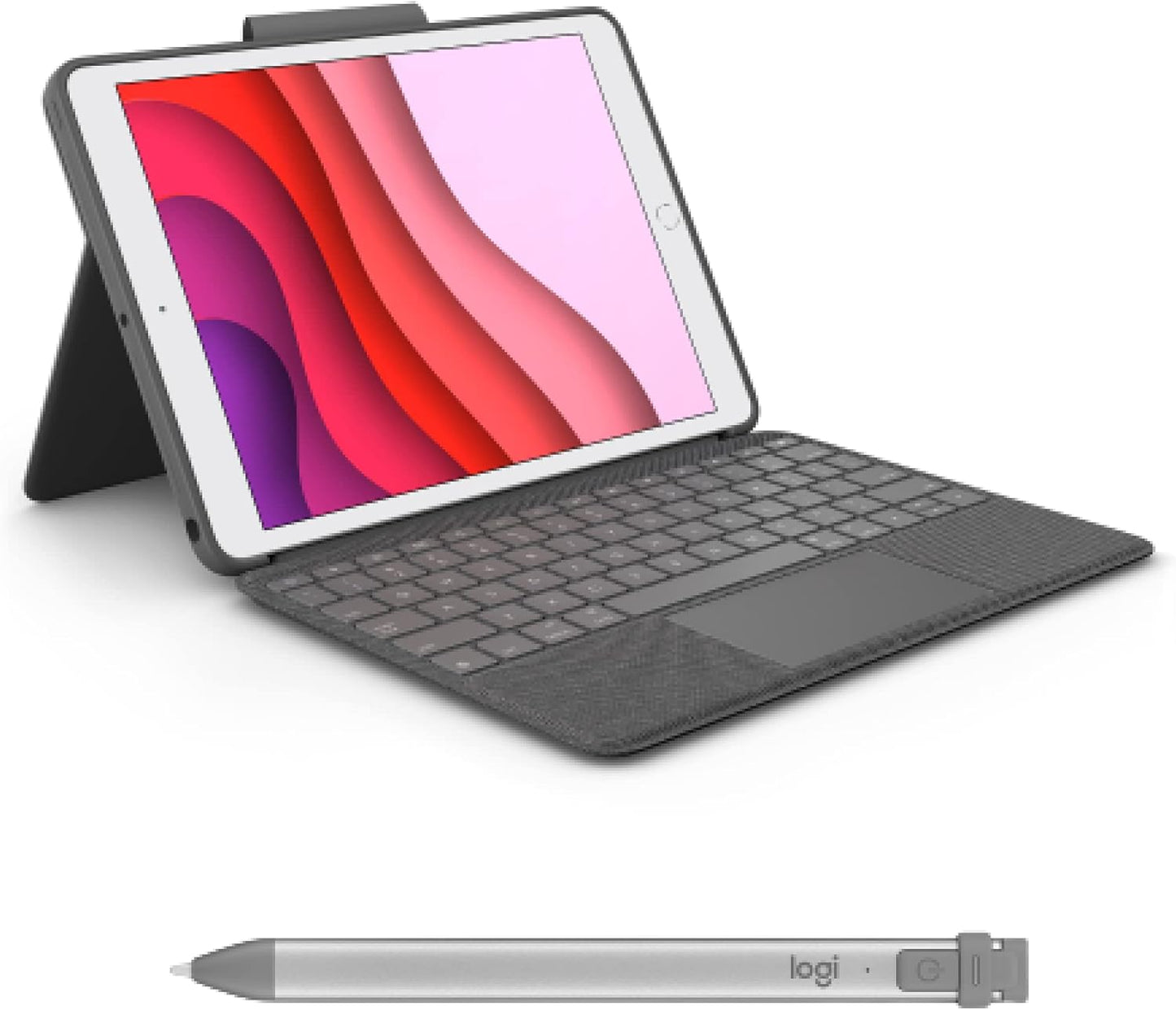
Our review of the Combo Touch keyboard case paired with the Logitech Crayon finds it best suited for students, creative note takers, and anyone who wants a laptop-like typing and drawing experience on supported iPads. The single biggest reason to buy is the combination of a full-size backlit keyboard with a multi-gesture trackpad and a pressure-sensitive digital pencil that works instantly via the Smart Connector and Crayon power - together they turn an iPad into a much more productive, sketch-ready tool without extra pairing hassles.
Key Features
- Compatibility: Designed specifically for iPad 7th, 8th and 9th generation models, providing a tailored fit and access to ports and camera.
- Keyboard and trackpad: A full-size backlit keyboard with a multi-gesture trackpad offers laptop-style precision for editing, navigating, and creating presentations.
- Instant pairing: The keyboard uses the iPad Smart Connector so it requires no charging or Bluetooth pairing, making setup seamless.
- Logitech Crayon: The digital pencil uses Apple Pencil technology for natural line weight and instant drawing with no complex pairing delays.
- Flexible viewing: A detachable keyboard and a kickstand with about 40 of tilt let users switch between typing, viewing, sketching, and reading modes easily.
- Long writing time: Crayon provides hours of use from a single charge and supports a 2 minute lightning boost for roughly 30 minutes of extra writing time.
Who It's For
The Combo Touch with Crayon is ideal for students, note takers, and creatives who need both a tactile keyboard and a responsive stylus on one device; it suits anyone who wants to type comfortably in low light and sketch with natural line variation using Apple Pencil technology. The instant Smart Connector power for the keyboard and the plug-and-play Crayon make it a practical choice for classrooms and mobile workflows where quick transitions matter.
Users who primarily want a lightweight sleeve or a simple cover without a keyboard, or those with iPad models outside the 7th through 9th generation range, should look elsewhere. Also, buyers who prioritize ruggedized, heavy-duty protection over typing feel may prefer a different style of case.
Pros & Cons
Pros
- Full-size backlit keyboard and trackpad deliver precise navigation and comfortable typing in low light.
- Smart Connector means the keyboard never needs charging and pairs instantly with the iPad.
- Logitech Crayon offers responsive, natural drawing with automatic line weight using Apple Pencil technology.
- Detachable keyboard and 40 tilt kickstand provide flexible use modes for typing, viewing, sketching, and reading.
Cons
- Some users report occasional durability issues over long term use, such as keys or attachment points degrading, so longevity may vary.
- The added bulk of a keyboard case makes the iPad less pocketable than slim covers or sleeves.
Specifications
| Product | Combo Touch keyboard case and Logitech Crayon digital pencil |
| Compatible iPad models | 7th gen (2019), 8th gen (2020), 9th gen (2021) |
| Connection | Keyboard via iPad Smart Connector; Crayon instant on via power |
| Keyboard | Full-size backlit keys with multi-gesture trackpad and iOS shortcut keys |
| Kickstand tilt | Approximately 40 of adjustable tilt |
| Crayon battery life | Up to about 7.5 hours per charge with 2 min lightning boost for 30 min |
Our Verdict
The Combo Touch plus Logitech Crayon is a practical, versatile option for iPad owners who need a reliable keyboard and a natural-feeling stylus in one kit. It brings laptop-like typing, trackpad gestures, and immediate drawing capability without complex pairing, making it a good value for students and mobile professionals who prioritize productivity and creativity on compatible iPads.
Frequently Asked Questions
Will this fit other iPad models?
No, it is designed for the 7th, 8th and 9th generation iPads and may not fit other sizes or generations.
Does the keyboard need charging?
No, the keyboard uses the iPad Smart Connector so it draws power from the iPad and does not require separate charging.
Does the Crayon require pairing?
No, the Crayon turns on and connects instantly without Bluetooth pairing and works with Apple Pencil supported apps.
Editor's Take
The Combo Touch and Logitech Crayon deliver laptop-style typing, a multi-gesture trackpad, and a natural-feeling stylus for iPad 7th through 9th gen, making it a strong choice for students and mobile creatives who need productivity and sketching in one kit.

Recently viewed
Recently viewed products will appear here as customers browse the store.