

DisplayPort to Dual DisplayPort Splitter Extended Display Adapter - 4K
DisplayPort to Dual DisplayPort Splitter Extended Display Adapter - 4K
Price subject to change. Tap below for current.
Couldn't load pickup availability
In this review of the DisplayPort to Dual DisplayPort Splitter Extended Display Adapter, the bottom line is straightforward: it is for users who need a simple, plug-and-play way to connect one DP-equipped source to two DP displays and who expect reliable 4K single-output or usable extended desktop options. The reviewer found the adapter particularly useful for upgrading a single DisplayPort output to support two monitors without a full docking station, praising the straightforward setup and solid visual performance while noting a few bandwidth and compatibility points to check before buying.
Key Features
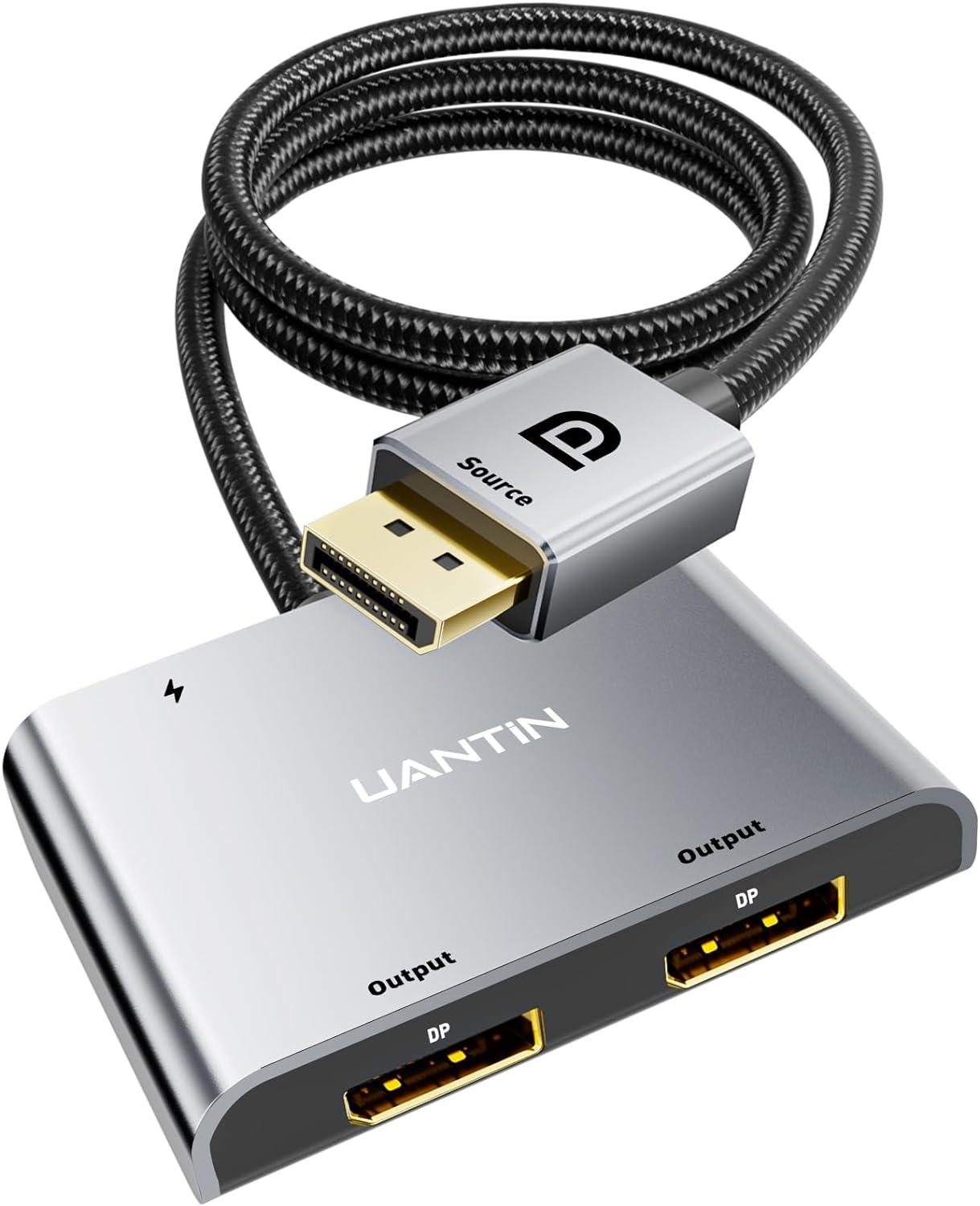
- Dual DP output: Lets a single DisplayPort source feed two DP monitors so a user can mirror or extend their desktop without extra video cards.
- 4K@60Hz capability: Supports single-display 4K at 60Hz and is backward compatible with lower high-refresh resolutions for crisp visuals on a single monitor.
- MST and SST modes: Offers both mirroring (SST) and extended desktop (MST) options when the graphics card supports required bandwidth, giving flexible multi-monitor layouts.
- Plug-and-play operation: Requires no drivers and uses a 5V/1A power cable to drive the adapter for quick installation and immediate use.
- Reinforced build: Aluminum alloy housing, 24K gold-plated plug and braided 28AWG cable with shielding reduce interference and improve long-term durability.
- HDCP and DP 1.2 compliance: Supports HDCP 2.2 and the DisplayPort 1.2 standard to ensure compatibility with protected content and many modern displays.
Who It's For
This adapter is ideal for PC users with a dedicated DisplayPort output on a graphics card who want to add a second DP monitor quickly and affordably; it works well for home offices, content creators who need expanded desktop space, and gamers who run mixed-resolution setups. It particularly benefits people who want a low-cost external graphics routing accessory without investing in a docking station.
It is less suitable for those relying on integrated GPU outputs expecting full dual-extended displays in every case, and it cannot be used with USB hubs, docking stations or KVM switches. Buyers should confirm their GPU can supply the necessary bandwidth (18Gbps or more) for true dual-monitor expansion before purchasing.
Pros & Cons
Pros
- Simple plug-and-play setup makes adding two DP monitors quick and painless.
- Good single-monitor 4K@60Hz support with backwards compatibility for lower refresh rates.
- Sturdy materials, gold-plated plug and shielding reduce interference and improve longevity.
- Supports both mirroring and extended modes when the GPU has sufficient bandwidth.
Cons
- Dual 4K@60Hz on both outputs depends on source GPU bandwidth and may be limited to lower rates on dual screens.
- Cannot be used with hubs, docking stations or KVMs, which limits some multi-device workflows.
Specifications
| Product type | DisplayPort to dual DisplayPort splitter |
| Input | Single DisplayPort (DP/DP++/DisplayPort++) |
| Outputs | Two DisplayPort female connectors |
| Maximum single output | 4K (3840x2160)@60Hz |
| Dual output capability | Dual DP up to 4K@60Hz/30Hz (dependent on GPU bandwidth) |
| Standards | DisplayPort 1.2, HDCP 2.2 |
| Power | External 5V/1A power cable included |
Our Verdict
For users who need a no-fuss way to connect two DisplayPort monitors from one DP source, this adapter delivers solid value: easy setup, strong single-display 4K performance and durable construction. Prospective buyers should verify their graphics card has sufficient bandwidth for dual-extended mode, but for the right system this is a cost-effective and reliable solution for expanding desktop space.
Frequently Asked Questions
Can I use this with a docking station or hub?
No. This splitter cannot be used with any hub, docking station or KVM and must be connected directly to a DP-equipped source.
Will it run two monitors at 4K 60Hz each?
Dual 4K@60Hz depends on the graphics card bandwidth; many systems will support single 4K@60Hz but may be limited to lower rates on both displays.
Is any driver required?
No driver is needed; the adapter is plug-and-play but requires the included 5V/1A power cable for operation.
Editor's Take
A reliable, plug-and-play solution to add two DisplayPort monitors from one DP source; strong single-display 4K@60Hz performance and solid build make it good value, though dual 4K@60Hz depends on GPU bandwidth.

Recently viewed
Recently viewed products will appear here as customers browse the store.