

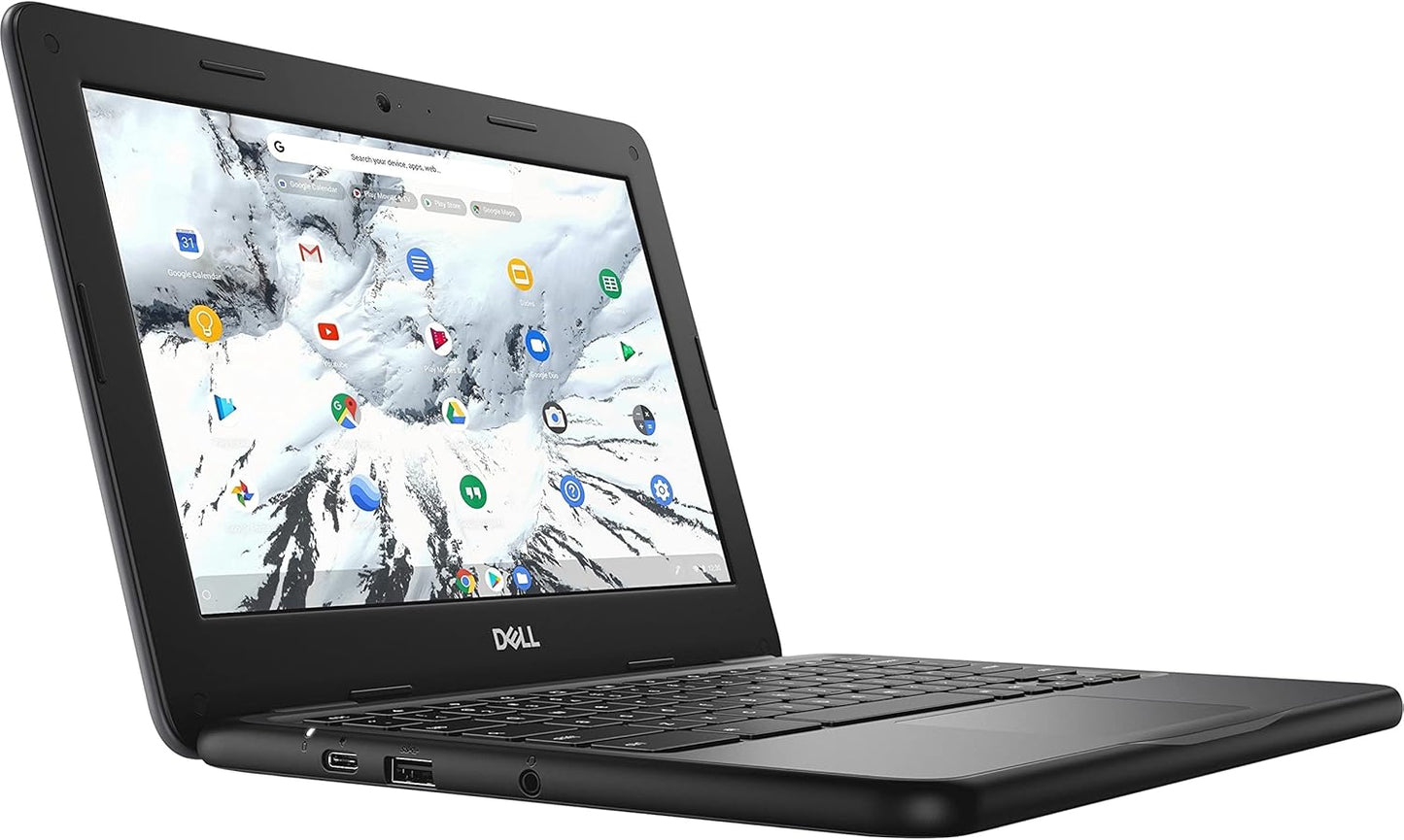
Dell Education Chromebook 11 3100 11.6in Touchscreen - Reliable
Dell Education Chromebook 11 3100 11.6in Touchscreen - Reliable
Price subject to change. Tap below for current.
Couldn't load pickup availability
Our review of the Dell Education Chromebook 11 3100 finds it best suited for students and classrooms that need a durable, straightforward laptop for web-based work. The single biggest reason to buy is its combination of a responsive Intel Celeron N4020 processor and the simplicity of Chrome OS, which together deliver reliable performance for web apps, video calls and cloud storage without extra setup. Lightweight storage and modest memory keep the price and maintenance low while the 11.6in touchscreen adds useful interactivity for lessons and casual media.
Key Features
- Processor: The Intel Celeron N4020 dual-core CPU provides consistent, power-efficient performance for browsing, document editing and streaming.
- Memory: 4 GB of RAM helps the Chromebook handle several tabs and apps at once for everyday school tasks without excessive slowdown.
- Display: The 11.6in HD 1366 x 768 touchscreen makes navigation and educational apps more engaging and supports comfortable video viewing in a compact size.
- Operating System: Chrome OS gives instant access to web apps, cloud storage and email, simplifying device management and updates for schools or parents.
- Storage: 32 GB of flash memory is fast for the OS and apps and is adequate for cloud-focused workflows where files are stored online.
- Portability: The small footprint and light weight make it easy for students to carry between class and home without strain.
Who It's For
The Chromebook 11 3100 is aimed at K-12 students, teachers and parents who want a no-frills laptop for online learning, classroom apps and streaming. Its touchscreen and Chrome OS ecosystem suit schools that use web-first tools and manage devices centrally.
Users who need heavy multitasking, large local storage or demanding native desktop applications should look elsewhere; this Chromebook is not intended as a workstation replacement but excels as an affordable, easy-to-manage education machine.
Pros & Cons
Pros
- Reliable performance for web and cloud tasks thanks to the Intel Celeron N4020 processor.
- Compact 11.6in HD touchscreen that improves interaction for lessons and touch-optimized apps.
- Simple, fast-booting Chrome OS experience with low administrative overhead for schools.
- Lightweight and portable design that is easy for students to carry daily.
Cons
- 32 GB of flash storage is limited for offline media or large local files, relying on cloud storage instead.
- 4 GB RAM and the Celeron chip are modest; heavy multitaskers or creators will find performance constrained.
Specifications
| Brand | Dell |
| Model | Chromebook 11 3100 |
| Display | 11.6in HD touchscreen, 1366 x 768 |
| Processor | Intel Celeron N4020 dual-core, 1.10 GHz |
| Memory | 4 GB RAM |
| Storage | 32 GB flash memory |
| Operating System | Chrome OS |
Our Verdict
The Dell Education Chromebook 11 3100 is a sensible value pick for schools and families that need a simple, manageable laptop for browsing, online classes and cloud apps. Its touchscreen and efficient hardware make everyday classroom tasks smooth, though users needing local storage or high-performance apps should consider more powerful options.
Frequently Asked Questions
Is this Chromebook suitable for online classes?
Yes. The Celeron processor, 4 GB RAM and Chrome OS handle video calls and web-based classroom tools well for most students.
How much local storage is available?
It comes with 32 GB of flash memory, which is intended to be supplemented by cloud storage for files and media.
Can it run traditional Windows applications?
No. This device runs Chrome OS and is designed for web apps and Android apps rather than native Windows software.
Editor's Take
The Dell Education Chromebook 11 3100 is a cost-effective, portable touchscreen laptop ideal for students and classrooms, offering reliable web performance and easy cloud-centered workflows despite modest local storage and memory.

Recently viewed
Recently viewed products will appear here as customers browse the store.