

Displayport KVM Switch 2 in 1 Out DP1.4 - 8K@60Hz Dual PC Switch
Displayport KVM Switch 2 in 1 Out DP1.4 - 8K@60Hz Dual PC Switch
Price subject to change. Tap below for current.
Couldn't load pickup availability
In this review the MT-VIKI Displayport KVM Switch is evaluated for people who need to share a single high-resolution monitor and several USB peripherals between two computers. The bottom line: it is for users who want reliable video performance up to 8K@60Hz or high-refresh 4K and need to share keyboards, mice, external drives and printers without constantly swapping cables. Setup is straightforward and the build feels purpose-built for a desktop workstation where space and cable management matter.
Key Features
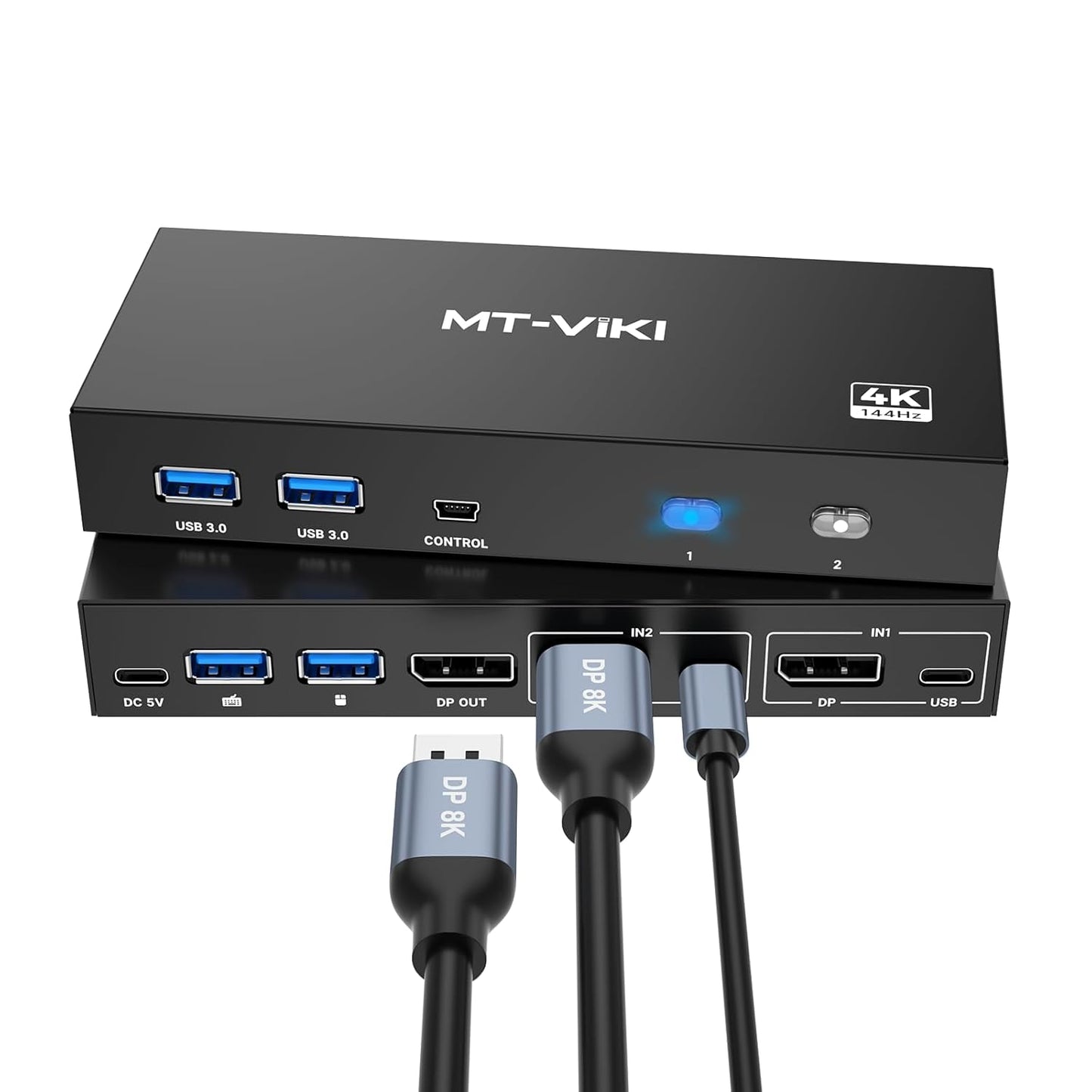
- Dual-computer switching: Lets two computers share one DisplayPort monitor so a single workstation can control both systems without extra displays.
- 8K and high-refresh support: Supports up to 8K@60Hz and is backward compatible with 4K@144Hz and 4K@60Hz for sharp, smooth output on capable hardware.
- Four USB 3.0 ports: Provides up to four high-speed USB ports for sharing keyboards, mice, external hard drives and printers between the two hosts.
- Two switching methods: Change inputs with the front button or the included desktop switch controller for fast context switching without reaching the unit.
- Driver-free operation: Works with Windows, Mac OS and Linux without additional drivers, delivering true plug-and-play convenience.
Who It's For
This KVM switch is aimed at power users, content creators and IT professionals who run two computers and want to consolidate a single high-resolution DisplayPort monitor and multiple USB peripherals. It is especially useful when one or both systems require very high video bandwidth, since it supports DP1.4 features up to 8K@60Hz.
It is not ideal for people who expect a single USB-C cable to carry video, power and data without adapters, since the product requires two USB A to C cables for power and data transfer and does not function as a USB-C KVM. Also, users who cannot obtain short AWG30 DP1.4 cables under 3.3 ft may not reach the top 8K performance.
Pros & Cons
Pros
- Supports high-resolution displays up to 8K@60Hz and high-refresh 4K modes for demanding visual workflows.
- Four USB 3.0 ports allow fast 5 Gbps transfers for external drives and responsive USB peripherals.
- Desktop controller plus front button makes switching quick and convenient without moving gear.
- Driver-free compatibility with major operating systems simplifies installation and cross-platform use.
Cons
- Requires two USB A to C cables for power and data; it is not a single-cable USB-C KVM solution.
- To achieve full 8K@60Hz you must use high-quality DP1.4 cables under 3.3 ft and supported monitors and PCs, which adds cable constraints.
Specifications
| Product type | DP1.4 KVM Switch, 2 computers to 1 monitor |
| Maximum resolution | 8K@60Hz (backward compatible 4K@144Hz etc.) |
| USB ports | 4 x USB 3.0 ports (5 Gbps) |
| Power/data cabling | Includes 2 x USB A to C cables; two must be connected |
| Switching methods | Front button and included desktop controller |
| Compatibility | Windows 11/10/8.1/8/7, Mac OS, Linux (plug and play) |
| Package | DP KVM switch, 2 USB A to C cables, desktop controller, USB A to C power cable, user guide |
Our Verdict
The MT-VIKI Displayport KVM Switch is a practical, value-driven solution for users who must share a single high-performance DisplayPort monitor and several USB peripherals across two computers. Its support for 8K@60Hz and USB 3.0 sharing makes it a strong choice for creators and IT users, provided you accept the dual USB A to C cable requirement and the short DP cable constraint to reach max resolution.
Frequently Asked Questions
Do I need special cables to get 8K?
Yes. To reach 8K@60Hz you need DP1.4 input/output cables of high quality and the spec recommends lengths within 3.3 ft (1 m) AWG30.
Is this a USB-C single-cable KVM?
No. This unit is not a USB-C KVM and requires two USB A to C cables for power and data transfer; it is billed as a DisplayPort KVM switch.
Will my external hard drive get enough power?
For high-power devices such as some hard drives, ensure USB C charging to the power source when connecting high-power equipment to avoid power issues.
Editor's Take
The MT-VIKI Displayport KVM Switch is a practical choice for users who need to share a single high-performance DisplayPort monitor and multiple USB devices between two computers; it delivers 8K@60Hz support and four USB 3.0 ports, though it requires two USB A to C cables and short DP cables to reach top resolution.

Recently viewed
Recently viewed products will appear here as customers browse the store.