

Elgato Stream Deck Mini - 6-Key Live Content Controller
Elgato Stream Deck Mini - 6-Key Live Content Controller
Price subject to change. Tap below for current.
Couldn't load pickup availability
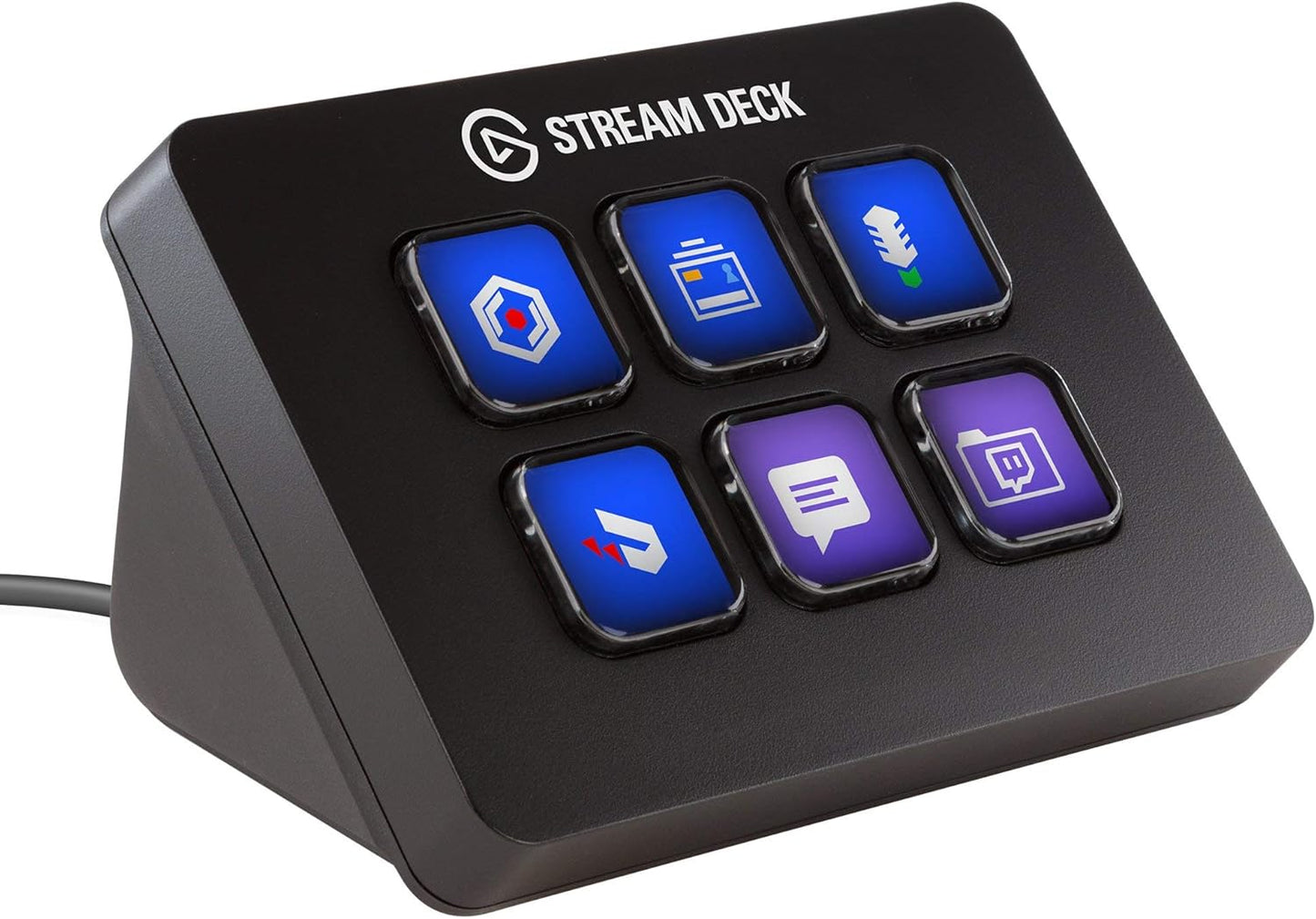
Our review of the Elgato Stream Deck Mini looks at a compact controller for creators who need fast, tactile control without extra desk clutter. Built around six customizable LCD keys, this renewed unit is best for streamers, podcasters, and video editors who want to simplify scene switching, media launch, and audio control with a single tap. The biggest reason to buy is its combination of a small footprint and deep customization: keys can be nested into folders for effectively unlimited actions and Multi Actions let you trigger complex sequences with one button.
Key Features
- 6 Customizable LCD Keys: Each key displays a custom icon or animated gif so actions are easy to identify at a glance.
- Unlimited Control: Turning keys into folders lets users stack actions and access many functions from a single device.
- Multi Actions: Launch multiple commands together or in sequence with one tap to automate scene changes and transitions.
- Direct Integration: Works directly with popular streaming and capture tools so common tasks like OBS and Twitch controls are ready out of the box.
- Easy Setup: The app uses drag-and-drop assignment, which speeds configuration for both Mac and Windows systems.
- Compact Design: Small footprint fits crowded desks while still offering meaningful workflow improvements.
Who It's For
The Stream Deck Mini is ideal for solo streamers and content creators who need a low-cost, space-saving control surface to manage scenes, media, and audio on Windows 10 or macOS 10.11 and later. It is especially helpful for creators who prefer tactile buttons and visual icons over keyboard shortcuts and for those who want to automate repetitive studio tasks with Multi Actions.
It is less well suited to users who require a large number of dedicated physical buttons without toggling folders or those who expect premium new-condition packaging; this listing is for a renewed unit and buyers who want brand-new hardware or thicker key switches may look elsewhere.
Pros & Cons
Pros
- Compact control surface with fully customizable icons and animated gifs for clear visual feedback.
- Folder system provides effectively unlimited actions from six physical keys, expanding capability far beyond the small size.
- Direct integrations with capture and streaming apps reduce setup friction and improve workflow speed.
- Drag-and-drop setup in the app makes configuration quick for both beginners and experienced users.
Cons
- Some customers report mixed opinions about the feel of the buttons, which may not satisfy users wanting very tactile or premium keycaps.
- As a renewed product, packaging and surface finish may show signs of prior use compared with new units.
Specifications
| Product | Stream Deck Mini (renewed) |
| Brand | Corsair |
| Keys | 6 LCD keys |
| Compatibility | Windows 10 and macOS 10.11 or later |
| Custom Icons | Custom icons and animated gifs supported |
| Software Features | Folders, Multi Actions, drag-and-drop setup |
Our Verdict
The Stream Deck Mini is a strong value for creators who need a compact, highly customizable control surface to speed streaming and production tasks. While the physical button feel drew mixed feedback, the deep software integrations, folder system, and Multi Actions make it a practical purchase for anyone wanting to simplify scene switching and media control on Windows or macOS.
Frequently Asked Questions
Does this work with OBS?
Yes. The device has direct integration with OBS and other streaming tools so common controls can be assigned quickly.
Can I create nested folders?
Yes. Keys can be turned into folders to access unlimited actions and expand capability beyond six physical keys.
Is the unit new?
This listing is for a renewed unit, which may show signs of prior use though the functionality and software support remain the same.
Editor's Take
The Stream Deck Mini is a compact, customizable controller that speeds scene switching and media control for creators; its folder system and integrations offer strong value despite mixed feedback on button feel.

Recently viewed
Recently viewed products will appear here as customers browse the store.