

14in 1080P Portable Dual Monitor Extender for Laptops - Dual Screen
14in 1080P Portable Dual Monitor Extender for Laptops - Dual Screen
Price subject to change. Tap below for current.
Couldn't load pickup availability
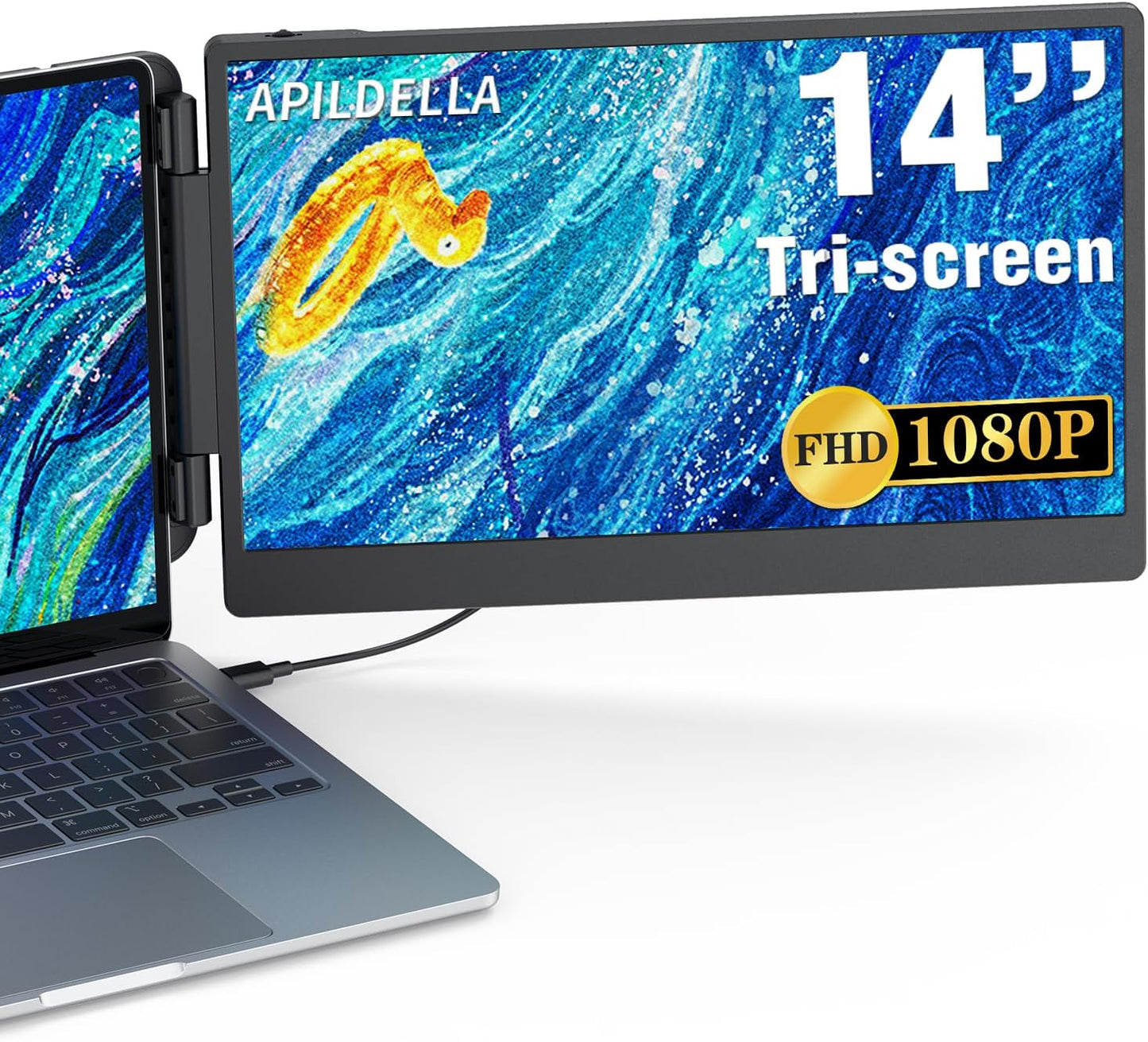
Our review of the 14in 1080P Portable Dual Monitor Extender finds it best suited for laptop users who need a true portable second screen for work or travel; the single biggest reason to buy is its blend of 1080P IPS picture quality and plug-and-play convenience that makes adding a second display effortless on both Mac and Windows machines. Set up is straightforward with either a USB-C or HDMI connection, the expandable attachment fits laptops up to 15.8in wide, and the included travel bag and foldable design make it genuinely portable for on-the-go productivity.
Key Features
- Wide compatibility: Works with most Windows, Chrome, Mac and Switch devices when a USB-C or HDMI port is available, making it versatile across platforms.
- 1080P FHD IPS display: The 14in 1920x1080 panel delivers crisp detail and HDR-like color depth for clearer spreadsheets, code and video playback.
- Eye care modes: Low blue light and anti-flicker features help reduce fatigue during long sessions, which is useful for students and professionals.
- Flexible mounting: The extender stretches and folds 0-180 degrees and includes a rear bracket to stabilize the laptop and secondary screen for secure use.
- Multi-screen modes: Supports expansion, mirroring and second-screen configurations so users can choose independent displays or mirrored output.
- Travel ready: Comes with a handbag for transport and a plug-and-play setup so users can leave drivers and adapters behind in most cases.
Who It's For
The extender is ideal for remote workers, traders, programmers and students who need an extra screen without carrying a full second monitor; its compact 14in IPS panel and included travel bag make it a practical companion for commuting or business trips. People who regularly juggle multiple windows, run browser-based dashboards or use split-screen workflows will appreciate the boost in efficiency and clearer 1080P image.
Those who should look elsewhere include users who require a built-in docking hub with many ports or those with laptops wider than 15.8in, since the attachment is designed for 13in to 17.3in class laptops and has a maximum stretch width limit. Also, iPhone users should note limited compatibility for mirrored output only with newer models.
Pros & Cons
Pros
- Plug-and-play setup with USB-C or HDMI makes it simple to add a second display quickly.
- Solid 1080P IPS panel with vivid colors and adjustable brightness for comfortable viewing.
- Portable foldable design and included travel bag make it easy to carry between locations.
- Supports multiple display modes for flexible workflows across Mac and Windows.
Cons
- Requires sufficient power on the monitor Type-C port for full brightness, so some setups need the external plug for best results.
- Not compatible with laptops wider than the stated 15.8in limit and not recommended for full functionality with older mobile phones.
Specifications
| Screen size | 14in |
| Resolution | 1920x1080 (1080P FHD) |
| Panel type | IPS |
| Compatibility | Windows, Chrome, Mac, Switch (USB-C or HDMI required) |
| Max laptop width | 15.8in stretchable fit |
| Fold angle | 0-180 degrees |
| Included accessories | Rear bracket and travel handbag |
Our Verdict
The 14in 1080P Portable Dual Monitor Extender is a good-value portable second screen for users who need extra workspace without the bulk of a full monitor; its 1080P IPS display, easy plug-and-play operation and travel-ready design make it particularly useful for professionals and students on the move. For anyone whose laptop fits the size limit and who can provide enough power to the monitor, it is a practical way to improve productivity.
Frequently Asked Questions
Will this work with my laptop?
If your laptop has a USB-C or HDMI port and a width under 15.8in, it should be compatible; contact the seller if unsure for a compatibility check.
Do I need drivers to use the screen?
No drivers are required; the monitor is plug-and-play for typical setups on Mac and Windows.
Why is the screen dim or showing no signal?
Try connecting the HDMI-to-C cable to the bottom C port or plug the external power into the first Type-C port to ensure the monitor receives enough power for normal brightness.
Editor's Take
The 14in 1080P Portable Dual Monitor Extender is a practical, travel-friendly second screen with a crisp IPS display and plug-and-play setup, ideal for users who need extra workspace on laptops under 15.8in.

Recently viewed
Recently viewed products will appear here as customers browse the store.