

EX-G Wired Trackball Mouse - Ergonomic Thumb Control for PC Mac
EX-G Wired Trackball Mouse - Ergonomic Thumb Control for PC Mac
Price subject to change. Tap below for current.
Couldn't load pickup availability
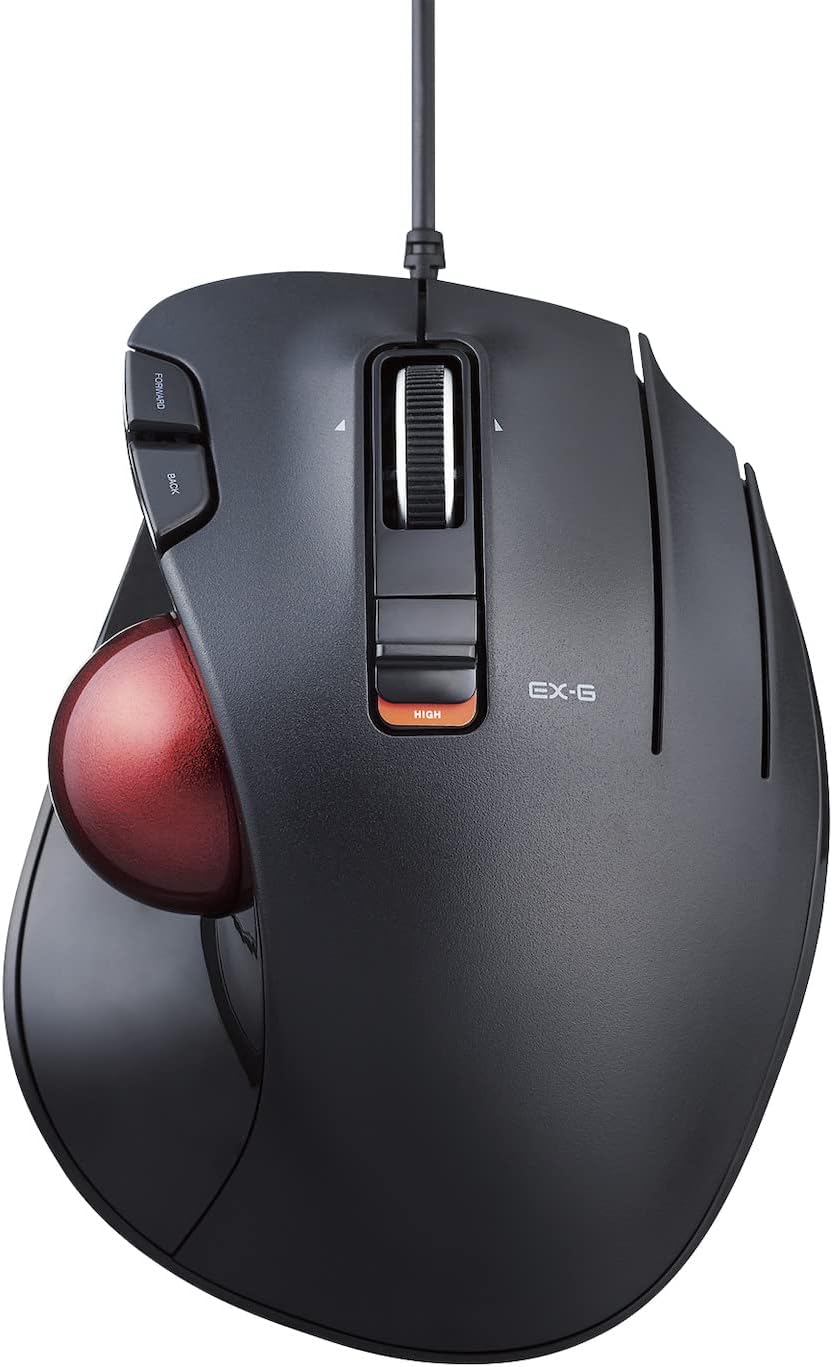
Our review of the EX-G wired trackball mouse finds it best for users who want to reduce wrist movement while keeping precise cursor control. The bottom line: this is an ergonomically shaped, USB-wired trackball that moves the pointer with a thumb roller ball, delivering reliable optical tracking and five programmable buttons for workflow customization. It is particularly useful for creative work, office tasks, or anyone who experiences wrist discomfort with a conventional mouse.
Key Features
- Exact Grip design: The ergonomic shape minimizes wrist and hand stress by letting users operate the cursor without moving the wrist.
- Optical precision tracking: A high-performance sensor enables pinpoint cursor movement for detailed editing and accurate on-screen navigation.
- Thumb control trackball: The smooth roller ball offers fluid cursor motion using the thumb, keeping the hand stationary for extended comfort.
- USB wired connectivity: A direct USB connection provides a stable, lag-free link and eliminates the need for batteries or charging.
- Five programmable buttons: Customizable buttons let users map frequent commands for faster workflows in creative software or everyday tasks.
Who It's For
The EX-G trackball is aimed at people who spend long hours at a computer and want to lower the risk of wrist strain, such as designers, office professionals, and anyone who prefers a stationary hand position while navigating. The ergonomics and thumb-operated roller ball make it a good fit for detailed pointer work and repetitive clicking tasks.
Users who require wireless freedom, ultra-high DPI gaming performance, or a different hand orientation may want to consider other mice tailored to those needs. Also, people who are new to trackballs should expect a short adjustment period to master thumb-based control.
Pros & Cons
Pros
- Ergonomic Exact Grip design reduces wrist motion and can improve comfort during long sessions.
- Accurate optical sensor gives dependable tracking for productivity and precise tasks.
- Wired USB connection provides consistent, lag-free performance without batteries.
- Programmable buttons add customization for workflows and shortcuts.
Cons
- Some users report mixed experience with button accidental clicks or trackball movement, so there is a short learning curve.
Specifications
| Brand | ELECOM |
| Model | EX-G wired trackball mouse |
| Connectivity | USB wired |
| Buttons | 5 programmable buttons |
| Dimensions | 3.7 in W x 4.9 in L x 1.9 in H |
| Weight | 5.3 oz (without battery) |
Our Verdict
The EX-G wired trackball mouse is a strong choice for users who prioritize ergonomics and precise thumb-based control. Its optical tracking, wired reliability, and programmable buttons deliver practical value for creative professionals and heavy computer users, though newcomers to trackballs should allow time to adjust to the thumb roller.
Frequently Asked Questions
Does this mouse need batteries?
No. The EX-G uses a USB wired connection and is powered directly from the host device, so there is no battery or charging required.
Is the trackball suitable for gaming?
The mouse provides accurate optical tracking and programmable buttons, but it is primarily designed for ergonomic productivity; high-speed competitive gaming users may prefer specialized gaming mice.
Can I program the buttons?
Yes. The device includes five programmable buttons that can be customized to map shortcuts and functions for improved workflow.
Editor's Take
The EX-G wired trackball mouse is a well-made ergonomic option for users who want thumb-based cursor control and reduced wrist movement; it offers accurate optical tracking, wired reliability, and useful programmability, though it requires an adjustment period for some users.

Recently viewed
Recently viewed products will appear here as customers browse the store.