

GPU Enclosure for Laptop with Oculink Interface - External GPU Dock
GPU Enclosure for Laptop with Oculink Interface - External GPU Dock
Price subject to change. Tap below for current.
Couldn't load pickup availability
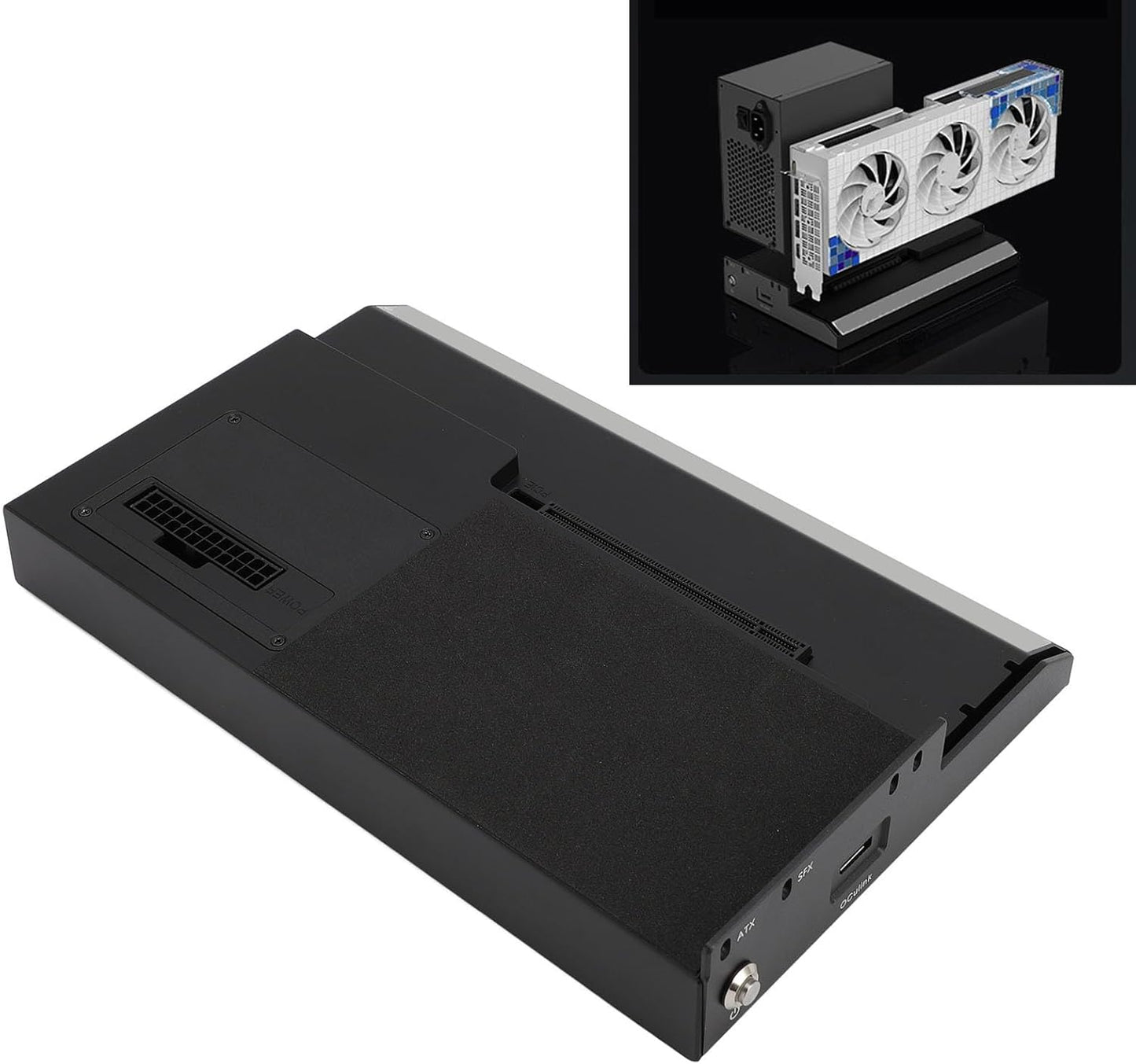
In this review of the GPU Enclosure for Laptop with Oculink Interface, the bottom line is simple: this Tangxi dock is for laptop and compact PC users who want desktop-class graphics without buying a new desktop. The biggest reason to consider it is the use of an Oculink connection with PCIe 4.0 x4 throughput, which enables up to 64Gbps transfer and lets a supported laptop leverage a full PCIe x16 graphics card for gaming or GPU-accelerated workloads. Installation requires some technical familiarity, but for readers comfortable fitting a GPU and power supply the performance uplift is substantial.
Key Features
- Oculink 64Gbps: The Oculink connection with PCIe 4.0 x4 provides high-speed data transfer suitable for low-latency external GPU use.
- PCIe x16 Support: The dock accepts a standard PCIE X16 graphics card, enabling desktop-grade GPU performance on a laptop.
- Power Supply Flexibility: Support for ATX or SFX standard power supplies means users can choose a PSU that fits their power and size needs.
- Durable Build: An aluminum alloy chassis offers a sturdy enclosure that helps protect installed components during transport and use.
- Easy Mounting: The included graphics card bracket, screws, and screwdriver simplify physically securing a GPU and PSU inside the dock.
- Windows 10 Compatibility: Designed for Win 10 64 bit systems, it integrates with common driver and OS setups for external GPUs.
Who It's For
This dock suits gamers, content creators, and engineers who travel with a laptop but need occasional desktop-class GPU performance for gaming, video editing, or CUDA/OpenCL workloads. It is also a good fit for users with a laptop that explicitly supports an Oculink external PCIe connection.
It is less appropriate for users expecting a plug-and-play USB-style experience; installation of a GPU and a compatible ATX or SFX power supply is required, and driver or firmware settings may need adjustment. People without an Oculink-capable laptop should look for other external GPU solutions that match their host interface.
Pros & Cons
Pros
- High-speed Oculink interface with PCIe 4.0 x4 enables near-desktop bandwidth for many GPUs.
- Supports full-size PCIE X16 graphics cards, unlocking desktop GPU performance for laptops.
- Flexible power supply support (ATX and SFX) lets users select an appropriate PSU for their GPU.
- Solid aluminum alloy construction provides durable protection for installed components.
Cons
- Requires technical skill to install a GPU and PSU and to confirm driver compatibility.
- Limited to hosts that have an Oculink interface, which narrows compatibility compared with more common ports.
Specifications
| Item Type | GPU Dock Station |
| Material | Aluminum Alloy |
| Color | Black |
| Product Size | Approx. 251x160x41mm |
| Connection Interface | Oculink (PCIe 4.0 x4, 64Gbps) |
| Graphics Card Support | PCIE X16 interface |
| Power | Supports ATX and SFX standard power supply |
Our Verdict
The Tangxi GPU enclosure is a practical way to add desktop-class graphics to an Oculink-capable laptop without buying a desktop. It delivers high transfer speeds and broad GPU support in a durable aluminum housing, making it a good value for technically capable users who need occasional high-performance graphics on a portable machine.
Frequently Asked Questions
Will this work with any laptop?
It requires a laptop or PC that has an Oculink interface; systems without Oculink will not be compatible.
Do I need a separate power supply?
Yes, the dock supports ATX or SFX standard power supplies which must be installed separately to power a full-size GPU.
Is installation difficult?
Basic mechanical installation is straightforward with the included screws and bracket, but driver setup and compatibility checks may require technical knowledge.
Editor's Take
The Tangxi GPU enclosure gives Oculink-capable laptops desktop-class GPU performance with PCIe x16 support and 64Gbps transfer, making it a good value for technically able users who need portable high-performance graphics.

Recently viewed
Recently viewed products will appear here as customers browse the store.