

Hard Drive Docking Station USB 3.0 to SATA Dual Bay - Fast Clone
Hard Drive Docking Station USB 3.0 to SATA Dual Bay - Fast Clone
Price subject to change. Tap below for current.
Couldn't load pickup availability
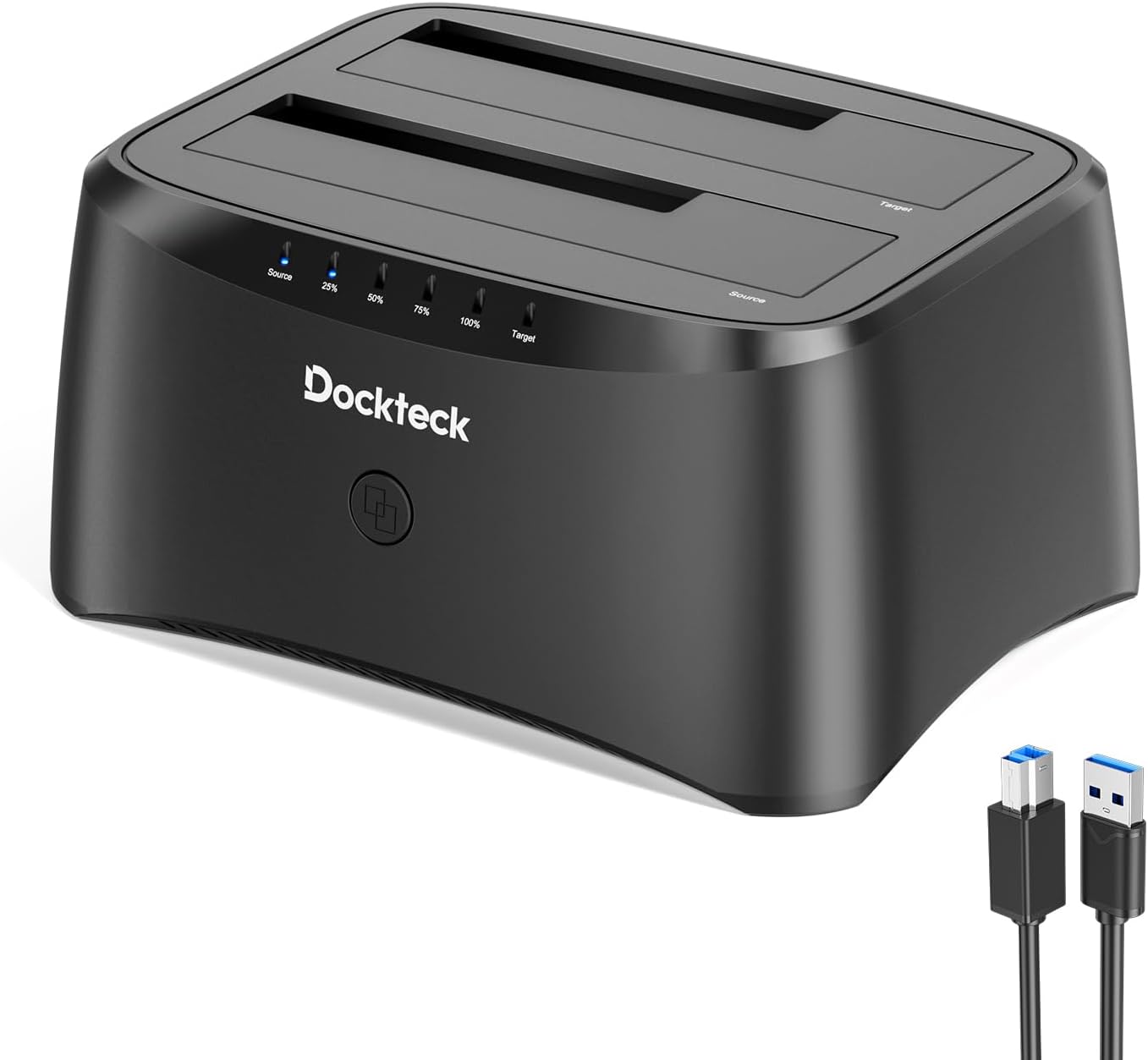
In this review of the Hard Drive Docking Station, the bottom line is clear: this dock is best for DIY technicians, small office users, and anyone who needs quick access to multiple SATA drives without opening a PC. The reviewer found the unit straightforward to use and notably useful for drive-to-drive duplication without a computer, making cloning and quick data transfers the standout reason to buy. It is a practical tool for managing, cloning, and migrating 2.5in and 3.5in SATA HDDs and SSDs.
Key Features
- Dual Bay Compatibility: Accepts both 2.5in and 3.5in SATA HDDs and SSDs so you can mix laptop and desktop drives in the same dock.
- USB 3.0 Speed: The USB 3.0 interface supports transfer speeds up to 5Gbps for fast file copying and media access when connected to a computer.
- Offline Clone: Built-in duplicator lets you clone drive A to drive B without a computer, which simplifies migrations and backups.
- Robust Design: A dust-proof cover plate and silicone anti-skid pad help protect drives and keep the dock stable during use.
- Simple Indicators and Power: LED indicators show read/write activity and the package includes a 12V/3A power adapter for reliable operation of 3.5in drives.
Who It's For
This dock is well suited to home lab users, technicians who frequently clone or image drives, and small businesses that need a compact way to access multiple drives for repairs or backups. The offline cloning feature is especially handy when a quick mirror is needed without a workstation.
Users who need enterprise features like hardware RAID, network access, or simultaneous multi-directional cloning should look elsewhere. Also, those who require a tool with touchscreen controls or software-managed cloning options must consider a different solution.
Pros & Cons
Pros
- Supports both 2.5in and 3.5in SATA drives for flexible use.
- USB 3.0 provides fast transfers up to 5Gbps when connected to a computer.
- Offline duplicator allows direct cloning from A to B without a PC.
- Includes practical accessories: power adapter, USB 3.0 cable, and manual.
Cons
- Cloning is one-way from A to B only and B must be equal or larger in capacity, which limits some workflows.
- No network or RAID features for more advanced multi-drive needs.
Specifications
| Compatibility | 2.5in and 3.5in SATA HDD/SSD; Windows, Linux, Mac OS |
| Interface | USB 3.0 (up to 5Gbps) |
| Offline Clone | Drive A to Drive B (B must be >= A) |
| Power Adapter | 12V/3A included |
| Indicators | LEDs show read and write activity |
| Design Features | Dust-proof cover plate and silicone anti-skid pad |
Our Verdict
This dual bay dock is a solid, value-focused tool for anyone who needs fast access to SATA drives and straightforward drive cloning without a computer. It combines USB 3.0 speed and offline duplication into a compact unit that is easy to use, making it a good buy for technicians, small offices, and home users who manage multiple drives.
Frequently Asked Questions
Can I clone a larger drive to a smaller one?
No. The offline clone requires the destination drive (B) to be the same size or larger than the source drive (A).
Does it support both SSDs and HDDs?
Yes. The dock accepts 2.5in SATA SSDs and 3.5in SATA HDDs and works with both drive types.
What is included in the box?
The package contains the HDD docking station, a 12V/3A power adapter, a USB 3.0 data cable, and an instruction manual.
Editor's Take
A practical dual bay dock offering USB 3.0 speed and easy offline cloning, ideal for technicians and small offices who need a reliable, value-focused way to access and duplicate 2.5in and 3.5in SATA drives.

Recently viewed
Recently viewed products will appear here as customers browse the store.