

HDMI Displayport KVM Switch 2 Computers 2 Monitors - Dual 4K@60Hz
HDMI Displayport KVM Switch 2 Computers 2 Monitors - Dual 4K@60Hz
Price subject to change. Tap below for current.
Couldn't load pickup availability
Our review of the HDMI Displayport KVM Switch finds it best suited for users who need to operate two desktop PCs with two monitors from a single set of peripherals. The single biggest reason to buy is its flexible dual-monitor support that handles one HDMI and one DisplayPort output up to 4K@60Hz, allowing a clean desktop and fast switching between systems. Setup is straightforward for modern desktops, and the package includes the controller, two USB A to B cables and a 5V power adapter so it is ready to use out of the box.
Key Features
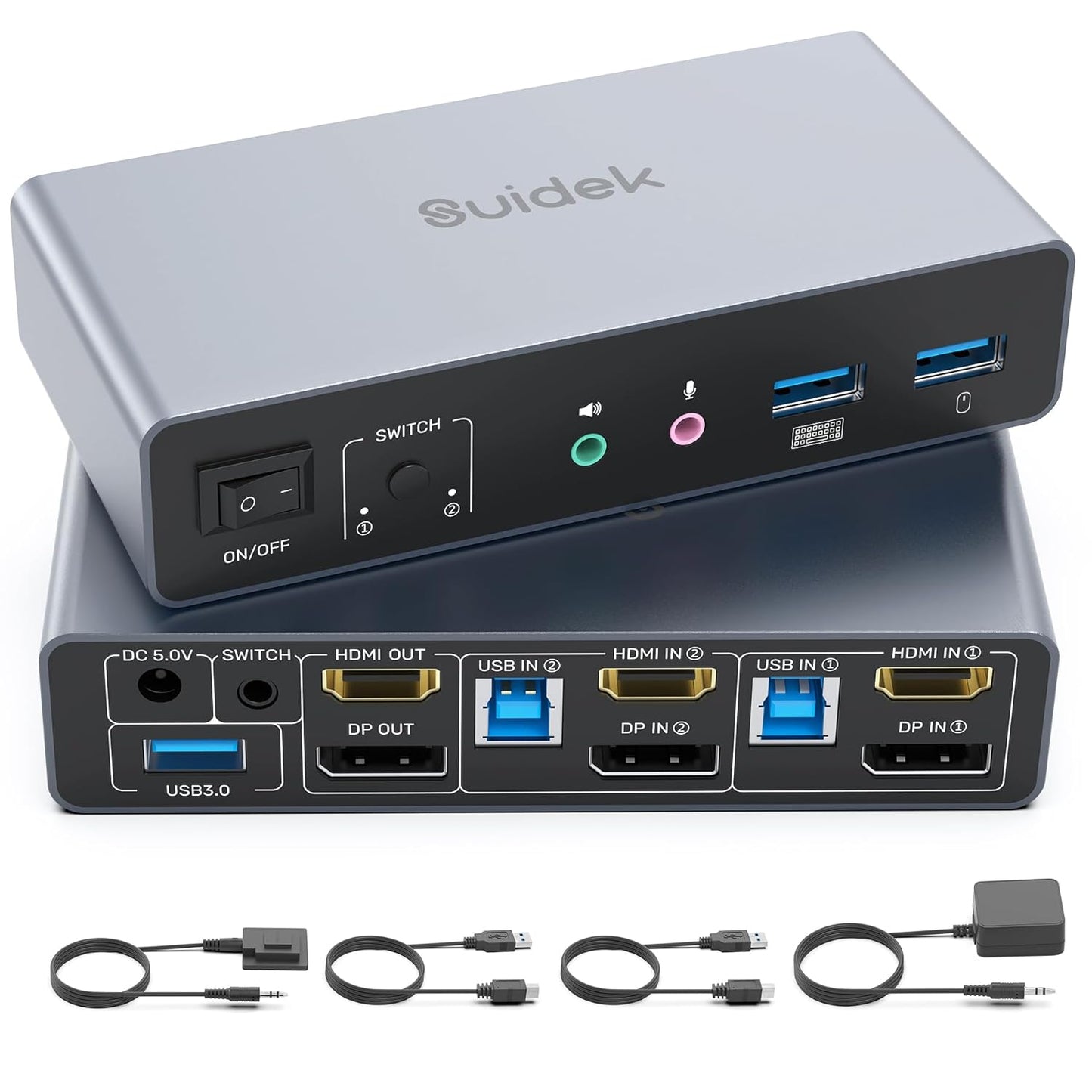
- Dual-monitor KVM: Connect two computers and two monitors with one HDMI and one DisplayPort input per computer to control both systems from a single keyboard and mouse.
- 4K@60Hz support: Outputs support up to 4K at 60Hz when matching supported cables and matching input/output resolutions for crisp, high refresh desktop work or media playback.
- Extended and mirror modes: The switch supports both mirrored and extended display arrangements, selectable in the computer system display settings for flexible workflows.
- USB 3.0 ports and audio I/O: Three USB A ports plus audio and mic jacks let you share peripherals, storage, and audio devices between the two computers from one station.
- Two switching methods: Switch between computers using the front button or the included desktop controller for quick, convenient control without reaching the unit.
Who It's For
This unit is a strong option for home office users, content creators, and IT professionals who run two desktop systems that each have one HDMI and one DisplayPort output and who want a tidy desk with one keyboard, mouse, and shared USB accessories. It also serves gamers with dual-monitor setups who need high-resolution output on one or both machines.
It is not ideal for laptop users who expect to drive two monitors from a laptop while also switching the KVM, and purchasers should avoid relying on passive HDMI-to-DP or DP-to-HDMI conversion cables. If you require EDID management or unusual adapter configurations, consider specialist KVM solutions instead.
Pros & Cons
Pros
- Supports true 4K@60Hz when matched with proper cables and identical input/output resolutions.
- Included desktop controller and physical button make switching quick and convenient.
- Three USB A ports plus audio and mic jacks allow sharing common peripherals and storage.
- Package includes USB A to B cables and 5V power adapter so setup is mostly plug-and-play.
Cons
- USB 3.0 performance is reported mixed by users; some experience slow or stopped USB3 throughput with certain devices.
- EDID is not supported and some laptop-to-dual-monitor use cases are not compatible, limiting flexibility for notebook users.
Specifications
| Brand | SUIDEK |
| Connection | 2 computers, 2 monitors (1 HDMI + 1 DisplayPort each) |
| Video Support | Up to 4K@60Hz (backward compatible) |
| USB | 3 x USB A ports, USB 3.0 up to 5Gbps (per spec) |
| Audio | Audio and microphone ports |
| Switching | Button on unit and included desktop controller |
| Included | KVM switch, 2 x USB A to B cables, desktop controller, DC 5V adapter, manual |
Our Verdict
The HDMI Displayport KVM Switch is a practical, cost-effective choice for users running two desktop PCs with dedicated HDMI and DisplayPort outputs who need shared peripherals and up to 4K@60Hz video. It delivers solid build and easy switching with a useful accessory bundle, but buyers should be aware of the noted USB3 variability and lack of EDID handling; it represents good value when used within its recommended configuration.
Frequently Asked Questions
Can this unit output 4K@60Hz?
Yes, it supports up to 4K@60Hz provided you use cables and monitors that support 4K@60Hz and set matching resolutions on input and output systems.
Will it work with a laptop and a desktop at the same time?
It can connect two computers, but it is not recommended to use a laptop while outputting two monitors at the same time and EDID is not supported.
Are adapters allowed between HDMI and DisplayPort?
The manufacturer advises against using HDMI-to-DP or DP-to-HDMI passive conversion cables and recommends direct HDMI-to-HDMI and DP-to-DP connections.
Editor's Take
A practical dual-monitor KVM for two desktops that delivers 4K@60Hz support, shared USB and audio, and convenient switching; strong value if used with direct HDMI/DP connections and matching resolutions.

Recently viewed
Recently viewed products will appear here as customers browse the store.