

HDMI + DisplayPort KVM Switch 2 Monitors 2 Computers - Dual 4K@60Hz
HDMI + DisplayPort KVM Switch 2 Monitors 2 Computers - Dual 4K@60Hz
Price subject to change. Tap below for current.
Couldn't load pickup availability
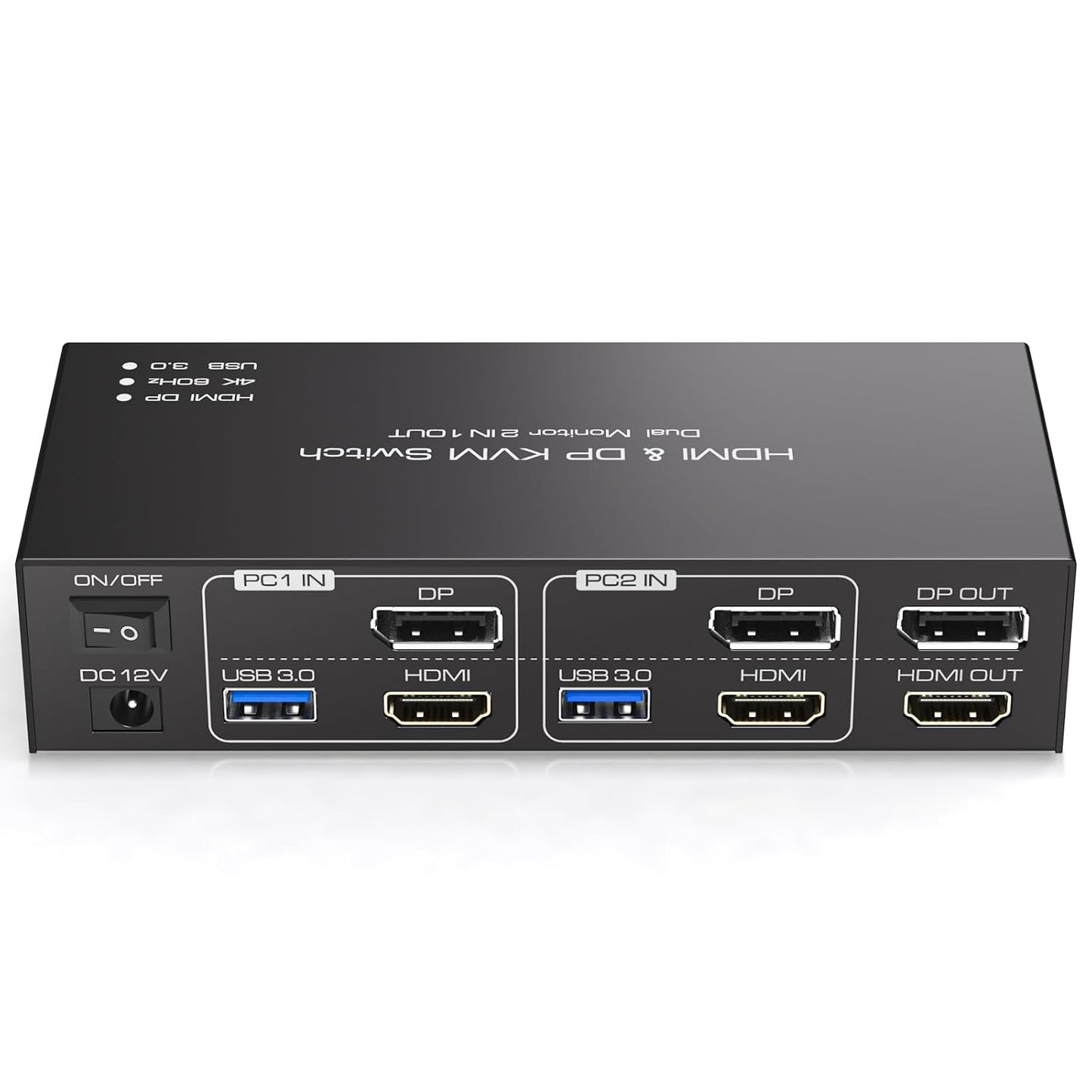
In this review the HDMI + DisplayPort KVM Switch is presented as a practical solution for users who need to control two computers with one keyboard, mouse and two monitors. The single biggest reason to buy is its ability to drive dual displays at up to 4K@60Hz while sharing high-speed peripherals across four USB 3.0 ports, making it a strong fit for productivity setups where clarity and fast data transfers matter.
Key Features
- Dual monitor support: Allows two computers to share two monitors so a single workstation can switch between systems without reconnecting cables.
- 4K@60Hz visuals: Supports up to 3840x2160 at 60Hz for crisp desktop, video and design work when connected equipment and cables also support 4K@60Hz.
- DP and HDMI inputs: Includes both DisplayPort and HDMI ports per computer for flexible connections, provided each computer has both DP and HDMI available.
- Four USB 3.0 ports: Shares keyboards, mice and USB peripherals with up to 5 Gbps transfer speeds for fast file devices and responsive input switching.
- Two switching methods: Front panel button and an external wired desktop controller give quick local switching and the option to place switches out of the way.
Who It's For
This KVM is aimed at home office users, content creators, and IT professionals who run two desktop systems and need a clean dual-monitor workspace without swapping peripherals. It is particularly useful when both systems require full-resolution output and you want fast USB connectivity for external drives or high-performance mice and keyboards.
It is less suitable for users who only have a single display, need automatic hotkey toggles, or rely on adapters for converting HDMI to DisplayPort or vice versa, since the switch does not perform signal conversion and requires each PC to provide both HDMI and DP outputs.
Pros & Cons
Pros
- Reliable dual-display sharing with support for extended and clone modes for flexible workflows.
- High-resolution support up to 4K@60Hz for sharp visuals when paired with compatible cables and monitors.
- Four USB 3.0 ports give fast peripheral and drive access across both machines.
- Wired desktop controller and front panel button make switching simple and accessible.
Cons
- Does not support signal conversion between HDMI and DP, so each PC must have both ports available.
- Hotkey switching is not supported, which may inconvenience users who prefer keyboard-only control.
Specifications
| Supported resolution | Up to 3840x2160@60Hz (backward compatible) |
| Display inputs per PC | 1x HDMI and 1x DisplayPort (PC1 and PC2 must each use both) |
| USB ports | 4 x USB 3.0 ports (up to 5 Gbps, backward compatible) |
| Switching methods | Front panel button and external wired desktop controller |
| Power | 12V/1A DC power adapter (external) |
| Modes | Extended and copy (clone) display modes supported |
Our Verdict
The HDMI + DisplayPort KVM Switch is a practical, cost-effective choice for professionals who need to manage two computers with a single dual-monitor setup and high-speed USB peripherals. It delivers strong 4K@60Hz performance and responsive USB 3.0 sharing, making it good value for users who can provide both HDMI and DP outputs on each machine and do not require hotkey switching.
Frequently Asked Questions
Can this switch convert HDMI to DisplayPort?
No. The unit does not perform signal conversion; HDMI input must go to an HDMI monitor and DP input must go to a DP monitor.
Will I get 4K@60Hz?
Yes if your computer, monitor and HDMI/DP cables all support 4K@60Hz and are connected correctly.
Do the USB ports support older devices?
Yes, the USB 3.0 ports are backward compatible with USB 2.0 and USB 1.1 devices, though at lower transfer speeds.
Editor's Take
The HDMI + DisplayPort KVM Switch is a practical choice for users who need to operate two computers with one dual-monitor setup; it delivers reliable 4K@60Hz performance and fast USB 3.0 peripheral sharing, provided each PC has both HDMI and DisplayPort outputs.

Recently viewed
Recently viewed products will appear here as customers browse the store.