

HDMI KVM Switch 1 Monitor 2 Computers - 4K@60Hz USB 3.0 Switch
HDMI KVM Switch 1 Monitor 2 Computers - 4K@60Hz USB 3.0 Switch
Price subject to change. Tap below for current.
Couldn't load pickup availability
In this review of the HDMI KVM Switch 1 Monitor 2 Computers, the bottom line is simple: it is a practical solution for anyone who needs to share a single HDMI monitor, keyboard and mouse between two systems with minimal fuss. Setup is straightforward and the unit's support for 4K@60Hz output and USB 3.0 data speeds are the single biggest reasons to buy for content creators, home office users, and tech-savvy professionals who work across two desktops or laptops. It is best when both machines and the monitor have native HDMI and matching resolutions.
Key Features
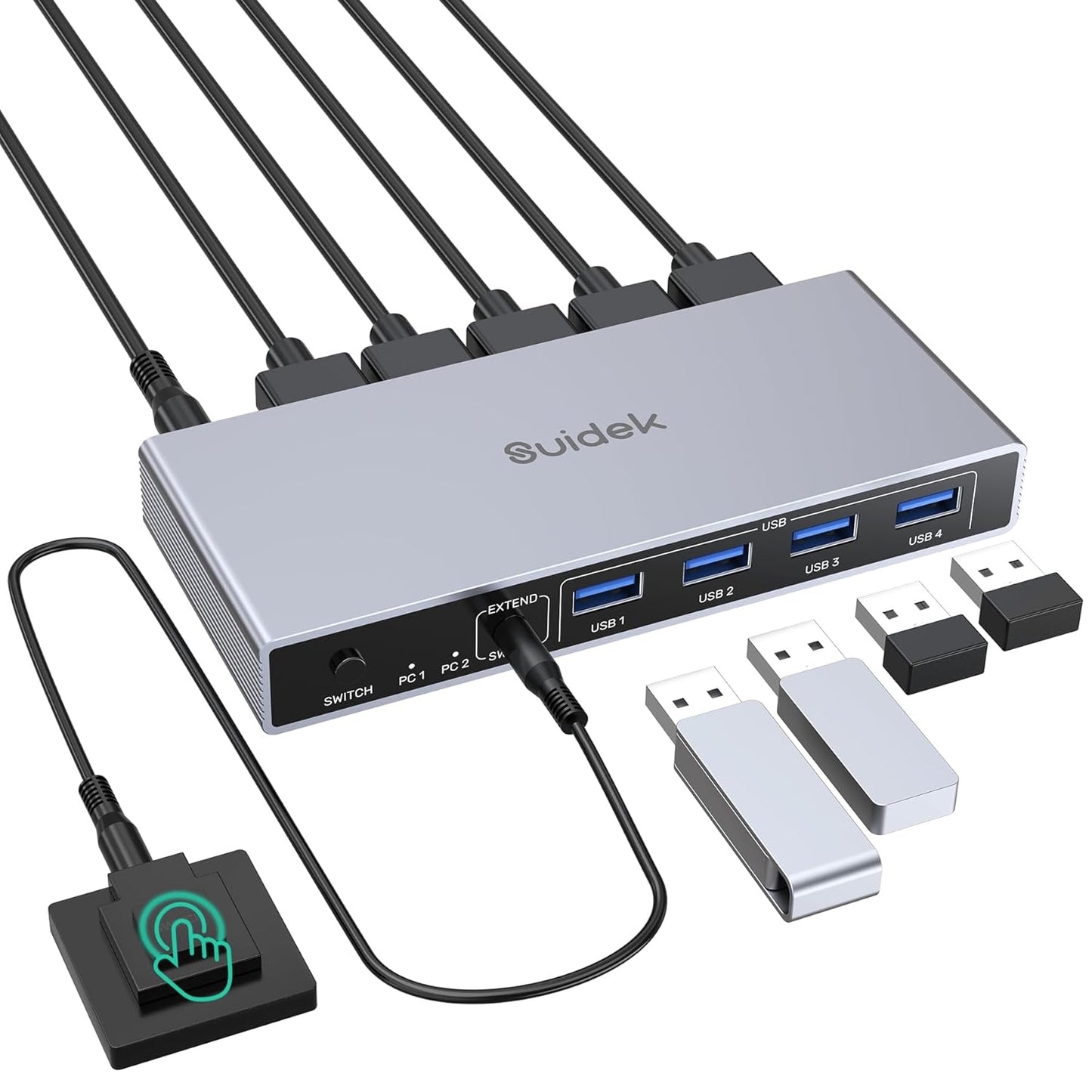
- 1 Monitor 2 Computers HDMI KVM: Allows control of two computers from one monitor, keyboard and mouse, reducing desk clutter and switching time.
- 4 USB 3.0 Ports: Four USB 3.0 ports share peripherals and storage with up to 5Gbps transfer speed, speeding file and picture transfer between devices.
- 4K@60Hz Output: Supports high-resolution output when input and output cables and devices also support 4K, delivering clear, smooth visuals for video work or detailed windows.
- Two Switching Methods: Front button and included desktop controller let you switch between computers quickly even if the unit is tucked away.
- Cross-Platform Compatibility: Works with Windows, Mac, and Linux systems as long as they use HDMI and USB connections, making it flexible for mixed environments.
Who It's For
The HDMI KVM Switch is aimed at professionals who regularly use two computers and want a single-screen workflow without constantly unplugging devices; it is also suitable for home office users who need to share a printer, flash drives, or a mouse and keyboard between a personal PC and a work machine. The high-resolution support and USB 3.0 ports make it a good fit for photo editors, developers, and multitaskers who value both display fidelity and transfer speed.
Users who should look elsewhere include those with monitors or computers that rely on DisplayPort or VGA (this unit only supports HDMI), and anyone who requires EDID emulation or advanced display handshake features, since EDID is not supported. Also ensure both input and output HDMI hardware and cables support your desired resolution.
Pros & Cons
Pros
- Simple one-button switching plus a desktop controller for convenient remote switching.
- USB 3.0 ports provide up to 5Gbps for fast file and peripheral transfers.
- Supports up to 4K@60Hz for high-quality display output when cables and devices allow.
Cons
- Only HDMI is supported, so it will not work with DP or VGA without adapters and may not deliver full resolution in those cases.
- Some users report occasional USB connectivity issues with certain peripherals, so mission-critical workflows should be tested first.
Specifications
| Product type | HDMI KVM switch (1 monitor, 2 computers) |
| Video output | Up to 4K@60Hz |
| USB ports | 4 x USB 3.0 (up to 5Gbps) |
| Included accessories | 2 x USB A to A cables, desktop controller, DC 5V power adapter, user manual |
| Compatibility | Windows, Mac, Linux (requires HDMI on computers and monitor) |
| Power | DC 5V adapter (must remain connected) |
Our Verdict
The HDMI KVM Switch 1 Monitor 2 Computers is a well-rounded, cost-effective way to share one HDMI monitor and multiple USB peripherals between two machines. It offers clear benefits in desktop tidiness, 4K@60Hz support and fast USB 3.0 transfers, making it a sensible buy for mixed-system professionals and home office users, provided you confirm HDMI compatibility for both systems and test critical peripherals.
Frequently Asked Questions
Does this KVM support DisplayPort or VGA?
No. The unit supports only HDMI input and output; DP or VGA are not supported.
Will it provide 4K@60Hz automatically?
It will support up to 4K@60Hz if both the connected computers, monitor and HDMI cables support that resolution and the input/output resolutions match.
Do I need to leave the power adapter connected?
Yes. The 5V power adapter must remain connected during use and adapters over 5V should not be used.
Editor's Take
A practical, value-focused KVM that shares one HDMI monitor and peripherals between two computers with 4K@60Hz support and USB 3.0 speeds; good for professionals if HDMI compatibility is confirmed.

Recently viewed
Recently viewed products will appear here as customers browse the store.