

HP 17.3in Flagship HD+ Touchscreen Laptop - Large Display Performance
HP 17.3in Flagship HD+ Touchscreen Laptop - Large Display Performance
Price subject to change. Tap below for current.
Couldn't load pickup availability
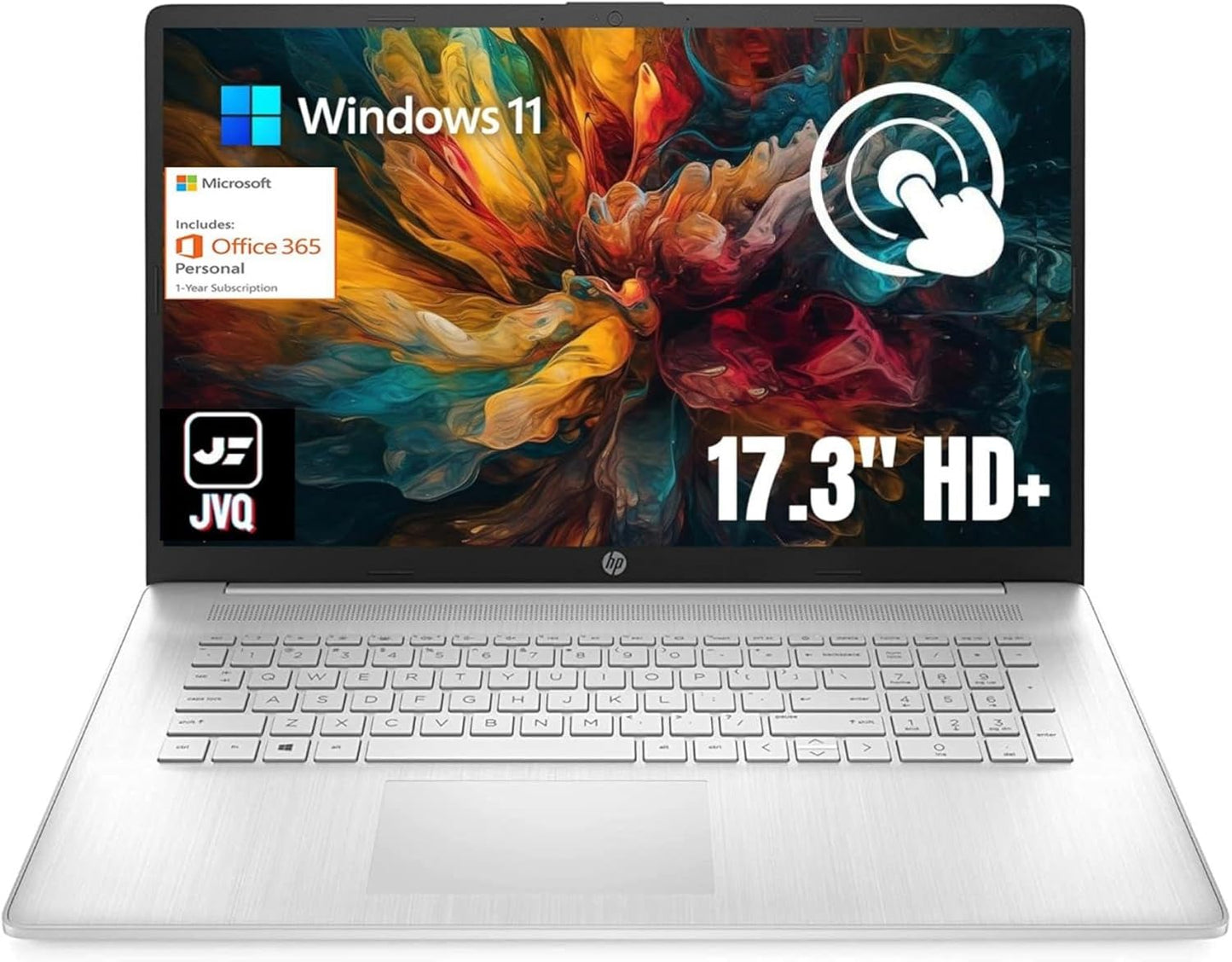
Our review looks at the HP 17.3in Flagship HD+ Touchscreen Laptop, a large-screen Windows 11 machine aimed at users who want a roomy display and straightforward performance without a premium price. The single biggest reason to buy is the combination of a 17.3in touch display and generous 20GB of RAM paired with a 1TB NVMe SSD, which together make everyday multitasking, media viewing and light productivity feel noticeably smoother than typical entry-level laptops. This review focuses on real-world use, portability tradeoffs and whether the feature set matches common needs.
Key Features
- 17.3in HD+ Touch Display: The 1600 x 900 BrightView touchscreen gives a spacious canvas for spreadsheets, streaming and split-screen work while touch adds quick navigation for casual tasks.
- 20GB DDR4 Memory: An uncommon 20GB RAM configuration helps keep multiple browser tabs and office apps responsive during typical multitasking and day-to-day workflows.
- 1TB PCIe NVMe SSD: A high-capacity, fast SSD provides roomy local storage and quick boot and app launch times compared with traditional hard drives.
- Intel Pentium Silver N5030: The four-core Pentium Silver processor up to 3.1 GHz handles web, document and media duties efficiently with modest power draw.
- Full-Size Keyboard with Numeric Keypad: A standard keyboard layout with numeric pad improves data entry and extended typing comfort for spreadsheets and schoolwork.
- Ports and Connectivity: USB Type-C, HDMI, two USB-A ports, Wi-Fi and Bluetooth 5 offer modern peripheral and display options for a simple home or travel setup.
Who It's For
The HP 17.3in is best for students, remote workers and families who value a large screen for multitasking, streaming and light productivity without spending on a performance workstation. Its roomy display and full-size keyboard make it a practical choice for invoicing, spreadsheets and media consumption, and the included 1 year of Microsoft 365 helps out with everyday office tasks.
Those who need heavy content creation, gaming or professional-grade graphics should look elsewhere, since the Intel UHD Graphics 605 and Pentium Silver CPU are intended for efficiency and basic graphics rather than sustained high-end workloads. Users who prioritize extreme portability will also prefer a smaller, lighter laptop than this 4.5 lb machine with a 17.3in footprint.
Pros & Cons
Pros
- Large 17.3in touch display offers a comfortable workspace for productivity and media.
- 20GB RAM and 1TB NVMe SSD deliver snappy multitasking and plenty of local storage.
- Full-size keyboard with numeric keypad improves typing and data-entry efficiency.
- Good selection of ports including HDMI and USB Type-C for basic external connectivity.
Cons
- Display brightness and color (250 nits, 60% NTSC) may feel modest for professional photo work or very bright environments.
- The Intel Pentium Silver N5030 is suitable for everyday tasks but not for heavy video editing or modern AAA gaming.
Specifications
| Processor | Intel Pentium Silver N5030 (4 cores, up to 3.1 GHz) |
| Display | 17.3in HD+ 1600 x 900 BrightView touchscreen, 250 nits |
| Memory | 20GB DDR4 SDRAM |
| Storage | 1TB PCIe NVMe M.2 SSD |
| Graphics | Intel UHD Graphics 605 |
| Operating System | Windows 11 Home in S mode (switch out of S mode via Store) |
| Weight & Dimensions | 4.5 lb; 15.77 x 10.14 x 0.8 in |
Our Verdict
The HP 17.3in Flagship HD+ Touchscreen Laptop is an excellent value for buyers who want a large display, lots of RAM and a roomy SSD for everyday productivity and media. It delivers responsive multitasking for web, documents and streaming, and the full-size keyboard is a practical advantage. Choose this model for home, school or light remote work; pick a smaller or more powerful machine if you need ultra-portability or heavy creative performance.
Frequently Asked Questions
Can I switch out of Windows 11 S mode?
Yes, you can switch out of S mode through Settings > System > Activation and then follow the Store prompts to install the switch.
Does the USB-C port support charging or external displays?
The USB-C port supports data transfer at 5 Gbps only and does not support charging or video output, so use HDMI for external displays.
Is the storage user-replaceable?
The laptop uses a 1TB PCIe NVMe M.2 SSD; upgrades may be possible but check service documentation or a technician for access and compatibility.
Editor's Take
The HP 17.3in touchscreen laptop offers a spacious display, 20GB RAM and 1TB NVMe SSD that deliver smooth everyday multitasking and good value for home, student and light work users.

Recently viewed
Recently viewed products will appear here as customers browse the store.