

HP 325 Full HD Webcam - Plug and Display Simplicity
HP 325 Full HD Webcam - Plug and Display Simplicity
Price subject to change. Tap below for current.
Couldn't load pickup availability
Our review of the HP 325 Full HD Webcam finds it best suited for people who need a straightforward, reliable webcam for video calls and basic content capture. The single biggest reason to buy is its combination of easy plug-and-play setup and consistently good 1080p image quality that matches most home office and remote learning needs. The camera's "plug and display" usability and wide angle adjustment make setup and framing painless for users who value speed and simplicity over advanced controls.
Key Features
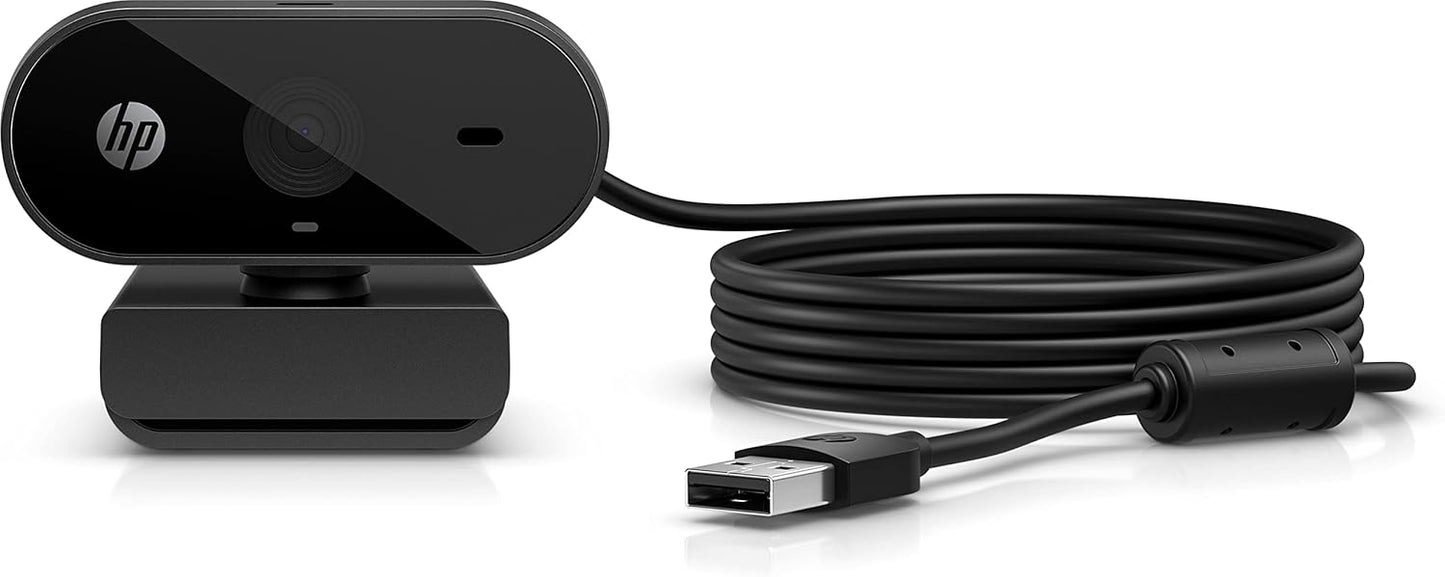
- Plug and display: The USB-A connection lets the webcam start working immediately with no complicated drivers, so meetings begin without delay.
- Look like you look: Full HD 1080p capture provides a clean, natural image that keeps skin tones and details accurate during video calls.
- Get into position: Built-in swivel and tilt give flexible framing so the user can adjust the camera to a flattering angle without extra hardware.
- See all the angles: A wide field of view ensures more of the background or multiple people are visible when needed for group calls or desk demonstrations.
- Works with Chromebook Certified: Compatibility with Chromebooks reduces driver headaches for education and Chromebook-based setups.
Who It's For
The HP 325 is aimed at remote workers, students, and anyone who needs a dependable camera for video conferencing, online classes, or simple streaming. Its plug-and-play nature and Chromebook compatibility make it especially useful for classrooms and users who switch devices often.
Users who need advanced features such as built-in microphone arrays with noise-canceling, hardware privacy shutters, or software-based auto-framing should look elsewhere. This model excels at straightforward capture and ease of use rather than pro-level studio controls.
Pros & Cons
Pros
- Easy setup with USB-A plug and display for quick use on most PCs and Chromebooks.
- Full HD 1080p provides clear, natural-looking video for meetings and classes.
- Adjustable angle and wide field of view make framing simple for single or small-group calls.
Cons
- Limited to core webcam features without advanced studio-style controls or high-end audio enhancements.
Specifications
| Product name | HP 325 Full HD Webcam |
| Image resolution | Full HD 1080p |
| Connection | USB-A plug and display |
| Compatibility | Works with Chromebook Certified |
| Adjustability | Swivel and tilt for positioning |
| Category | Webcam, computer accessory |
Our Verdict
The HP 325 Full HD Webcam is a practical, value-oriented choice for everyday video calls and remote learning thanks to its reliable 1080p image, easy plug-and-play setup, and flexible positioning. It represents good value for users who want solid performance and Chromebook compatibility without paying for extra pro-level features.
Frequently Asked Questions
Is this webcam easy to set up?
Yes. The USB-A plug and display design is intended for immediate use without separate driver installation on most systems.
Will it work with a Chromebook?
Yes. The webcam is listed as compatible with Chromebook Certified devices, so it should work with supported Chromebooks.
Is the image quality good for professional calls?
It delivers clear Full HD 1080p video suitable for most professional calls, though it lacks advanced studio controls for high-end production needs.
Editor's Take
The HP 325 Full HD Webcam is a practical, value-oriented webcam that delivers reliable 1080p video, simple plug-and-play setup, and flexible positioning, making it ideal for remote work and online classes.

Recently viewed
Recently viewed products will appear here as customers browse the store.