

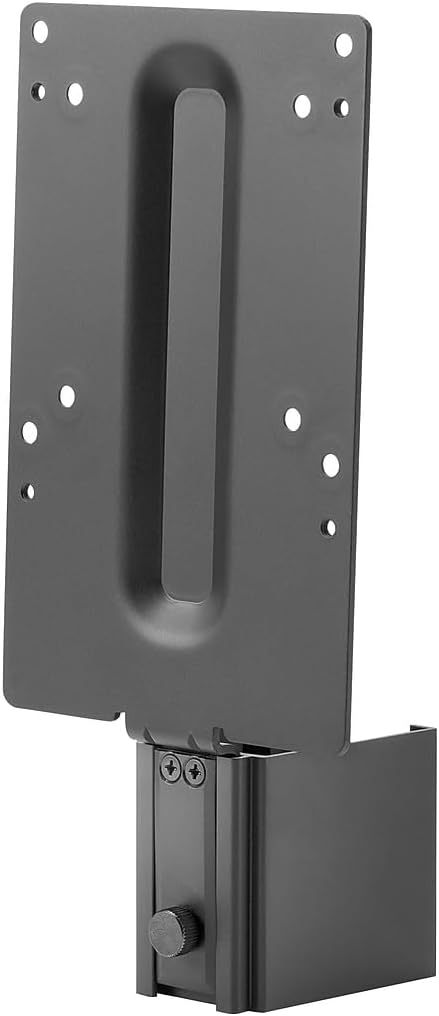
HP B250 Mounting Bracket for LCD Display and Thin Client - Black
HP B250 Mounting Bracket for LCD Display and Thin Client - Black
Price subject to change. Tap below for current.
Couldn't load pickup availability
Our review of the HP B250 Mounting Bracket finds it best suited to small offices, reception desks, and home workstations that need a tidy, space-saving mounting solution for an LCD display and accompanying thin client. The bottom line: this bracket is a straightforward, no-frills mounting accessory that secures a thin client under or behind an LCD while keeping cables manageable; anyone seeking a simple OEM mounting option that matches HP hardware will appreciate the fit and finish. The review focuses on real-world fit, build, and ease of installation.
Key Features
- Compact mounting design: Keeps an LCD display and thin client paired together to free desk surface and reduce clutter in a small footprint.
- OEM compatibility: Designed to work with HP thin clients and displays so alignment and fit are reliable without modification.
- Durable finish: The black color provides a professional, unobtrusive look that resists showing dust and blends with most office hardware.
- Tool-friendly installation: Simple mounting points make setup straightforward for IT staff or a diligent end user with basic tools.
- Cable management friendly: Positioning allows cables to be routed neatly behind the display, improving tidiness and airflow around the thin client.
Who It's For
The HP B250 Mounting Bracket is ideal for businesses or home offices that use HP thin clients and want a neat, manufacturer-intended way to attach those PCs to an LCD display. IT departments replacing or consolidating workstations will find it saves desk space and standardizes installations across multiple stations.
It is less useful for people who need a universal VESA mount for large TVs or non-HP hardware, or for installations that require complex articulation or heavy-load supports. Buyers needing multi-angle adjustability or heavy-duty TV mounting should look for a purpose-built wall or ceiling mount instead.
Pros & Cons
Pros
- Simple, OEM-matched fit makes installation predictable and reduces time per workstation.
- Black finish is low-profile and keeps a professional aesthetic in office environments.
- Helps reclaim desk space by mounting a thin client to the display instead of occupying the desktop.
Cons
- Not a universal mount for non-HP devices, so compatibility outside HP displays and thin clients may be limited.
Specifications
| Product name | HP B250 Mounting Bracket |
| Color | Black |
| Intended use | Mounting bracket for LCD display and thin client |
| Brand | HP Inc. |
| Description | SMART BUY B250 PC MOUNTING |
| Category hint | TV Wall & Ceiling Mounts / Accessories |
Our Verdict
The HP B250 Mounting Bracket is a practical, value-oriented accessory for organizations standardizing on HP displays and thin clients; it delivers a clean install, modest space savings, and a professional appearance. For users who need a simple OEM mounting solution to tidy workstations and keep thin clients out of the way, it represents good value. Those requiring universal compatibility or heavy-duty TV mounts should consider other options.
Frequently Asked Questions
Will this bracket fit non-HP displays?
The bracket is designed for HP displays and thin clients and may not align correctly with non-HP models; check mounting points before purchase.
What color is the mount?
The HP B250 Mounting Bracket is finished in black to match typical office hardware.
Is installation difficult?
Installation is straightforward with basic tools and follows a simple mounting pattern intended for quick setup by IT staff or end users.
Editor's Take
The HP B250 Mounting Bracket is a practical OEM accessory that secures a thin client to an LCD, saving desk space and delivering a clean, professional install for HP-based workstations.

Recently viewed
Recently viewed products will appear here as customers browse the store.