

HUION Inspiroy 2 Small Drawing Tablet - Portable Precision Tablet
HUION Inspiroy 2 Small Drawing Tablet - Portable Precision Tablet
Price subject to change. Tap below for current.
Couldn't load pickup availability
In this review of the HUION Inspiroy 2 Small, the bottom line is clear: this compact graphics tablet is aimed at hobbyists, students and mobile creators who want a responsive, pen-first drawing surface without a large footprint. The tablet's upgrade to PenTech 3.0 delivers noticeably improved precision and minimal lag, and the redesigned PW110 pen offers better ergonomics for longer sessions. It is not a standalone device, so it is best paired with a laptop, desktop or compatible Android device for a lightweight, affordable drawing setup.
Key Features
- Advanced PenTech 3.0: Delivers smoother strokes and reduced wobble so lines feel closer to a real pen for drawing and fine work.
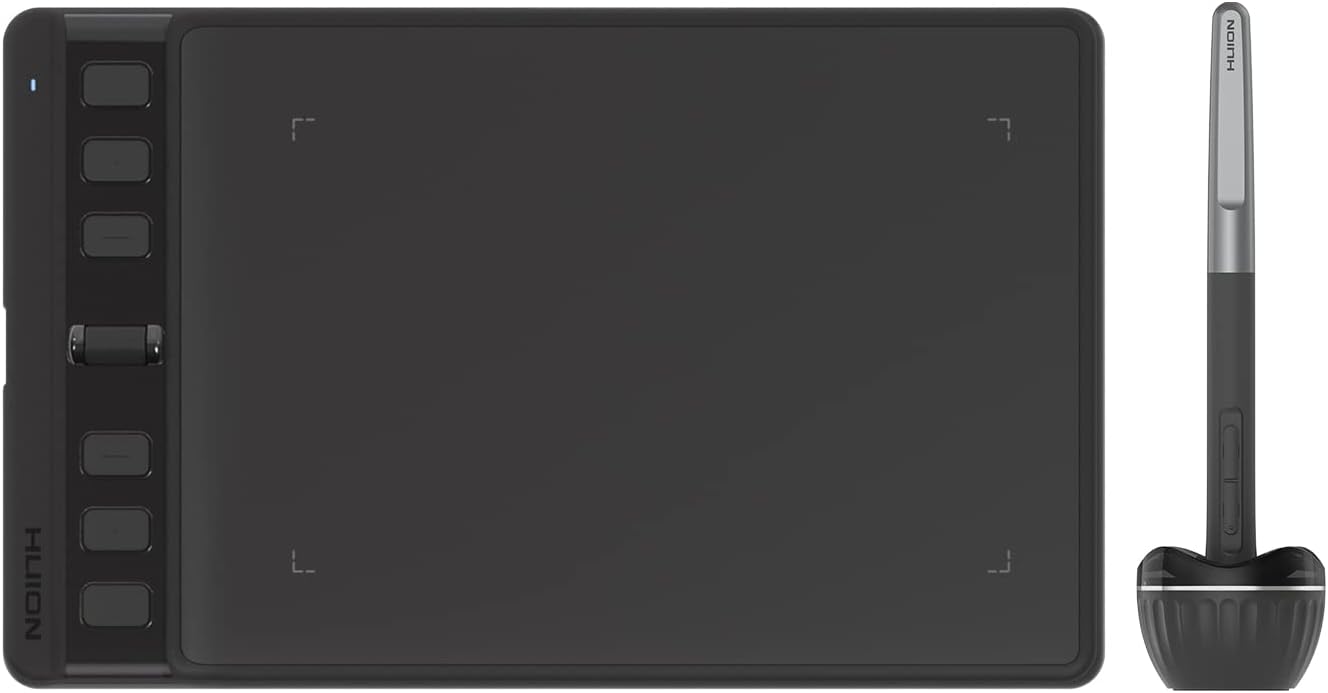
- Ergonomic PW110 Stylus: A slimmer body with a soft silicone grip and side buttons reduces hand fatigue and improves control during long sessions.
- Programmable Scroll Wheel and 6 Keys: The scroll wheel plus six shortcut keys can be customized per app to speed up common tasks like zooming, undo and tool switching.
- Multi-OS Compatibility: Works with Mac, PC, Linux and Android devices (OS 6.0+), making it useful across desktop and mobile workflows.
- Ultra Portable Design: Slim, compact form factor fits into a laptop bag easily, so creators can take a functional tablet to class, work or travel.
Who It's For
The Inspiroy 2 Small is best suited to beginners, students and casual digital artists who need an affordable, portable pen tablet that pairs with a computer or compatible Android device. It is ideal for note taking, photo retouching, illustration practice and online teaching tools where a natural pen feel and programmable shortcuts improve efficiency.
Those who should look elsewhere include artists who require a very large active area, professionals who need a built-in display, or anyone wanting a standalone tablet with an internal battery. Also, if consistent button responsiveness is mission critical, consider testing a unit first since some users report occasional pen or button inconsistencies.
Pros & Cons
Pros
- Responsive pen performance with PenTech 3.0 that minimizes lag and wobble for cleaner lines.
- Comfortable PW110 stylus design with a soft grip and accessible side buttons for ergonomic use.
- Customizable scroll wheel and six shortcut keys speed up workflows and can be set per application.
- Good value and build quality for students and hobbyists seeking a portable drawing solution.
Cons
- Not a standalone device; it must be connected to a computer or smartphone to work.
- Some users report occasional pen or button responsiveness issues, so results can vary by unit and setup.
Specifications
| Brand | HUION |
| Model | Inspiroy 2 Small |
| Pen technology | PenTech 3.0 |
| Stylus | PW110 battery-free pen, soft silicone grip |
| Controls | Scroll wheel + 6 programmable press keys |
| Compatibility | Windows, MacOS, Linux (Ubuntu), Android 6.0+ |
| Portability | Slim, compact design for laptop bags |
Our Verdict
The HUION Inspiroy 2 Small is a practical, budget-friendly graphics tablet that delivers a convincing pen-on-paper feel thanks to PenTech 3.0 and an improved ergonomic stylus. It represents solid value for students and beginner artists who want portability and programmable controls, though power users who need a larger surface or a display tablet should consider alternatives.
Frequently Asked Questions
Does this tablet work with Android phones?
Yes, it supports certain Android devices running OS 6.0 or later when connected with the included cable.
Is the stylus battery powered?
No, the PW110 is a battery-free stylus that operates without charging or batteries.
Can I customize the shortcut keys and scroll wheel?
Yes, the six press keys and the scroll wheel are programmable and can be assigned different functions for different applications.
Editor's Take
The HUION Inspiroy 2 Small is a portable, affordable graphics tablet with PenTech 3.0 and an ergonomic battery-free stylus, offering good value for students and beginner artists though not a standalone device.

Recently viewed
Recently viewed products will appear here as customers browse the store.