

Smart Sketcher Projector - Project, Trace & Learn for Kids
Smart Sketcher Projector - Project, Trace & Learn for Kids
Price subject to change. Tap below for current.
Couldn't load pickup availability
In this review the Smart Sketcher Projector is evaluated as a kid-focused drawing tool that combines projection, tracing and interactive activities. It is best for parents and educators who want a simple, hands-on activity that helps children practice letters, numbers and drawing; the single biggest reason to buy is its ability to project learn-to-draw images and accept user photos via the downloadable app, which expands what children can trace beyond the built-in content.
Key Features
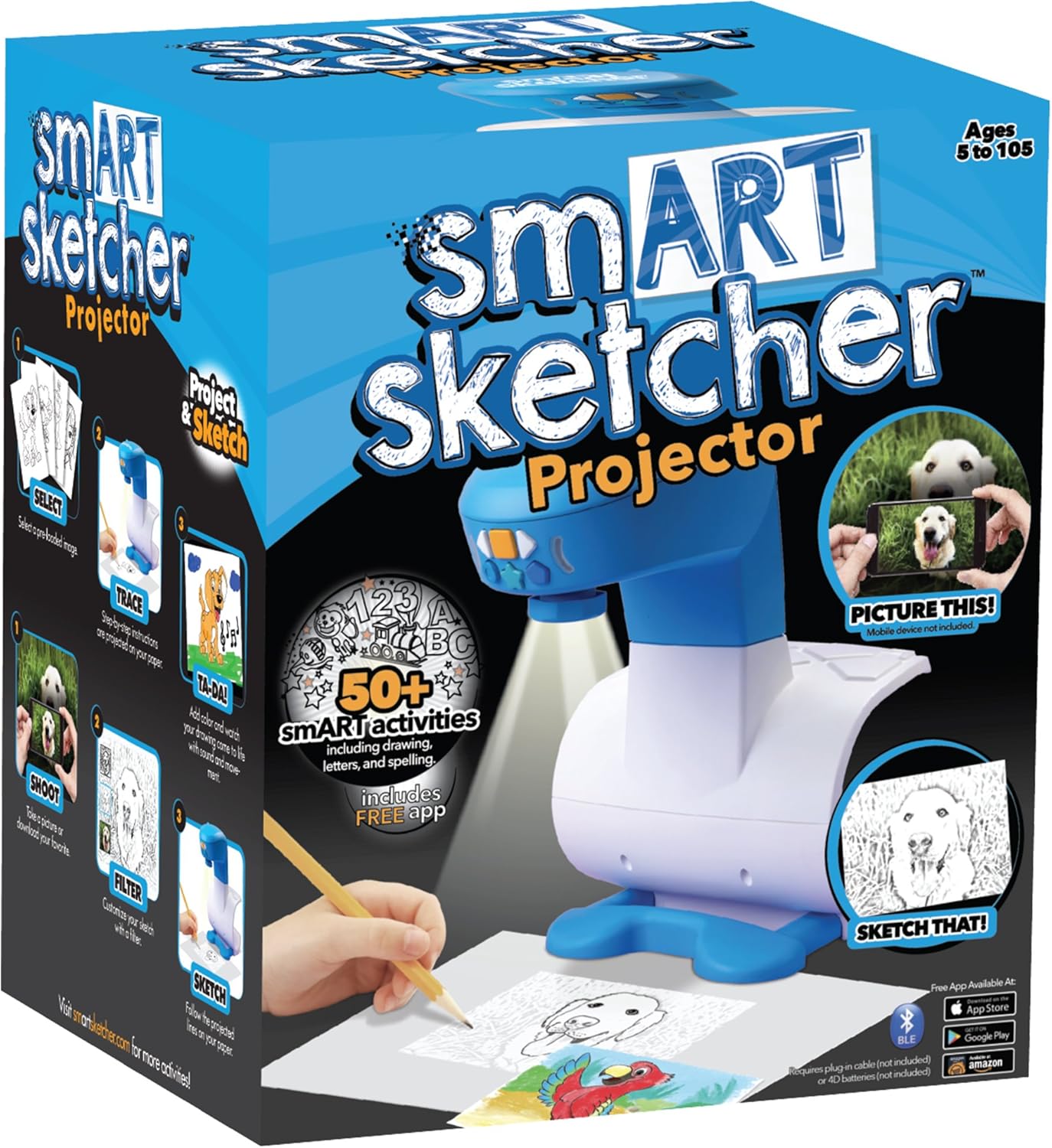
- Project and trace: The projector displays pre-loaded images so children can trace shapes and learn basic drawing steps with simple controls.
- Load your own photos: Use the free downloadable app to transfer personal photos to the unit for custom tracing and creative play.
- 50+ smart activities: A broad set of built-in activities keeps variety in drawing practice and encourages repeated use.
- Interactive sounds and effects: Audio cues and special effects add engagement and make lessons feel more like play.
- Includes adaptor: The package arrives ready to use with an included adaptor so parents do not need to hunt for a power accessory.
Who It's For
The Smart Sketcher Projector is best suited for younger children who enjoy tracing and guided drawing and for parents or teachers looking for a low-friction activity that supports early STEAM skills. It works particularly well in settings where simple controls and quick switching between images matter.
Families seeking high-resolution projection for very precise tracing, or buyers wanting a premium art tool for older children or adults, should consider other options; some users report that projected pictures are small and not always clear enough for detailed drawing.
Pros & Cons
Pros
- Easy to use buttons make stepping through drawing stages quick for children.
- Ability to download and project your own photos via the app broadens creative possibilities.
- Built-in activities, sounds and effects help keep children engaged in learning letters, numbers and drawings.
- Comes with an adaptor so it is ready out of the box.
Cons
- Some customers report limited image quality and very small projected pictures that can make tracing difficult.
- A few users have experienced functionality issues that affect overall value for money.
Specifications
| Product name | Smart Sketcher Projector |
| Brand | Flycatcher |
| Content | 50+ smart activities, pre-loaded learn-to-draw images |
| Interactive features | Sounds and special effects |
| Photo input | Free downloadable app to load your own photos |
| Power | Includes adaptor |
Our Verdict
The Smart Sketcher Projector is a good value for parents and teachers who want an easy, interactive tracing toy that supports early drawing and letters. It shines as a playful learning aid thanks to downloadable photo support and many built-in activities, though buyers wanting crisp, large projections should consider alternatives with higher image clarity.
Frequently Asked Questions
Can I project my own photos?
Yes - the unit works with a free downloadable app that lets you load your own photos for projection and tracing.
Does it need batteries?
The product includes an adaptor for power; check the package for any battery requirements if portable use is intended.
Is it suitable for older kids?
It is best for younger children learning letters, numbers and basic drawing; older kids wanting more detail or larger projections may want a different device.
Editor's Take
The Smart Sketcher Projector is a kid-friendly tracing tool that offers downloadable photo support and 50+ activities, making it a good choice for younger children and classrooms, though projection clarity can be limited for detailed tracing.

Recently viewed
Recently viewed products will appear here as customers browse the store.