

iPad 13 Pro Case with Keyboard and Touchpad - Bright Pink
iPad 13 Pro Case with Keyboard and Touchpad - Bright Pink
Price subject to change. Tap below for current.
Couldn't load pickup availability
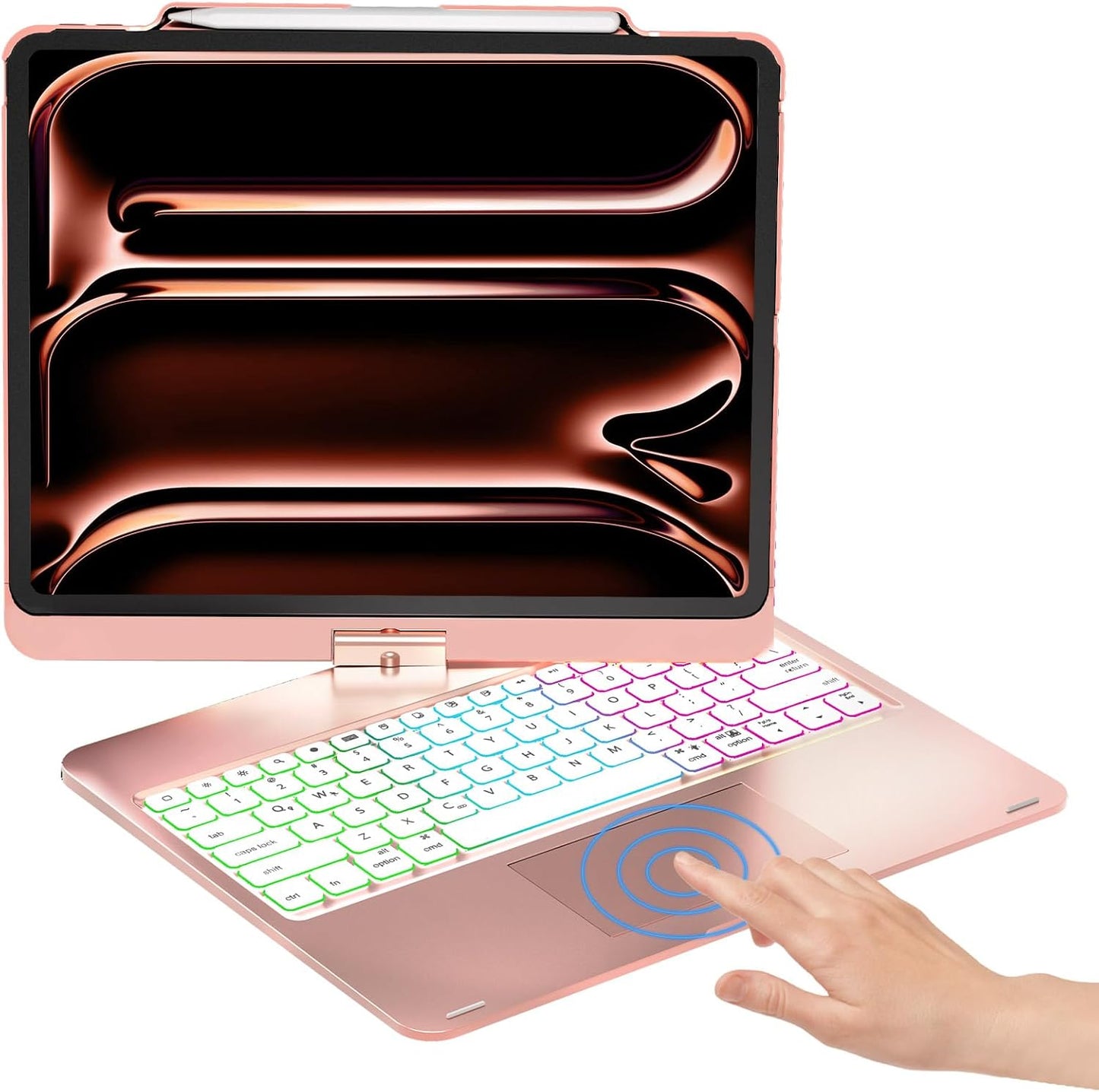
Our review of this iPad case with keyboard finds it best for users who want a full keyboard experience and flexible viewing angles for a large iPad. The case pairs a tactile keyboard and a 4.3' built-in touchpad with a rainbow backlight, a Pencil holder, and a 360' rotating hinge that converts the device for typing, sketching, or media use. It is strongest as a travel and home productivity accessory for iPad Pro 12.9 and compatible iPad Air 13 models, and the single biggest reason to buy is the combination of keyboard, touchpad and rotation that replaces the need for a separate Bluetooth keyboard and mouse.
Key Features
- Compatibility: Works with multiple 12.9' and 13' iPad models including the latest M4 and M2 variants, so buyers can match the case to recent iPad Pro and iPad Air releases.
- Built-in touchpad: The 4.3' touchpad lets you navigate iPadOS without a separate mouse and can be toggled on or off to avoid accidental gestures.
- Rainbow backlight: Adjustable soft backlighting with three brightness levels helps typing in low light and includes iPadOS shortcut keys for quick volume and brightness control.
- Pencil holder: A dedicated top slot keeps an Apple Pencil secure and accessible while allowing it to charge at the edge when placed correctly.
- 360' rotation and multiple modes: The hinge rotates 360' and folds 180' to support seven use modes, offering stable laptop, sketch, and media orientations.
- Durable construction: ABS material provides impact protection and a solid platform for the keyboard and rotating mechanism during everyday use.
Who It's For
This case is ideal for students, remote workers, and creative users who need a near-laptop typing setup with the versatility to flip the screen for presentations or sketching. The built-in touchpad and row of iPadOS shortcuts suit anyone who wants to minimize accessories while keeping a full set of productivity keys.
Those who prefer the lightest possible carry option or who are highly sensitive to added weight should look elsewhere, since the keyboard case adds bulk compared with a slim folio. Users who require a metal chassis or mechanical keys for extended heavy typing sessions may also prefer a dedicated external keyboard.
Pros & Cons
Pros
- Excellent keyboard feel and attractive bright pink appearance praised by users.
- Integrated 4.3' touchpad makes cursor work smooth without a mouse.
- Flexible 360' rotation and seven use modes for versatile positioning.
- Rainbow backlight with adjustable brightness and iPadOS shortcut keys improves low-light use.
Cons
- Some customers report mixed sturdiness and occasional key reliability issues, so build consistency can vary.
- The case adds noticeable weight and bulk compared with thin sleeves or folios.
Specifications
| Brand | NOKBABO |
| Compatible models | iPad Pro 12.9 (3rd-6th gen) and iPad Air 13 (M2, M4) |
| Touchpad | 4.3' built-in, FN+T toggle |
| Backlight | Rainbow with 3 brightness levels |
| Rotation | 360' rotation and 180' fold, 7 use modes |
| Material | Durable ABS |
| Extras | Pencil holder, iPadOS shortcut keys, 1-year service |
Our Verdict
For anyone who wants a do-it-all keyboard case for a 12.9' or 13' iPad, this model offers a lot of functionality for the price: a smooth touchpad, colorful backlighting, and a truly flexible 360' hinge. It is good value for mobile multitaskers and creatives who prioritize an integrated keyboard and Pencil storage, but buyers should be aware of extra weight and occasional reports of inconsistent key behavior.
Frequently Asked Questions
Will the case work with my iPad Pro 12.9?
Answer. The case lists explicit compatibility with iPad Pro 12.9 models from 3rd to 6th generation and recent iPad Air 13 models; check the model numbers to confirm fit.
Can I disable the touchpad if I do not want to use it?
Answer. Yes, the touchpad can be turned on or off using the FN+T shortcut to prevent accidental input while typing.
Does the Pencil charge while in the holder?
Answer. The pencil holder is positioned so that a Pencil placed at the top can charge at the edge when the iPad supports wireless charging for the Pencil.
Editor's Take
This keyboard case delivers strong value for users who want an integrated keyboard, responsive touchpad and 360' rotation for iPad Pro 12.9 and iPad Air 13; it adds bulk and has occasional reports of inconsistent key behavior.

Recently viewed
Recently viewed products will appear here as customers browse the store.