

iPad Air 13 in Case Keyboard with Trackpad and Backlit - Laptop
iPad Air 13 in Case Keyboard with Trackpad and Backlit - Laptop
Price subject to change. Tap below for current.
Couldn't load pickup availability
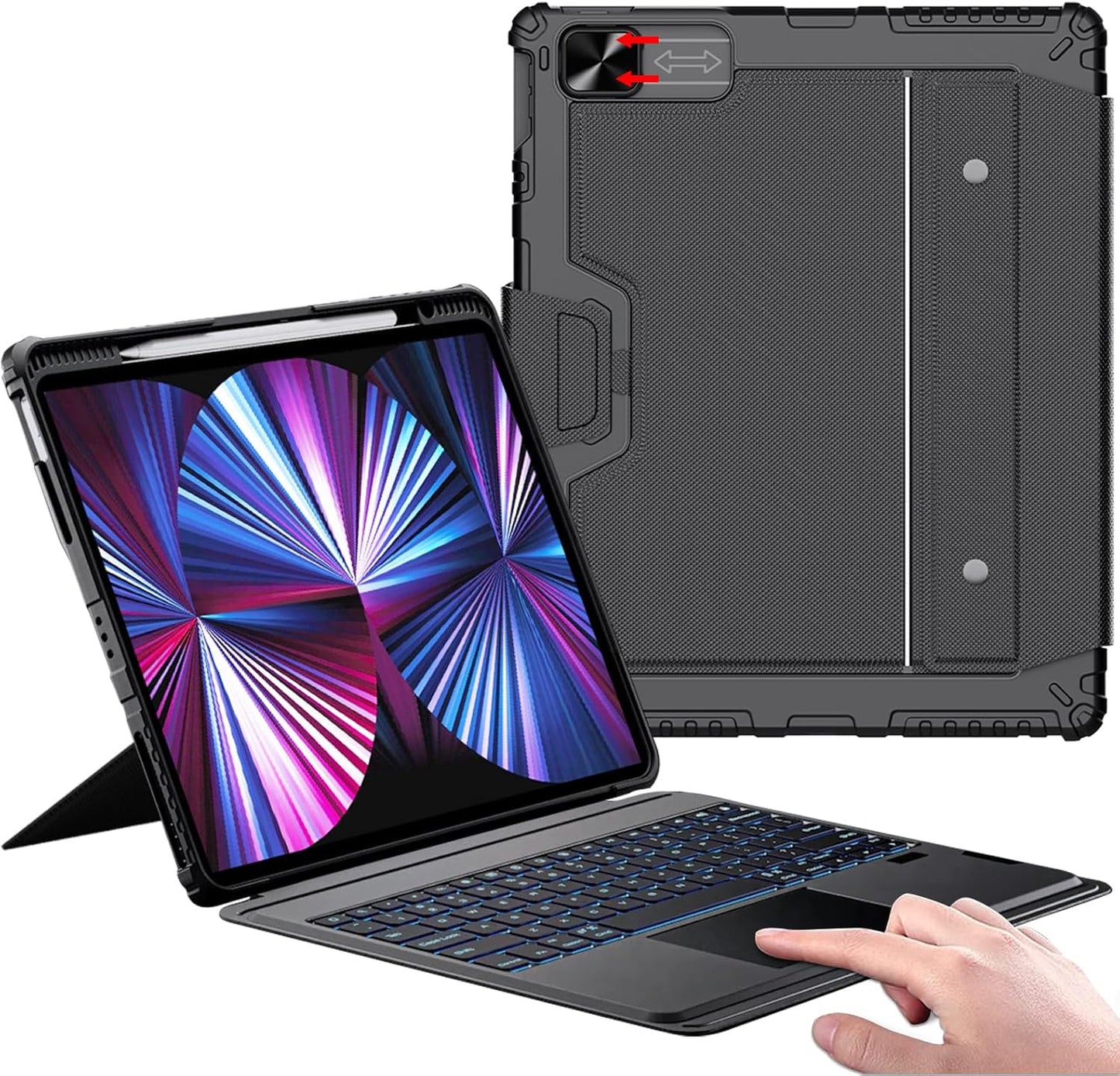
In this review the Nillkin iPad Air 13 in Case Keyboard is evaluated as a practical way to turn compatible iPads into a laptop-style workflow tool. It is best for users who want a protective case that also adds a full keyboard, a multi-touch trackpad and an Apple Pencil holder, with the biggest reason to buy being the combination of protection and a detachable, backlit keyboard that supports iPadOS shortcuts. The package targets iPad Air 13 (M3/M2 2025/2024) and iPad Pro 12.9 models and focuses on productivity without needing to carry a separate laptop.
Key Features
- Turn Your iPad into a Laptop: The integrated case plus keyboard and trackpad create a laptop-like setup so productivity tasks feel closer to a notebook experience.
- Bluetooth and Backlit Keyboard: Seven backlight colors with three brightness levels let users work comfortably in low light and use a dedicated function row with iPadOS shortcuts.
- Multi-Touch Trackpad: The precision trackpad supports multi-touch gestures for tapping, swiping and app switching to speed navigation and editing.
- Flexible Detachable Design: The two-piece setup separates into a protective case with stand and a detachable keyboard when users want to travel light.
- Enhanced Protection: Thickened PC back panel, TPU frame and reinforced corners provide shock resistance while a sliding camera cover protects the lens and improves privacy.
- Long Life Battery: The rechargeable keyboard battery offers extended runtime and fast Type-C charging so it is ready after a short charge.
Who It's For
This kit is well suited to students, mobile professionals and anyone who uses their iPad for document editing, presentations or media consumption and wants a more laptop-like input method with a protective case. The backlit keys and function row are particularly helpful for users who work in varied lighting and need iPadOS shortcuts to speed up routine tasks.
Those who should look elsewhere include users who prefer the slim profile of a keyboardless folio or users relying exclusively on the Apple Magic Keyboard experience, since this is a protective, bulkier option designed around durability and a detachable keyboard rather than the absolute thinnest carry solution.
Pros & Cons
Pros
- Protective construction with reinforced corners and a PC back panel that helps prevent damage from drops.
- Detachable backlit keyboard and built-in trackpad that add real productivity for typing and navigation.
- Seven backlight colors with adjustable brightness and a row of function keys tailored for iPadOS shortcuts.
- Built-in Apple Pencil holder with magnetic attachment and wireless charging support for convenience.
Cons
- Some users report mixed experiences with keyboard detachability and Bluetooth connectivity, so pairing may vary by unit.
- The combined case and keyboard add noticeable bulk compared with ultra-thin folios or dedicated laptop keyboards.
Specifications
| Compatibility | iPad Air 13 (M3/M2 2025/2024) and iPad Pro 12.9 (2018-2022) |
| Keyboard | Bluetooth detachable, 7 backlit colors, 3 brightness levels |
| Trackpad | Built-in multi-touch precision trackpad with gesture support |
| Battery | 500mAh rechargeable keyboard battery, Type-C charging (2-3 hr charge) |
| Stand | Adjustable 0-180 degree case stand |
| Protection | Thickened PC back panel, TPU soft frame, reinforced corners |
| Extras | Sliding camera cover and Apple Pencil holder with wireless charge support |
Our Verdict
The Nillkin iPad Air 13 in Case Keyboard is a good value for users who need durable protection plus a full keyboard and trackpad to boost productivity on compatible iPads. It combines practical protection, a versatile detachable design and useful backlighting, making it a sensible choice if you want laptop-like input without buying a separate laptop - just be aware of the added bulk and occasional reported Bluetooth or detachment quirks.
Frequently Asked Questions
Will this work with the Apple Pencil?
The case includes a magnetic Apple Pencil holder with wireless charging support, but the Pencil itself is not included.
How long does the keyboard battery last?
The built-in 500mAh battery supports up to about 100 hours without backlighting and roughly 14 hours with backlighting, and it charges via Type-C in about 2-3 hours.
Does the trackpad support gestures?
Yes, the built-in multi-touch trackpad supports common gestures such as tap, swipe, scroll and app switching, and it disables automatically while typing to avoid misoperation.
Editor's Take
The Nillkin iPad Air 13 case keyboard pairs durable protection with a detachable backlit keyboard and trackpad, making it a strong value for users who want laptop-style productivity on compatible iPads despite added bulk and occasional Bluetooth or detachment quirks.

Recently viewed
Recently viewed products will appear here as customers browse the store.