

JLab Go Cam USB HD Webcam 1080p 30 FPS - Portable Clip-On Webcam
JLab Go Cam USB HD Webcam 1080p 30 FPS - Portable Clip-On Webcam
Price subject to change. Tap below for current.
Couldn't load pickup availability
In this review the JLab Go Cam USB HD Webcam proves to be a solid, no-nonsense option for people who need reliable video and clear audio without fuss. It is aimed at remote workers, students, streamers on a budget, and anyone upgrading an older laptop camera; the single biggest reason to buy is its consistent 1080p/30 FPS video that noticeably improves picture clarity for calls and recordings while remaining plug-and-play. Setup is minimal and the included omni-directional mic keeps voice and image in sync for everyday use.
Key Features
- Full HD video: 1080p at 30 frames per second delivers a clear, stable image for conferencing, vlogging, and streaming so subjects look natural on screen.
- 2.1 megapixel sensor: provides sharper detail than typical built-in laptop cameras, which helps with presentation materials and face clarity during calls.
- Omni-directional microphone: the built-in mic captures room sound evenly, simplifying audio setup when an external microphone is not available.
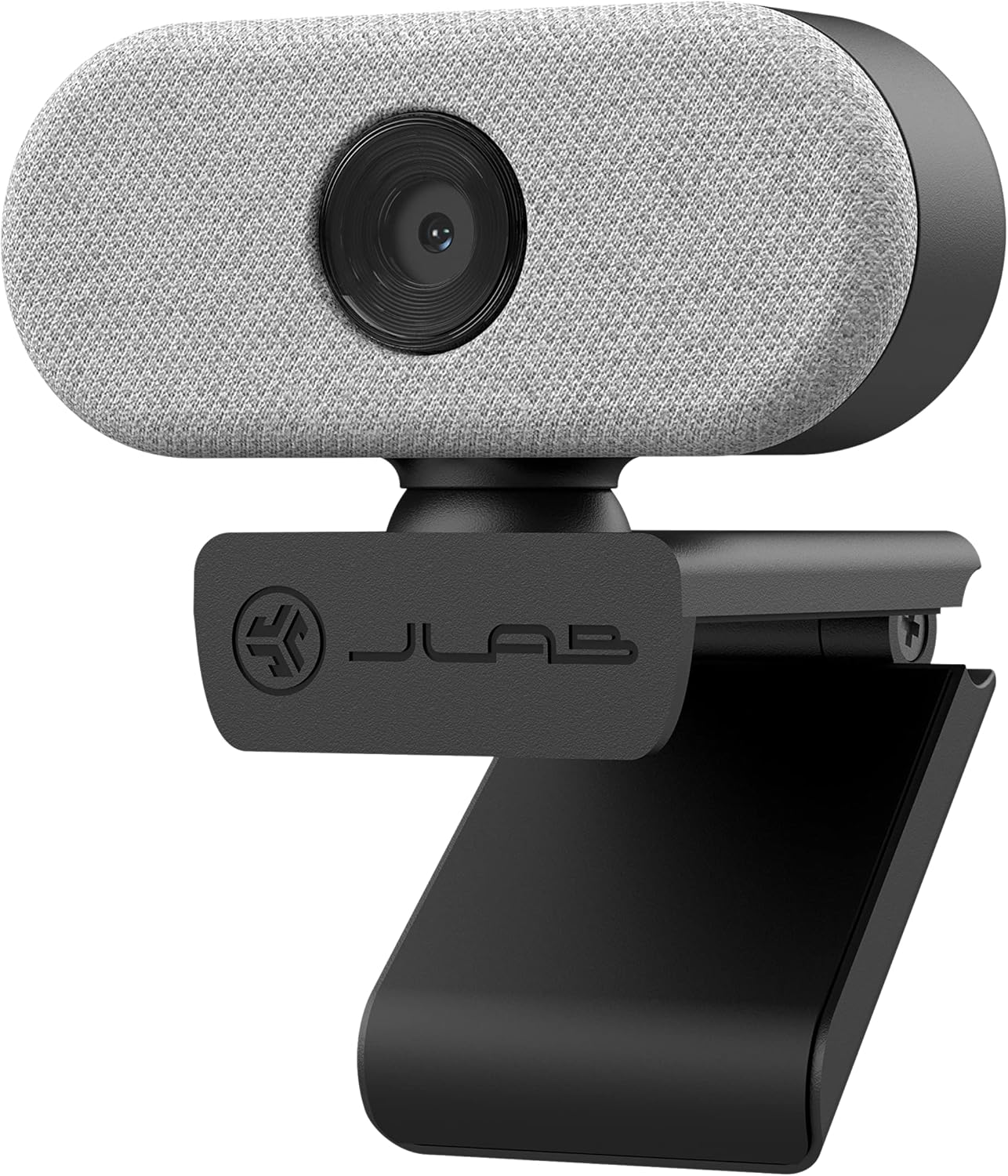
- Minimal clip-on design: a compact, portable housing and clip make it easy to move between a laptop, monitor, or temporary workspace.
- Cross-platform compatibility: plug-and-play support for PC, Mac, and Chromebook keeps it versatile across common systems.
- Two-year warranty included: the package includes a quick start guide and a two-year warranty for added peace of mind.
Who It's For
The Go Cam is best for remote workers, teachers, students, and casual streamers who want a clear image and simple setup without investing in a higher-end camera. Its combination of 1080p video and a built-in omni-directional mic makes it a practical upgrade over typical integrated webcams.
It is less well suited to users who require advanced controls, low-light performance tuning, or 4K capture; professionals who need studio-grade sensors, optical zoom, or interchangeable optics should look at higher-tier webcams or dedicated cameras instead.
Pros & Cons
Pros
- Reliable 1080p/30 FPS video that improves overall picture quality for meetings and recordings.
- Integrated omni-directional microphone keeps audio and video synchronized without extra hardware.
- Simple, portable clip-on design works across PC, Mac, and Chromebook for easy mobility.
- Good overall value with a two-year warranty included.
Cons
- Limited to 30 FPS and 2.1 megapixels, so it does not replace higher-end cameras for professional video work.
- Light handling is basic; users in very low-light environments may notice shadows or reduced detail without supplemental lighting.
Specifications
| Video resolution | 1080p at 30 FPS |
| Sensor | 2.1 megapixels |
| Microphone | Built-in omni-directional mic |
| Compatibility | PC, Mac, Chromebook |
| Design | Minimal clip-on portable housing |
| Included | Webcam, Quick Start Guide, Two-Year Warranty |
Our Verdict
The JLab Go Cam USB HD Webcam is a practical, affordable upgrade for most remote work and casual streaming needs; its 1080p video and omni-directional microphone deliver clear picture and reliable audio with minimal setup. For the price and included warranty it is a solid choice for users who want better video than a built-in camera without complications.
Frequently Asked Questions
Does this webcam work without drivers?
Yes. The Go Cam is plug-and-play on PC, Mac, and Chromebook so it works without installing additional drivers in most setups.
Is the microphone suitable for meetings?
Yes. The built-in omni-directional microphone provides clear, synchronized audio for calls and casual recordings, though external mics may be better for broadcast-quality sound.
Is it good in low light?
The camera manages typical indoor lighting well, but it does not include advanced low-light features, so additional lighting may help in dim rooms.
Editor's Take
The JLab Go Cam is a practical, affordable 1080p USB webcam with a built-in omni-directional microphone and simple clip-on design, offering clear video and reliable audio for remote work and casual streaming.

Recently viewed
Recently viewed products will appear here as customers browse the store.