

Kensington USB 3.0 Dual Display Docking Station for Laptops - Dual
Kensington USB 3.0 Dual Display Docking Station for Laptops - Dual
Price subject to change. Tap below for current.
Couldn't load pickup availability
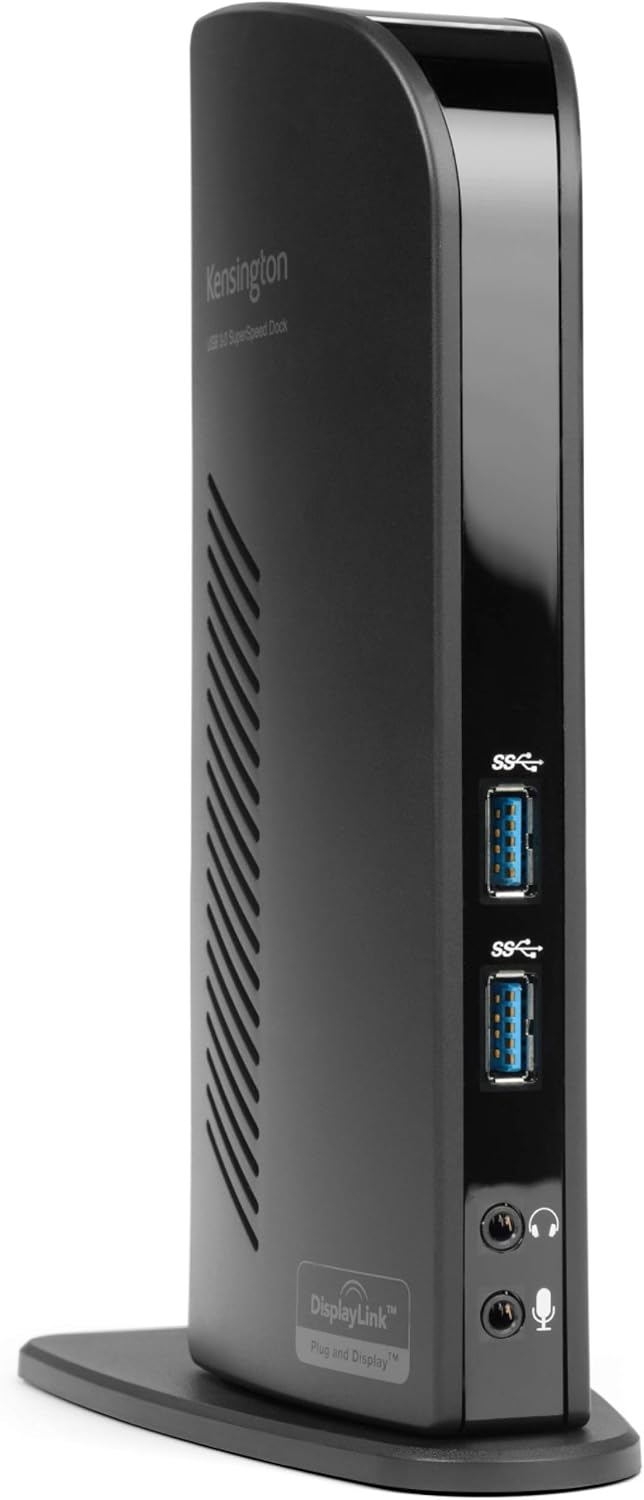
Our review of the Kensington USB 3.0 Dual Display Docking Station finds it best suited to professionals and home office users who need to convert a single USB-A port into a complete desktop setup. The docking station's biggest selling point is its ability to drive two external displays and provide multiple USB ports and gigabit Ethernet from one hot-swappable USB-A connection, making it a practical option for users of older MacBooks, Windows laptops and Surface devices that lack a full complement of ports. Setup is straightforward but Mac users will need to download DisplayLink drivers for full dual-display support.
Key Features
- Universal USB-A connection: A single included USB-A cable provides all connectivity so displays and peripherals remain connected at the desk and can be reattached quickly.
- Dual display support: Uses DisplayLink to run two external monitors up to 2048x1152@60Hz, and offers single-display up to 2560x1600@60Hz for sharper desktop work.
- Multiple USB ports: Two SuperSpeed USB 3.0 ports deliver up to 5Gbps for fast data and charging, while four USB 2.0 ports handle keyboards, mice and other accessories.
- Wired network and audio: Built-in Gigabit Ethernet gives a stable wired connection, and external headphone and microphone jacks provide improved audio routing for calls.
- Compatibility adapters included: DVI-to-VGA and DVI-to-HDMI adapters increase monitor compatibility without extra purchases.
Who It's For
The Kensington docking station is ideal for users with laptops that still have a USB-A port or Surface devices and MacBooks that can accept a USB-C to USB-A adapter, and who want a reliable desktop-like setup with multiple monitors and wired networking. It is particularly useful for people who frequently move a laptop between home and office and prefer to plug a single cable to restore all peripherals.
It is less suitable for users who expect the dock to charge their laptop, since the included power supply only powers the dock and connected devices, not the host computer. Also, users who require completely lag-free high-performance video in every scenario should be aware that some customers report occasional lag depending on system drivers and workload.
Pros & Cons
Pros
- Provides dual monitor capability and a wide range of ports from a single USB-A connection.
- Includes two USB 3.0 ports for high-speed data plus four USB 2.0 ports for accessories.
- Built-in Gigabit Ethernet and audio jacks add desktop-class connectivity.
- Includes adapters and a power supply so monitors and peripherals are ready to connect.
Cons
- Relies on DisplayLink drivers for multi-monitor support on Mac, and some users experience lag in certain setups.
- Does not provide power delivery to charge a laptop, so a separate laptop charger is required.
Specifications
| Dock connection | USB Type A cable (included) |
| Video outputs | HDMI and DVI with DVI-to-VGA and DVI-to-HDMI adapters included |
| Dual display resolution | Up to 2048x1152@60Hz via DisplayLink |
| Single display resolution | Up to 2560x1600@60Hz via HDMI |
| USB ports | 2 x USB 3.0 (5Gbps), 4 x USB 2.0 |
| Network | Gigabit Ethernet (10/100/1000) |
| Power | External power supply included (powers dock only) |
Our Verdict
The Kensington USB 3.0 Dual Display Docking Station is a pragmatic, cost-effective dock for users who need to expand an older laptop or Surface with multiple monitors, USB ports and wired Ethernet without changing laptops. It offers broad compatibility, useful included adapters and solid everyday performance, making it a good value for office and home workstation setups - provided you accept that the dock does not charge the laptop and occasional driver-dependent lag can occur.
Frequently Asked Questions
Will this dock charge my laptop?
No. The included power supply powers the docking station and connected peripherals only; it does not provide power delivery to charge a laptop.
Does it work with MacBooks with Apple silicon?
Yes; dual display functionality for Mac requires the latest DisplayLink drivers downloaded from the DisplayLink website for proper operation.
Can I add a third monitor?
Yes. A third monitor can be added using a USB-A to DVI DisplayLink adapter such as Kensington part K33974AM or a similar adapter.
Editor's Take
The Kensington USB 3.0 Dual Display Docking Station is a practical, value-oriented dock for users who need dual monitors, multiple USB ports and Gigabit Ethernet from one USB-A connection; it does not charge the laptop and may need DisplayLink drivers for Macs.

Recently viewed
Recently viewed products will appear here as customers browse the store.