

Keyboard Case for Surface Go (3/2/1) - Magnetic Detachable Bluetooth
Keyboard Case for Surface Go (3/2/1) - Magnetic Detachable Bluetooth
Price subject to change. Tap below for current.
Couldn't load pickup availability
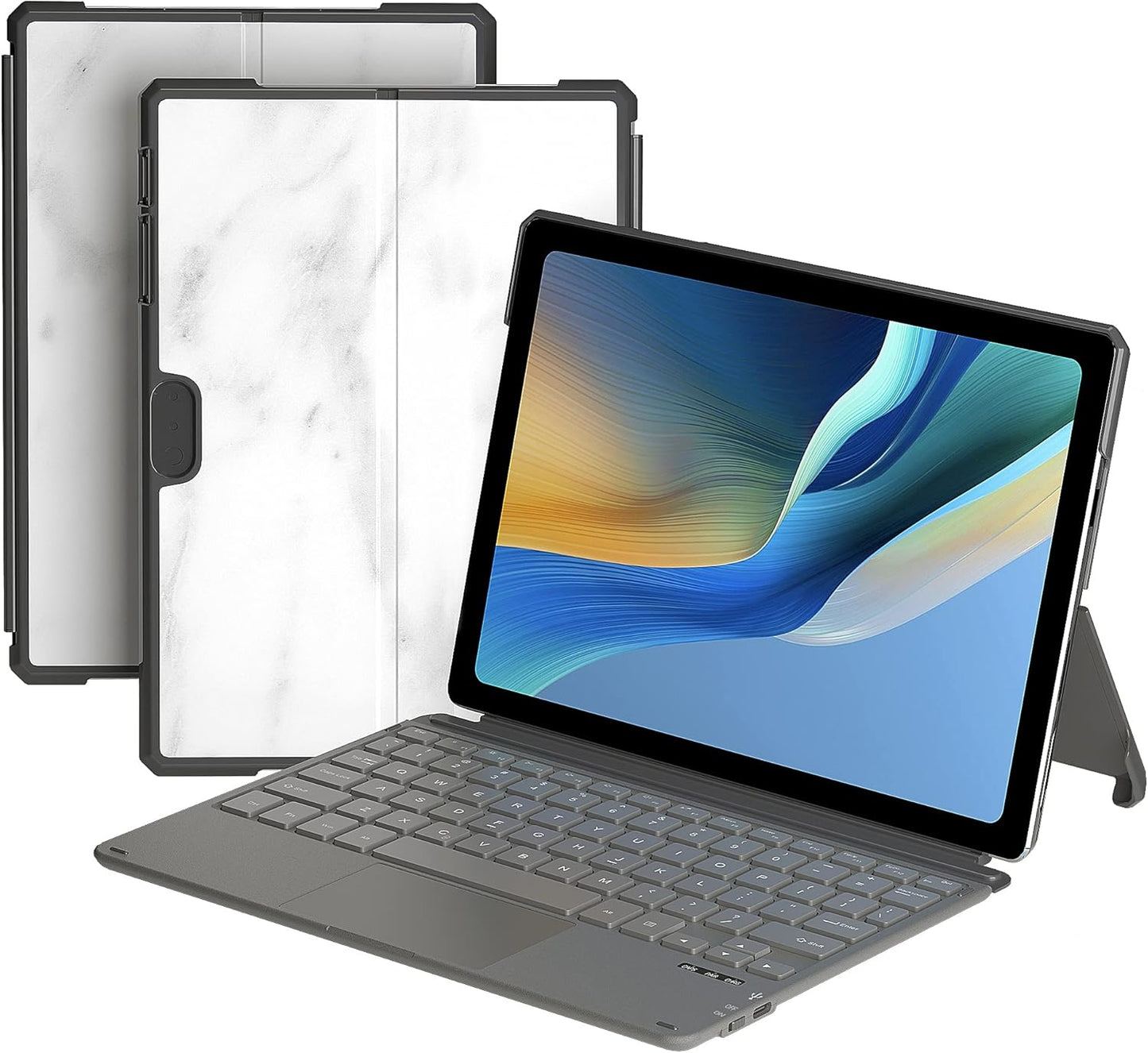
Our review of the Keyboard Case for Surface Go (3/2/1) looks at who benefits most and the single biggest reason to buy: it turns a Surface Go tablet into a usable laptop-style workstation without adding much bulk. For anyone who types on a Surface Go away from a desk, this case delivers a familiar, slightly spread out key layout and a responsive scissors-switch action that feels more like a small laptop than a cramped folio. The magnetic detachable design and Bluetooth pairing make it convenient to attach, remove and reconnect while the case also protects the tablet during everyday use.
Key Features
- Compatibility: Designed specifically for Surface Go 3 10.5 in, Surface Go 2 10.5 in and Surface Go 10 in tablets, ensuring physical fit and access to ports and cameras.
- Magnetic detachable keyboard: The keyboard connects magnetically and can be removed quickly for tablet-only use while maintaining secure attachment when needed.
- Wireless Bluetooth: Easy BT pairing with up to 33 ft of range so users can type from a short distance without wires getting in the way.
- Full keyboard experience: Includes a full keyset with shortcut keys and an ergonomic scissors switch design for a comfortable, laptop-like typing feel.
- Lightweight protection: Slim PC case construction protects corners and surfaces while keeping the total package portable at under 14 oz.
- Rechargeable battery: Built-in battery charges via USB Type-C for quick recharging and continued wireless use.
Who It's For
This product is best for Surface Go owners who want a compact typing solution that closely mimics a laptop keyboard without carrying a separate peripheral. Students, commuters and casual content creators who need comfortable typing for emails, notes and light editing will appreciate the slightly expanded key spacing and integrated trackpad.
It is not for people who need compatibility with other tablet brands or models; the case is explicitly made only for Surface Go models listed. Heavy typists who expect full desktop travel or those requiring long battery endurance for multi-day use may prefer a larger, dedicated keyboard.
Pros & Cons
Pros
- Compact, familiar key spacing and scissors switches make typing comfortable for extended sessions.
- Magnetic detachable design and Bluetooth pairing up to 33 ft enable quick attachment and wireless convenience.
- Durable PC case protects edges and allows full access to buttons, speakers and cameras.
- Lightweight and slim footprint keeps the tablet portable while providing a usable trackpad.
Cons
- Battery life received mixed feedback from customers, so power may require more frequent charging for heavy users.
- Strict device compatibility means buyers must confirm their Surface Go model before purchase.
Specifications
| Compatible devices | Surface Go 3 10.5 in, Surface Go 2 10.5 in, Surface Go 10 in |
| Connectivity | Bluetooth wireless (up to 33 ft) |
| Keyboard type | Full mechanical keyset with scissors switches and shortcut keys |
| Trackpad | Sensitive built-in touchpad (protective film should be removed) |
| Battery charging | USB Type-C rechargeable |
| Case material | Durable PC protective keyboard case |
| Dimensions & weight | 9.65 x 7.35 x 0.26 in; 13.93 oz |
Our Verdict
The Keyboard Case for Surface Go is a sensible upgrade for Surface Go owners who need a portable, laptop-like typing experience with protection. It balances a compact footprint, useful shortcut keys and reliable Bluetooth pairing, making it a good value for students and mobile professionals; just be mindful of the specific model compatibility and the potential for more frequent charging under heavy use.
Frequently Asked Questions
Will this fit other tablets?
This case is made only for the Surface Go 3 10.5 in, Surface Go 2 10.5 in and Surface Go 10 in and is not compatible with other tablet models.
How does the keyboard charge?
The keyboard uses a USB Type-C cable for charging; customers reported quick and convenient recharges.
Is the trackpad ready to use out of the box?
Yes, but remember to peel off the protective film on the trackpad before first use for best responsiveness.
Editor's Take
The Keyboard Case for Surface Go turns a Surface Go into a laptop-like workstation with a comfortable key layout, detachable Bluetooth keyboard and protective PC case; ideal for students and mobile users who value portability and convenience.

Recently viewed
Recently viewed products will appear here as customers browse the store.