

KINESIS mWave Ergonomic Keyboard for Mac - Comfortable Mechanical
KINESIS mWave Ergonomic Keyboard for Mac - Comfortable Mechanical
Price subject to change. Tap below for current.
Couldn't load pickup availability
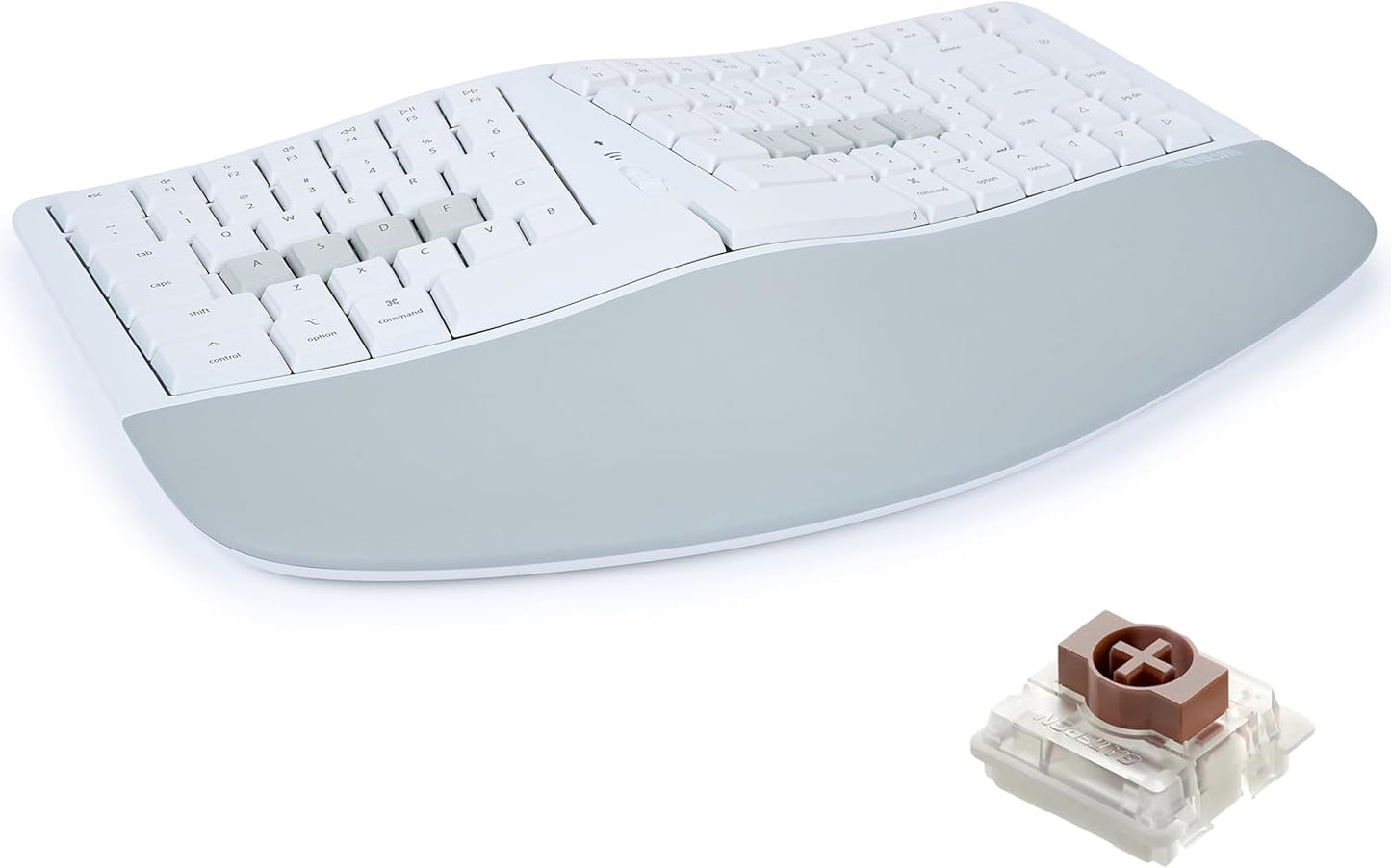
Our review of the KINESIS mWave Ergonomic Keyboard for Mac finds it most appealing to Mac users who type for long sessions and want a low-profile mechanical feel without relearning key placement. The keyboard's popular wave layout and thick padded palm support encourage a neutral wrist posture so fatigue is reduced, while low-profile mechanical switches deliver tactile feedback and durable performance. Its dual connection options and programmable layers make it flexible for mixed-device workflows, and the integrated keypad keeps number entry fast without leaving the home row.
Key Features
- Wave layout: The curved arrangement and padded palm rest keep hands and forearms in a neutral posture to reduce strain over long typing sessions.
- Low-profile mechanical switches: These switches give tactile feedback and require low actuation force for comfortable, precise typing and improved durability.
- Dual connectivity: Use the included USB C-to-A cable for a wired connection or pair two Bluetooth devices and switch between them instantly without a dongle.
- Programmability: Reprogram any key with Kinesis Clique in Chrome or Edge, using up to eight layers and 350+ USB actions for custom workflows and macros.
- Backlighting: Upper key legends illuminate when connected via USB to aid visibility in low-light environments.
- macOS support: Dedicated macOS modifiers and hotkeys make it plug-and-play with MacBook, iMac and iPad setups.
Who It's For
This keyboard suits professional Mac users, writers, developers and anyone who types several hours a day and wants a more ergonomic posture without a steep learning curve. The built-in padded palm rest and familiar home row layout mean most users adapt quickly while enjoying mechanical key feel.
It is less ideal for users who require full backlight control over Bluetooth or expect silent, ultra-quiet keys; some customer feedback notes mixed impressions of noise and that the backlight only functions when the keyboard is wired. Gamers who need RGB lighting or ultra-fast wired-only performance may prefer a different model.
Pros & Cons
Pros
- Comfortable ergonomic wave layout and thick palm support reduce wrist and forearm strain.
- Low-profile mechanical switches provide satisfying tactile feedback and long-term durability.
- Flexible connectivity with wired USB and Bluetooth pairing to two devices for quick switching.
- Deep programmability via Kinesis Clique enables macros, layers and many custom key actions.
Cons
- Backlight only illuminates when connected by USB, which limits lighting use on Bluetooth.
- Some users report mixed impressions of key noise and feel, so silent-key preferences may not be fully met.
Specifications
| Model | KINESIS mWave for Mac (KB150M-TAC) |
| Layout | Ergonomic "wave" layout with integrated keypad |
| Switch type | Low-profile mechanical switches |
| Connectivity | USB C (wired) and Bluetooth (pair two devices) |
| Programmability | Kinesis Clique via Chrome or Edge, up to 8 layers |
| Backlighting | Upper key legends illuminated when connected via USB |
| In the box | Keyboard, 6 ft USB C-to-A cable, 3 magnetic negative-tilt feet, 2 AA batteries, Quick Start Guide |
Our Verdict
The KINESIS mWave Ergonomic Keyboard for Mac is a strong choice for Mac-focused professionals seeking improved comfort and a mechanical typing experience without retraining finger placement. Its programmability and dual connectivity add long-term value, though users who need full Bluetooth backlight or ultra-quiet keys should test it first. For sustained typing and custom workflows, it delivers good ergonomics and durable key action.
Frequently Asked Questions
Does the backlight work over Bluetooth?
The backlight illuminates when the keyboard is connected via USB; it does not light when used solely over Bluetooth.
Can I reassign keys on macOS?
Yes. Key reassignments and macros are created with Kinesis Clique in Chrome or Edge and apply to the keyboard regardless of host OS when supported.
Is the built-in numeric keypad accessible without moving hands?
Yes. Tap the Fn key to access standard numeric keypad actions from the home row without leaving your typing position.
Editor's Take
The KINESIS mWave Ergonomic Keyboard for Mac offers comfortable wave-layout ergonomics, low-profile mechanical switches and deep programmability, making it a strong pick for heavy Mac typists who want durability and custom workflows.

Recently viewed
Recently viewed products will appear here as customers browse the store.