

KVM Switch 2 Monitors 4 Computers HDMI + DisplayPort - Dual Screen 8K
KVM Switch 2 Monitors 4 Computers HDMI + DisplayPort - Dual Screen 8K
Price subject to change. Tap below for current.
Couldn't load pickup availability
In this review of the KVM Switch 2 Monitors 4 Computers HDMI + DisplayPort, the bottom line is that it is a solid choice for multi-PC desks that need shared input devices and dual displays. The reviewer found the switch best suited to users who run multiple workstations or demo systems and want straightforward switching between four computers while keeping two monitors synchronized or extended. The single biggest reason to buy is the combination of dual-monitor support with high-resolution video capabilities and built-in USB 3.0 device sharing, which keeps peripherals responsive when swapping hosts.
Key Features
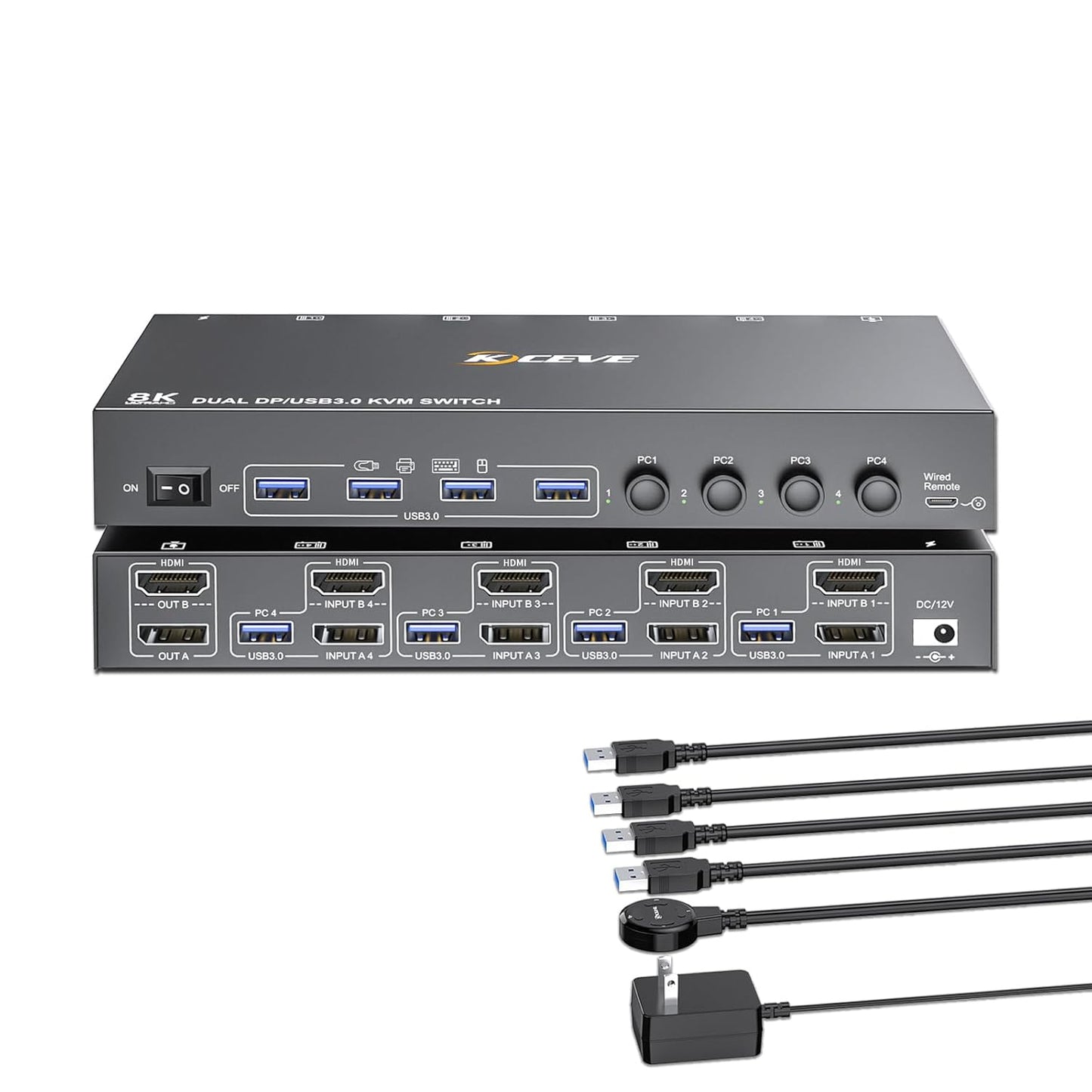
- Dual-monitor support: Lets two displays be shared between four computers in copy or extend mode so the main screen can be duplicated or used as an extended workspace.
- HDMI plus DisplayPort inputs: Accepts mixed HDMI and DP connections so you can combine different graphics outputs without extra adapters.
- High resolution: Supports up to 8K@60Hz or 4K@144Hz when used with compatible cables and displays for sharper desktop and media work.
- Wired control and physical button: Offers both an upgraded wired remote with a better touch feel and a front-button option for flexible installation and tidy desks.
- Four USB 3.0 ports: Shares high-speed USB 3.0 peripherals such as keyboards, mice, printers or scanners across connected computers with faster transfers.
- Plug-and-play: Drive-free setup makes it straightforward to install in offices, classrooms, live production, or home theaters without special drivers.
Who It's For
This KVM is aimed at professionals, IT technicians, and content creators who regularly switch between four machines and need two shared displays without the hassle of reconnecting cables. It is especially useful for setups mixing a DisplayPort workstation and HDMI devices because it accepts both signal types and supports copy and extend display modes.
It is not the best fit for users who have only one monitor, need 100 percent guaranteed macOS compatibility, or those who cannot provide 8K-capable cables and monitors but expect 8K performance regardless. Buyers who need a simpler single-monitor KVM or platform-specific certified support should look elsewhere.
Pros & Cons
Pros
- Dual-monitor switching with copy and extend modes simplifies multi-screen workflows.
- Supports very high video resolutions up to 8K@60Hz when all components and cables are compatible.
- Four USB 3.0 ports provide fast, stable sharing of peripherals and external devices.
- Wired remote plus physical button makes hidden placement and clean desks possible.
Cons
- Some users report mixed compatibility with certain systems, including occasional issues with Mac setups.
- To reach 8K performance you must use 8K-capable monitors, computers, and cables, which adds cost and complexity.
Specifications
| Product type | 2-monitor KVM switch for 4 computers |
| Video inputs | HDMI and DisplayPort |
| Maximum resolution | 8K@60Hz (8K cables and devices required); supports 4K@144Hz |
| USB ports | 4 x USB 3.0 for shared peripherals |
| Switching methods | Physical front button and wired remote control |
| Installation | Plug-and-play, driver-free |
| Warranty | 1 year |
Our Verdict
The KVM Switch 2 Monitors 4 Computers HDMI + DisplayPort is a practical and capable option for users who need to share two monitors and multiple USB devices across four PCs. Its support for mixed HDMI and DP inputs, plus high-resolution video and USB 3.0 sharing, makes it good value for multi-workstation desks, though buyers should ensure peripheral and OS compatibility and invest in proper cables to unlock 8K performance.
Frequently Asked Questions
Can this KVM handle a mix of HDMI and DisplayPort computers?
Yes, it is designed to accept both HDMI and DP connections so mixed-source setups can be used without adapters.
Do I need special cables to get 8K output?
Yes, to achieve 8K@60Hz you must use 8K-capable HDMI and DisplayPort cables and ensure your monitor and computer output also support 8K.
Is it plug-and-play or requires drivers?
It is plug-and-play and drive-free, intended for quick installation in offices, classrooms, or home setups.
Editor's Take
This dual-monitor KVM for four computers combines mixed HDMI and DisplayPort support with 4 USB 3.0 ports and high-resolution video, making it a good value for multi-workstation desks if you use compatible cables and check OS compatibility.

Recently viewed
Recently viewed products will appear here as customers browse the store.