

KVM Switch 3 Monitors 2 Computers - Triple Monitor 8K/4K KVM
KVM Switch 3 Monitors 2 Computers - Triple Monitor 8K/4K KVM
Price subject to change. Tap below for current.
Couldn't load pickup availability
In this review of the KVM Switch 3 Monitors 2 Computers the bottom line is straightforward: it is for power users who need to share three displays and multiple USB 3.0 peripherals between two systems. The biggest reason to consider it is its support for very high resolutions via HDMI 2.1 and DP 1.4, allowing up to 8K@60Hz or 4K@144Hz where the connected graphics cards, monitors and cables permit. Setup is driver-free and the package includes the cables, wired remote and a 12V power adapter to improve stability with higher-power USB devices.
Key Features
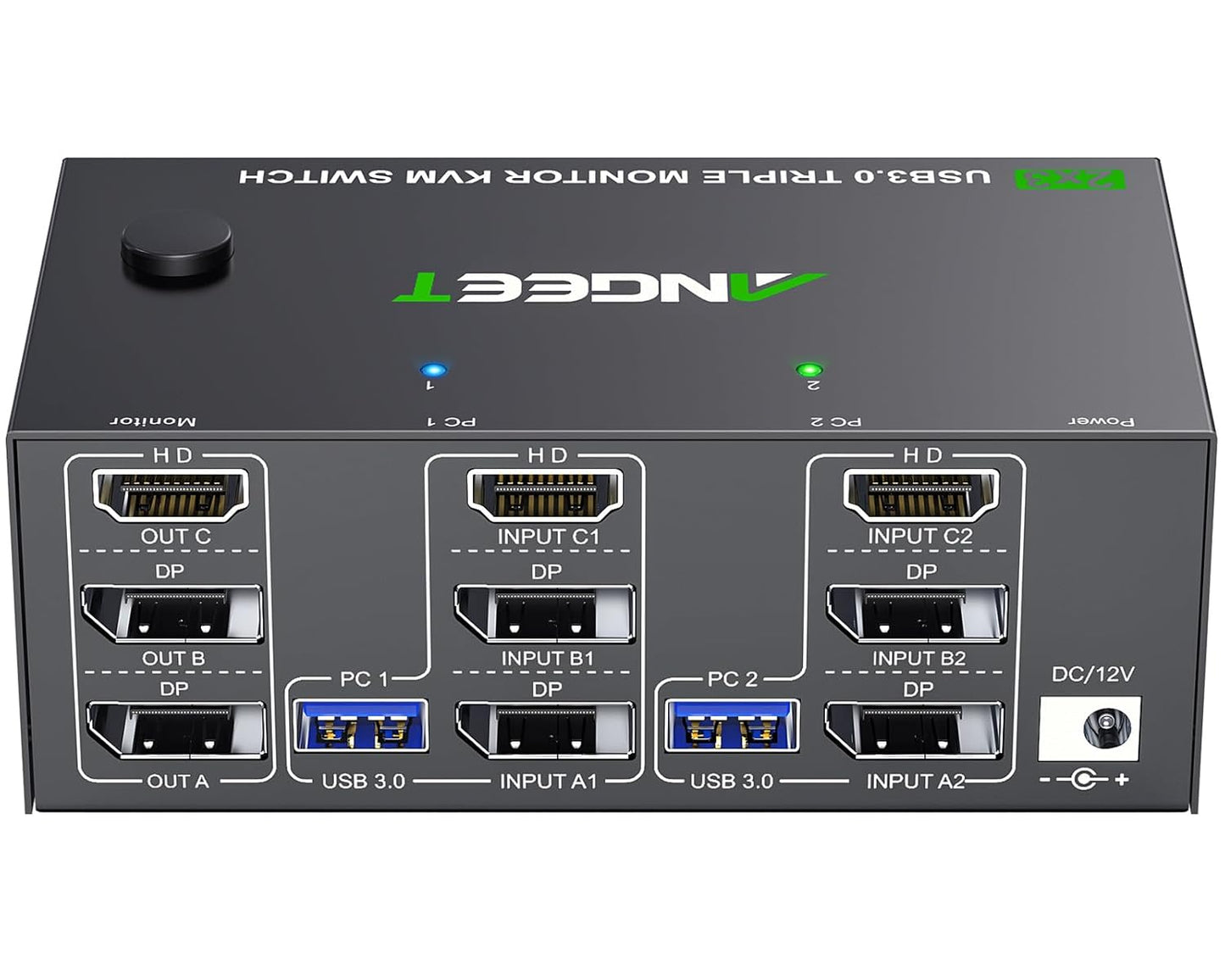
- Triple monitor switching: Lets two computers share three monitors in extended or mirrored modes, so one station can use three independent screens or display the same image across all three.
- High resolution support: HDMI 2.1 and DP 1.4 inputs support resolutions up to 8K@60Hz and 4K@144Hz for clearer detail when the rest of the chain supports those modes.
- Four USB 3.0 ports: Integrated USB 3.0 ports support keyboards, mice, storage and other peripherals at up to 5 Gbps for faster transfers than USB 2.0.
- Two switching methods: Front-panel button and included wired remote make it easy to toggle between the two connected computers with LED indication of the active source.
- Stable powered operation: The supplied 12V power adapter and on-off switch help maintain recognition for high-power USB devices and let you turn the unit off without unplugging cables.
Who It's For
This KVM is best for users with two computers who truly need three monitors shared between them, such as content creators, financial traders, or engineers who want one workspace for two systems. It is also a reasonable choice for advanced home office setups and meeting rooms where multiple displays and fast USB are required.
Users who should look elsewhere include buyers who only need a single- or dual-monitor KVM, or anyone whose monitors or graphics cards cannot support high refresh/high resolution modes, since the final display quality depends on the connected hardware and cables.
Pros & Cons
Pros
- Supports triple-monitor setups and both extended and mirrored display configurations.
- High resolution capability via HDMI 2.1 and DP 1.4 for up to 8K@60Hz and 4K@144Hz where supported.
- Four USB 3.0 ports with 5 Gbps speeds for fast peripheral and storage access.
- Includes wired remote, cables and a 12V adapter for stable operation.
Cons
- Some customers report inconsistent monitor output on certain monitor and GPU combinations, so compatibility can vary.
- Final resolutions and refresh rates are limited by the connected graphics cards, monitors and cables rather than the KVM alone.
Specifications
| Supported displays | 3 monitors (extended or mirrored) |
| Video inputs | HDMI 2.1 + 2 x DisplayPort 1.4 |
| Max resolution | Up to 8K@60Hz and 4K@144Hz (subject to hosts and cables) |
| USB ports | 4 x USB 3.0 (5 Gbps) |
| Power | 12V power adapter (included) with on-off switch |
| Switching | Front panel button and wired remote; LED indicators |
| Compatibility | Driver-free for Windows, Mac, Linux, Unix, Ubuntu; supports PC, laptop, Raspberry Pi |
Our Verdict
The KVM Switch 3 Monitors 2 Computers is a practical choice for two-system workstations that need three shared displays and fast USB connectivity; it delivers strong feature parity with modern interfaces and includes the necessary cables and adapter. Prospective buyers should verify monitor and GPU compatibility first, but for users whose hardware supports it this KVM represents a good value for a high-resolution, triple-monitor switching solution.
Frequently Asked Questions
Can it run three independent monitors?
Yes, it supports extended mode with three different screens if the connected graphics cards and monitors allow it.
Are USB devices powered reliably?
The included 12V adapter improves recognition and stability for higher-power USB devices compared with passive solutions.
How do you switch between computers?
You can use the front-panel button or the supplied wired remote, and two-color LEDs show which computer is active.
Editor's Take
The KVM Switch 3 Monitors 2 Computers is a solid solution for two-system workstations needing three shared displays and fast USB 3.0 connectivity; verify monitor and GPU compatibility but it offers strong value for high-resolution switching.

Recently viewed
Recently viewed products will appear here as customers browse the store.