

LCD Screen Replacement for iPhone 16 Plus 6.7 in - Replacement Display
LCD Screen Replacement for iPhone 16 Plus 6.7 in - Replacement Display
Price subject to change. Tap below for current.
Couldn't load pickup availability
In this review of the LCD Screen Replacement for iPhone 16 Plus 6.7 in, the bottom line is simple: this assembly is designed for DIY repairs and for users who want a close-to-stock display without paying for a factory replacement. The kit is a good fit for hobbyists and independent technicians because it ships with a tool set, screen protector and adhesive to finish the job quickly. The reviewer found the colors and touch response generally accurate, but notes the need to transfer several small components from the original screen and to follow installation steps carefully for a working result.
Key Features
- Model compatibility: Built specifically for iPhone 16 Plus models with back cover numbers A3290, A3082, A3289, A3291 so buyers can confirm fit before purchase.
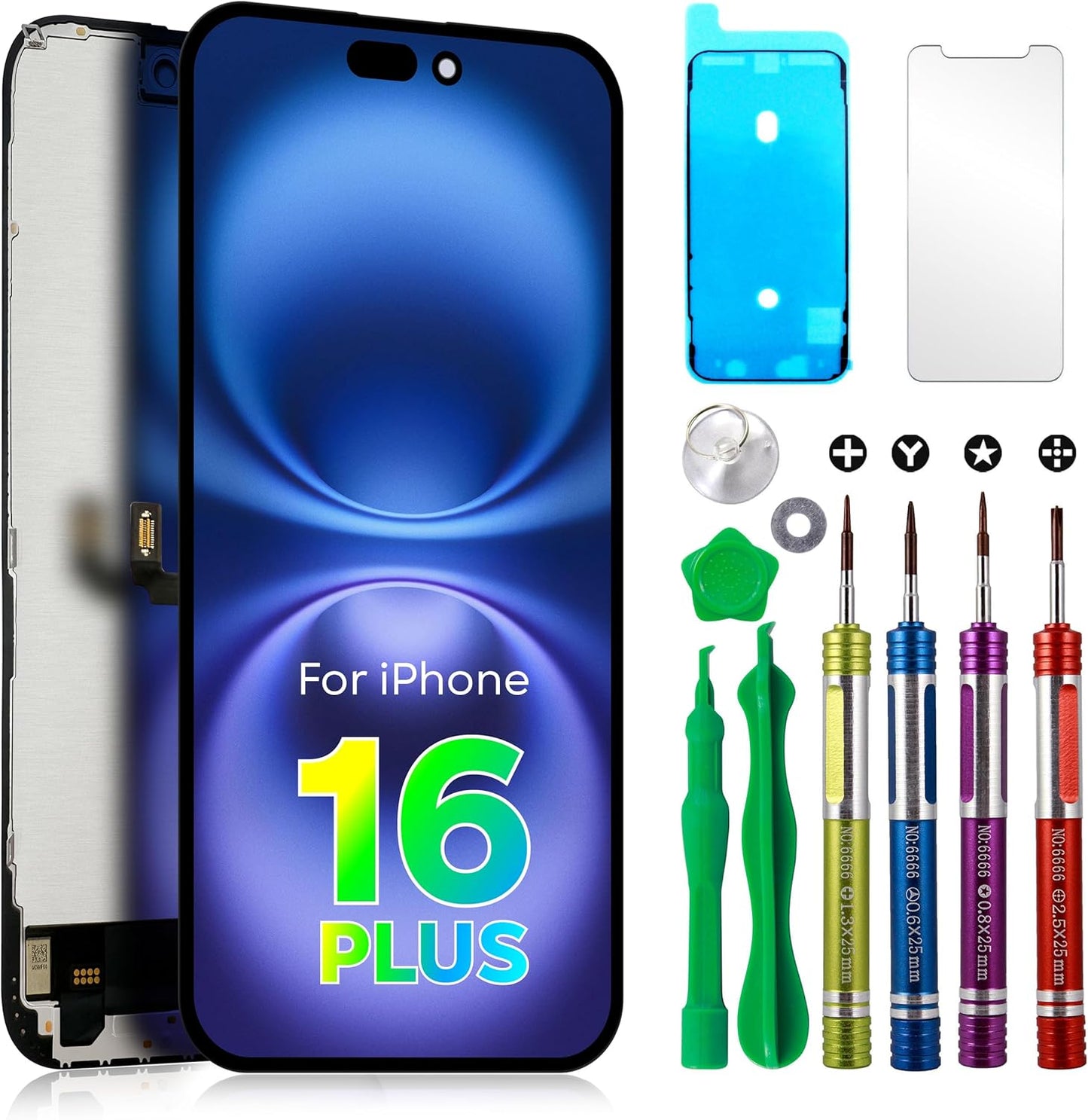
- Complete replacement assembly: The package includes the LCD display digitizer and frame assembled to simplify installation compared with separate parts.
- Installation kit included: Comes with a tool set, screen protector and adhesive to help complete the repair without sourcing extra parts.
- Customer support and testing: Each assembly is tested before shipping and the seller offers replacement or refund for quality issues, reducing purchase risk.
- Repair use cases: Intended to resolve cracked glass, dead pixels, wrong color problems and other display failures without replacing the entire phone.
Who It's For
This screen is aimed at experienced DIYers, repair shops and anyone comfortable transferring small components like the ear speaker and front camera from the original screen, since those parts are not included. It suits users who need a fast, cost-effective screen repair for display or touch faults on an iPhone 16 Plus.
It is not ideal for customers who expect a fully plug-and-play drop-in part with every small component included, or for users unwilling to open their phone. If you prefer factory service or a replacement that includes the ear speaker, front camera and proximity sensor, consider professional repair options instead.
Pros & Cons
Pros
- Includes a tool set, screen protector and adhesive so the kit is ready for installation.
- Generally good color accuracy and responsive touch when installed correctly.
- Manufacturer tests assemblies and offers replacement or refund for quality issues.
- Cost effective compared with full factory screen replacement.
Cons
- Does not include ear speaker, front camera, proximity sensor or LCD metal back plate, which must be transferred from the old screen.
- Some customers reported mixed durability and occasional display failures after installation, so careful handling and testing are required.
Specifications
| Compatible models | iPhone 16 Plus (6.7 in), back cover A3290, A3082, A3289, A3291 |
| Screen size | 6.7 in replacement LCD assembly |
| Included items | LCD screen digitizer frame, tool set, screen protector, adhesive |
| Not included | Ear speaker, front camera, proximity sensor, LCD metal back plate (transfer required) |
| Quality assurance | Each assembly tested before shipping; replacement or refund offered |
Our Verdict
The LCD Screen Replacement for iPhone 16 Plus is a sensible, value-minded choice for experienced DIYers and independent repair shops who will transfer the missing small parts and follow installation steps. It delivers good color and touch performance when installed correctly and includes useful tools and adhesive, but buyers should be prepared for careful handling and to test the unit thoroughly because durability reports are mixed.
Frequently Asked Questions
Will this fit my phone if my back cover shows a listed model number?
Yes; confirm your back cover number is one of A3290, A3082, A3289 or A3291 for proper compatibility.
Are the ear speaker and front camera included?
No; the ear speaker, front camera, proximity sensor and LCD metal back plate are not included and must be transferred from your original screen.
What should I do if the screen does not power on after install?
Disconnect and reconnect the battery flex cable first and verify the flex cable and connector are clean and undamaged, as power issues often stem from installation steps.
Editor's Take
A cost-effective replacement that delivers good color and touch performance when installed correctly; ideal for experienced DIYers who will transfer small components and test carefully.

Recently viewed
Recently viewed products will appear here as customers browse the store.