

Lenovo 15.6in FHD Chromebook IdeaPad 3i - Large Screen Productivity
Lenovo 15.6in FHD Chromebook IdeaPad 3i - Large Screen Productivity
Price subject to change. Tap below for current.
Couldn't load pickup availability
In this review of the Lenovo 15.6in FHD Chromebook IdeaPad 3i, the bottom line is simple: it is best for students and casual users who want a large, clear display and straightforward, battery-friendly Chrome OS performance without a premium price. The Chromebook's 15.6in FHD display and energy-efficient LED backlight deliver expansive visuals for video, browsing and documents, while the Intel Celeron N4500 and modest memory and storage keep basic tasks responsive. This review focuses on who benefits most and what trade-offs to expect.
Key Features
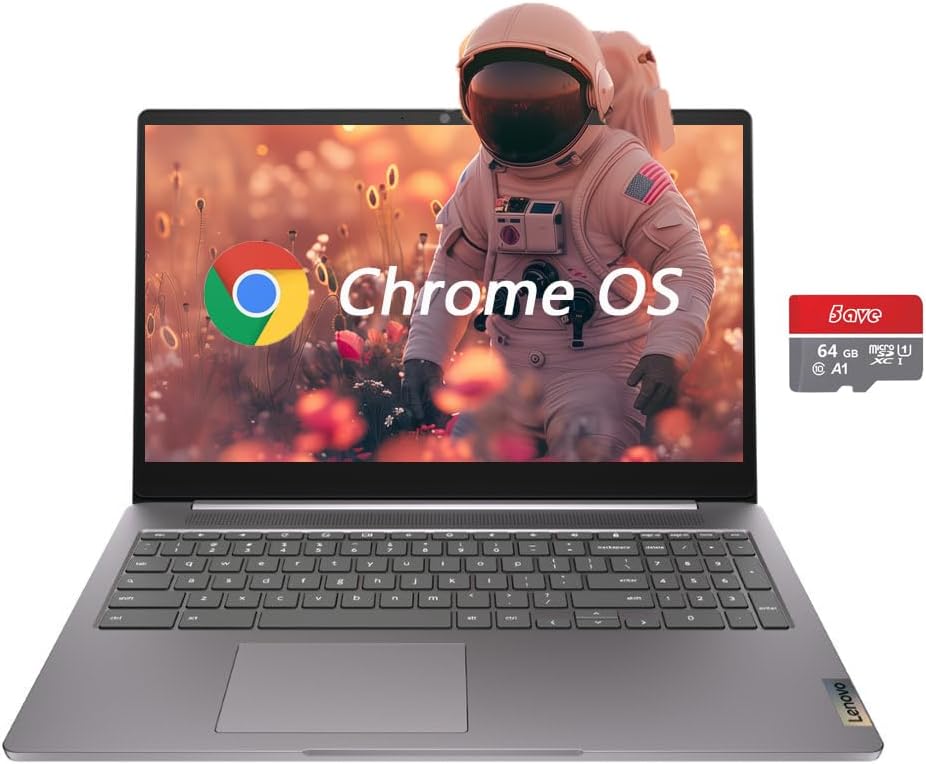
- 15.6in Full HD display: The 1920 x 1080 screen with narrow bezels gives clearer text and more workspace for documents and streaming compared with smaller Chromebooks.
- Balanced storage: The combined 64GB eMMC plus an additional 64GB flash memory provides flexible local storage for files and media without immediate reliance on cloud-only access.
- Efficient processor: The Intel Celeron N4500 is a low-voltage dual-core chip that keeps power use low, helping battery life during web browsing, video and light multitasking.
- Compact connectivity: Built-in Wi-Fi, Bluetooth and an HDMI port make it easy to connect to wireless devices and external displays for presentations or second-screen use.
- Chrome OS convenience: Chrome OS offers simple setup, automatic updates and deep integration with Google apps for quick access to email, documents and cloud storage.
Who It's For
The IdeaPad 3i is aimed at students, remote learners and everyday users who prioritize a larger screen for reading, streaming and productivity on a budget. The Chromebook is also a good pick for anyone who wants the simplicity and security of Chrome OS and mostly uses web-based apps and services.
Users who need heavy photo or video editing, extensive local storage for large media libraries, or demanding multi-app workflows should look elsewhere, since the modest 4GB RAM and the Celeron N4500 are tuned for light to moderate tasks rather than intensive professional use.
Pros & Cons
Pros
- Large 15.6in FHD display gives a comfortable workspace for documents and streaming.
- Energy-efficient design from the Intel Celeron N4500 helps with typical daylong web and video use.
- Practical connectivity including HDMI and Bluetooth makes it adaptable for presentations and peripherals.
- Combination of eMMC and flash memory offers more local storage flexibility than many entry Chromebooks.
Cons
- Only 4GB of RAM limits heavy multitasking and memory-hungry web workloads.
- Processor and memory configuration are not designed for demanding creative or professional apps.
Specifications
| Model | IdeaPad 3i Chromebook |
| Display | 15.6in LED FHD (1920 x 1080) |
| Processor | Intel Celeron N4500 (dual-core) |
| Memory | 4GB RAM |
| Storage | 64GB eMMC + 64GB flash memory (total 128GB) |
| Operating System | Chrome OS |
| Connectivity | Wi-Fi, Bluetooth, HDMI, webcam |
Our Verdict
The IdeaPad 3i 15.6in Chromebook is a sensible choice for students and everyday users who want a larger Full HD screen and the simplicity of Chrome OS. It offers good value when local storage flexibility and clear visuals matter more than raw performance, but those needing heavier multitasking or pro-grade apps should invest in a higher-spec machine.
Frequently Asked Questions
Is this Chromebook good for streaming?
Yes, the 15.6in FHD panel and energy-efficient design make it well suited for streaming video and casual media playback.
Can it run desktop apps?
Chrome OS focuses on web and Android apps; traditional desktop apps for Windows or macOS are not supported natively.
How much storage is available?
The laptop includes 64GB eMMC plus 64GB flash memory for about 128GB of combined local storage, which is adequate for documents, media and some offline files.
Editor's Take
The IdeaPad 3i 15.6in Chromebook is a practical choice for students and everyday users who want a large Full HD screen and simple, secure Chrome OS performance; it offers good value when storage flexibility and clear visuals matter more than raw power.

Recently viewed
Recently viewed products will appear here as customers browse the store.