

Logitech BRIO Webcam 1080p 30 fps - Clear Video Meetings
Logitech BRIO Webcam 1080p 30 fps - Clear Video Meetings
Price subject to change. Tap below for current.
Couldn't load pickup availability
In this review the Logitech BRIO Webcam is positioned as a practical upgrade for anyone who needs reliable, natural-looking video for work or personal calls; the bottom line is that it delivers clear 1080p video and steady audio in a compact, modern package. The review finds the webcam especially useful for remote workers, small studios, and frequent meeting hosts because the 1920 x 1080 resolution and 30 fps frame rate keep skin tones and facial detail accurate while the built-in noise-reducing microphone helps speech remain intelligible in typical home or office environments.
Key Features
- 1080p video: The 1920 x 1080 resolution reproduces accurate colors and facial detail so participants look natural on video calls.
- 30 fps smoothness: A steady 30 fps frame rate prevents choppy motion for head turns and gestures during meetings.
- Noise-reducing microphone: The built-in mic suppresses background noise so voices stay clear without extra audio gear.
- USB Type C connection: The USB Type C interface provides a robust, consistent connection that reduces dropouts and makes setup straightforward.
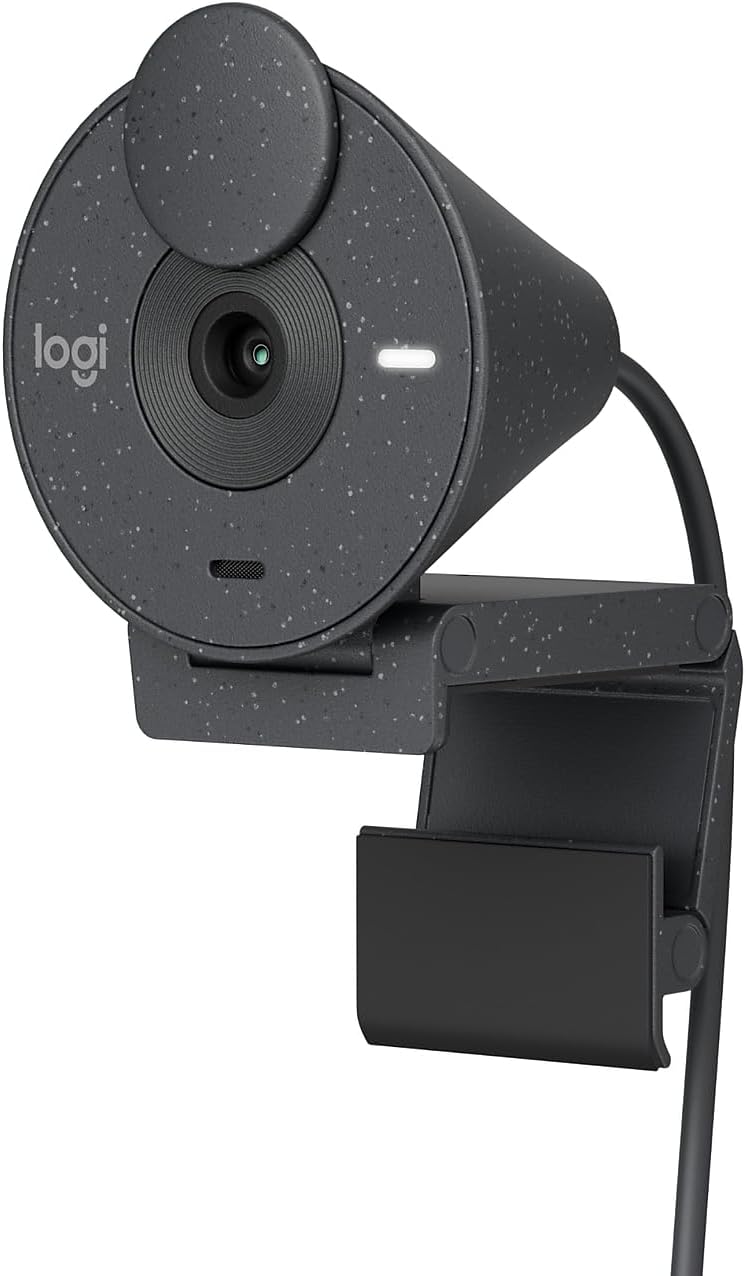
- Privacy shutter: The physical privacy shutter lets users cover the lens between calls for simple, reliable privacy control.
- Sustainable design: The casing uses recycled plastic and a subtly speckled finish for a modern look with reduced material impact.
Who It's For
The BRIO Webcam is best for professionals who join frequent video conferences on platforms like Microsoft Teams, Google Meet, and Zoom, and for creators who need a dependable 1080p image without complex setup. Its plug-and-play USB Type C connection and built-in mic make it especially suited to users who want a single, compact device for both audio and video.
It is less appropriate for users who require ultra-high resolution or higher frame rates for fast-paced streaming or detailed video production, where a 4K camera or a higher-frame-rate model would be preferable.
Pros & Cons
Pros
- Consistent 1080p image quality that preserves color and clarity for natural-looking calls.
- Integrated noise-reducing microphone that keeps speech intelligible in typical environments.
- USB Type C interface and simple privacy shutter make it easy to connect and secure between sessions.
Cons
- Limited to 30 fps and 1080p, so it is not ideal for users who need higher frame rates or 4K capture.
Specifications
| Video resolution | 1920 x 1080 |
| Frame rate | 30 fps |
| Microphone | Built-in noise-reducing mic |
| Interface | USB Type C |
| Color | Graphite with speckled recycled plastic |
| Compatibility | Certified for Teams, Google Meet, and Zoom |
Our Verdict
The Logitech BRIO Webcam is a solid choice for remote workers and meeting hosts who need dependable 1080p video and clear integrated audio without fuss. It pairs practical image quality, a reliable USB Type C connection, and a privacy shutter in a compact design, making it good value for anyone who prioritizes straightforward, natural-looking video calls over ultra-high-resolution capture.
Frequently Asked Questions
Does this webcam work with major video platforms?
Yes. It is certified for Microsoft Teams, Google Meet, and Zoom for hassle-free meetings.
Is the microphone good enough for conference calls?
The built-in noise-reducing microphone is designed to suppress background noise and provide clear speech for typical home and office calls.
How does it connect to a computer?
The webcam uses a USB Type C interface for a secure and consistent connection to compatible systems.
Editor's Take
The Logitech BRIO Webcam delivers dependable 1080p video and clear integrated audio with a USB Type C connection and privacy shutter, making it a practical, good-value choice for frequent video calls.

Recently viewed
Recently viewed products will appear here as customers browse the store.