

Logitech G Saitek PRO Flight Throttle Quadrant - Expanded Flight
Logitech G Saitek PRO Flight Throttle Quadrant - Expanded Flight
Price subject to change. Tap below for current.
Couldn't load pickup availability
In this review the Logitech G Saitek PRO Flight Throttle Quadrant is judged as a practical, budget-friendly expansion for flight-simulation setups that need more manual controls. It is best for sim pilots who want dedicated levers for throttle, mixture and prop pitch without complicated installation; the single biggest reason to buy is the added tactile control offered by the three axis levers and the extra two-way rocker switches, which put commonly used functions within easy reach during a flight session.
Key Features
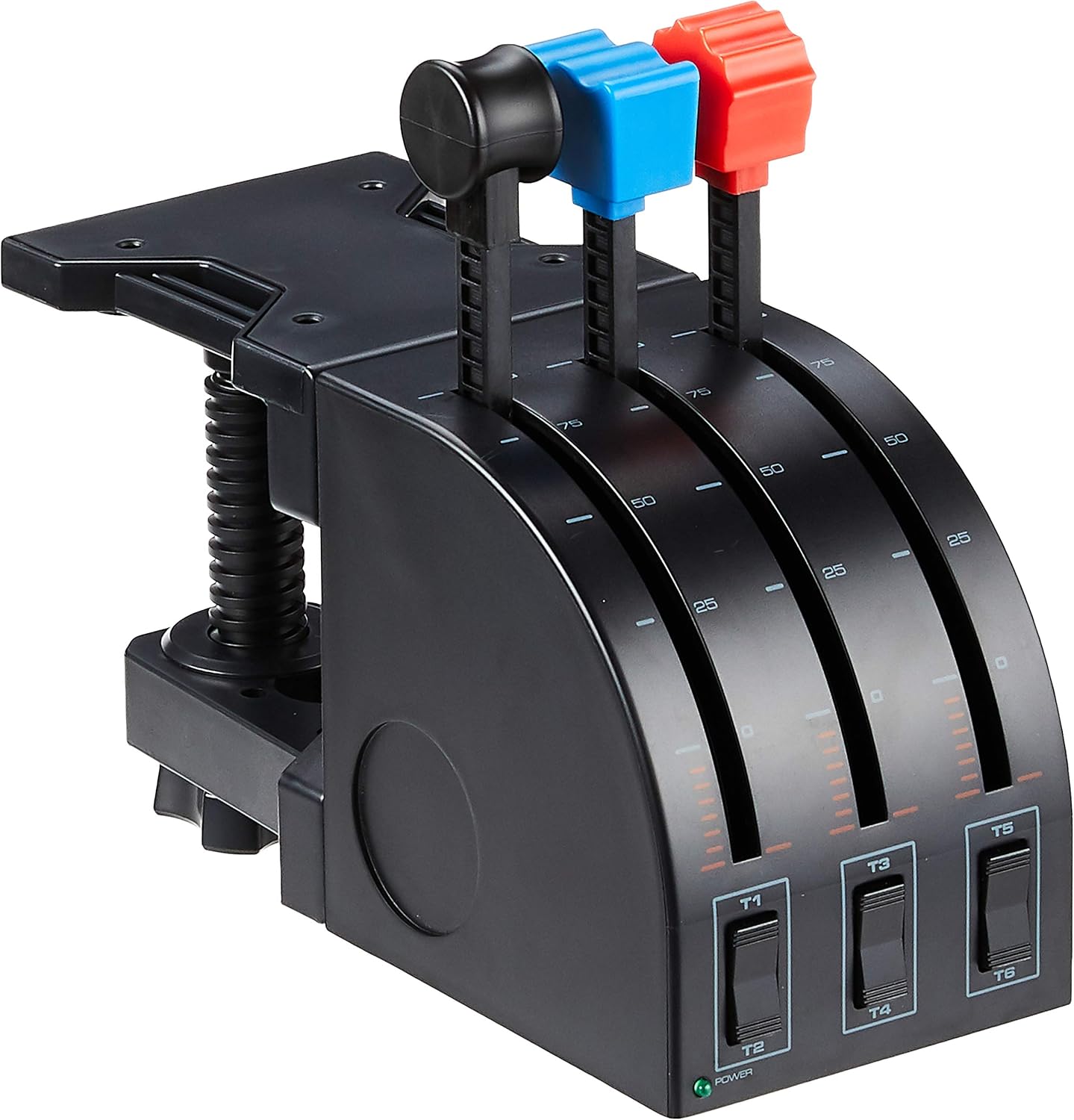
- Three axis levers: The three independent levers give clear, physical control for throttle, prop pitch and mixture, improving realism and making fine adjustments intuitive.
- Three two-way rocker switches: The additional rocker switches provide on-demand toggles for landing gear, lights or other systems without leaving the controls.
- Adjustable mounting: The quadrant can be mounted on top or in front of a desk and positioned for pilot or co-pilot use so controls are always where the user prefers them.
- Interchangeable lever heads: Additional quadrant lever heads let pilots configure each lever for a preferred assignment, allowing a personalized layout for different aircraft types.
- USB PC compatibility: The plug-and-play USB connection and compatibility with Windows 7, 8, 8.1 and 10 make setup straightforward for most home flight rigs.
Who It's For
The quadrant is aimed at PC flight-simulator enthusiasts who want a dedicated mechanical throttle solution to pair with a yoke or joystick; it is particularly well suited to single-engine piston simulations where three-axis control maps directly to throttle, prop and mixture. Its simple layout and USB connection make it a good fit for users who value functionality and ease of use over premium materials.
Users who need professional-grade durability or advanced, high-end multifunction panels may want to look elsewhere, as some buyers report mixed impressions of build quality; those wanting full glass cockpit integration should consider more feature-rich hardware designed for commercial simulation setups.
Pros & Cons
Pros
- Adds precise, physical control with three axis levers for more immersive flying.
- Includes three two-way rocker switches to expand in-flight control without keyboard shortcuts.
- Flexible mounting options let the user place the quadrant for the most ergonomic reach.
- Good value for money and easy to set up with Windows PCs.
Cons
- Build quality receives mixed feedback; some users find the housing less robust than higher-end units.
- Not aimed at users who need integrated advanced avionics or professional rugged construction.
Specifications
| Product | PRO Flight Throttle Quadrant |
| Brand | Logitech G |
| Axis levers | 3 independent axis levers |
| Switches | 3 two-way rocker switches |
| Mounting | Mount on top or front of desk, pilot or co-pilot side |
| Compatibility | Windows 7, 8, 8.1 and 10 (USB) |
| Additional | Interchangeable quadrant lever heads |
Our Verdict
The Logitech G Saitek PRO Flight Throttle Quadrant is a solid, cost-effective way to add tactile throttle, prop and mixture control to a PC flight-simulator setup. It delivers practical functionality, flexible mounting and easy setup, making it a strong value for sim pilots who want more dedicated controls without a large investment; buyers who need very rugged construction or advanced avionics integration should consider higher-end alternatives.
Frequently Asked Questions
Can this quadrant be used with any yoke or joystick?
Yes, it connects via USB to a Windows PC and works alongside most yokes and joysticks as an additional control device.
Are the lever heads replaceable for different configurations?
Yes, additional quadrant lever heads are supported so you can configure throttle, flaps, mixture and prop pitch as you prefer.
Is special software required to program buttons?
Saitek Smart Technology programming software is available to configure buttons and functions, though basic operation works via standard USB input.
Editor's Take
A practical, cost-effective way to add tactile throttle, mixture and prop control to a PC flight-simulator setup; good value and easy to set up, though build quality is mixed.

Recently viewed
Recently viewed products will appear here as customers browse the store.