

Logitech Marble Mouse TrackMan - Ambidextrous Comfort and Precision
Logitech Marble Mouse TrackMan - Ambidextrous Comfort and Precision
Price subject to change. Tap below for current.
Couldn't load pickup availability
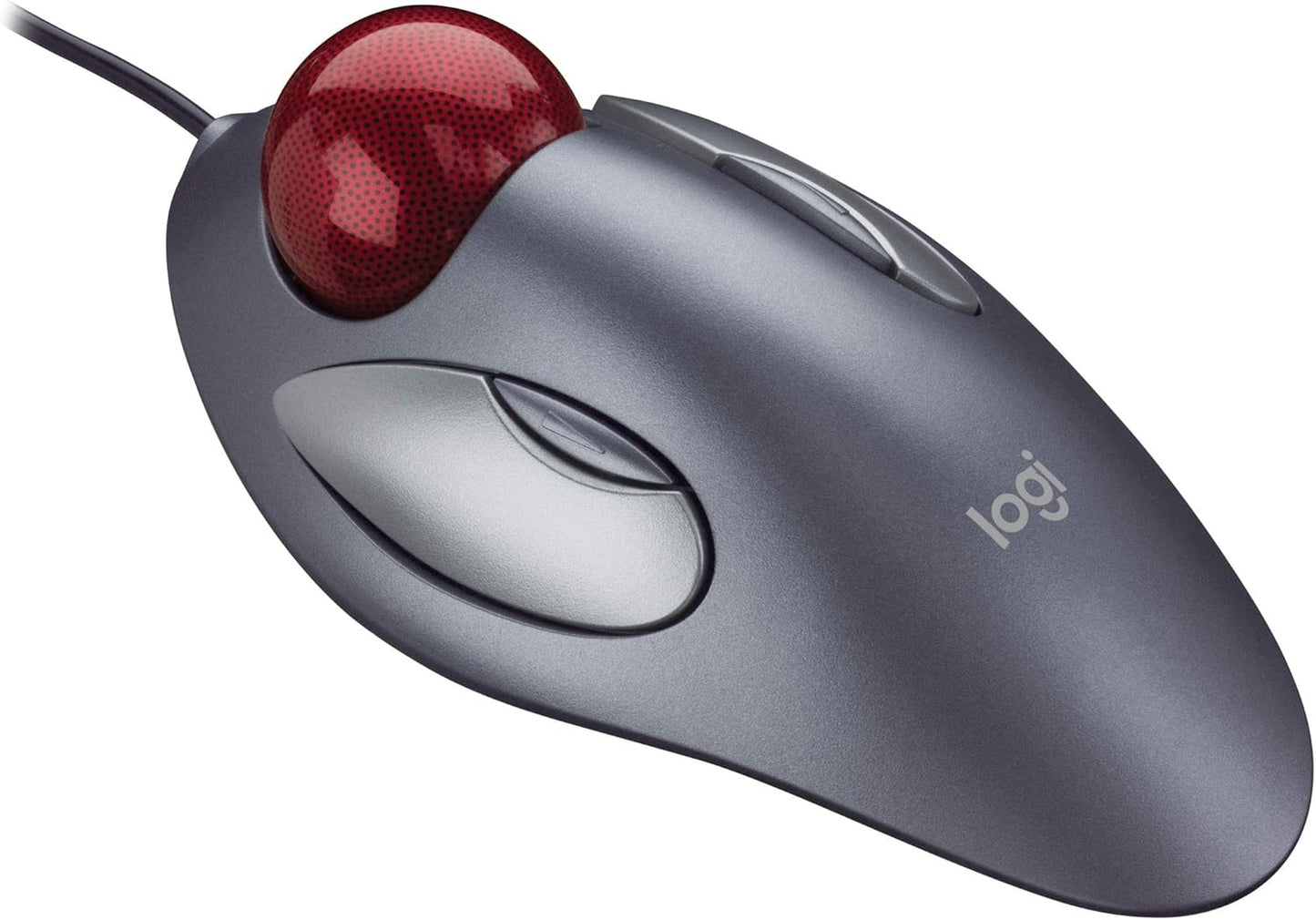
Our review of the Logitech TrackMan Marble finds it a focused choice for users who value comfortable, fingertip control and long sessions without strain. The TrackMan Marble is an ambidextrous trackball mouse designed for both right- and left-handed use, and its main appeal is the large, centrally placed ball that enables precise cursor movement without moving the entire device. This review looks at who benefits most from the design and the practical details of day-to-day use that make it a worthwhile pick for many desktop setups.
Key Features
- Ambidextrous design: The symmetrical housing provides lasting comfort for both right- and left-handed users during extended use.
- Fingertip-based control: Fingertip operation yields fast, accurate cursor movements without the wrist motion required by traditional mice.
- Convenient button controls: Forward and backward buttons simplify web navigation and reduce reliance on keyboard shortcuts.
- Patented Marble optical technology: The Marble optical tracking delivers smooth, reliable pointer movement across common desktop surfaces.
- Auto-scrolling function: Clicking the large buttons together while using the ball enables quick auto-scrolling through long documents and pages.
Who It's For
The TrackMan Marble is a good fit for office workers, writers, and anyone who spends long hours at a desktop and prefers to keep their hand stationary. Its ambidextrous shape and fingertip control suit shared workstations or households where left- and right-handed users alternate the same device.
Those who need high-speed gaming performance or multi-button programmable controls should look elsewhere, as the TrackMan Marble focuses on comfort and precise tracking rather than advanced gaming features or numerous customizable buttons.
Pros & Cons
Pros
- Comfortable ambidextrous shape reduces wrist movement and fatigue.
- Precise fingertip control and smooth tracking for accurate cursor placement.
- Easy forward/back navigation and an effective auto-scroll method for long documents.
Cons
- Not built for advanced gaming or users who need many programmable buttons.
Specifications
| Product | Logitech TrackMan Marble |
| Design | Ambidextrous trackball |
| Control method | Fingertip-based ball control |
| Buttons | Forward and backward buttons; large clickable buttons for auto-scroll |
| Tracking | Patented Marble optical technology |
| Troubleshooting tips | Clean with compressed air; verify direct connection; unpair/repair or update firmware |
Our Verdict
The Logitech TrackMan Marble is a practical, value-oriented peripheral for users who prioritize ergonomic comfort and precise fingertip control over gaming features. It suits shared workspaces and long desktop sessions well, offering reliable tracking and handy navigation buttons that make everyday tasks smoother.
Frequently Asked Questions
Is the TrackMan Marble suitable for left-handed users?
Yes. Its ambidextrous design makes it comfortable and fully usable for both left- and right-handed people.
How do I maintain tracking performance?
Clean the buttons and ball area with compressed air, ensure the device is connected directly to the computer, and try unpairing/repairing or updating firmware if available.
Can it replace a standard mouse for office work?
Yes. For general office tasks, web browsing, and document work it provides accurate control and reduces wrist movement compared with a traditional mouse.
Editor's Take
The Logitech TrackMan Marble is a practical ambidextrous trackball that delivers comfortable fingertip control and smooth optical tracking, making it a strong choice for long desktop sessions and shared workstations.

Recently viewed
Recently viewed products will appear here as customers browse the store.