

Logitech MX Master 3S Wireless Mouse with MX Creative Console
Logitech MX Master 3S Wireless Mouse with MX Creative Console
Price subject to change. Tap below for current.
Couldn't load pickup availability
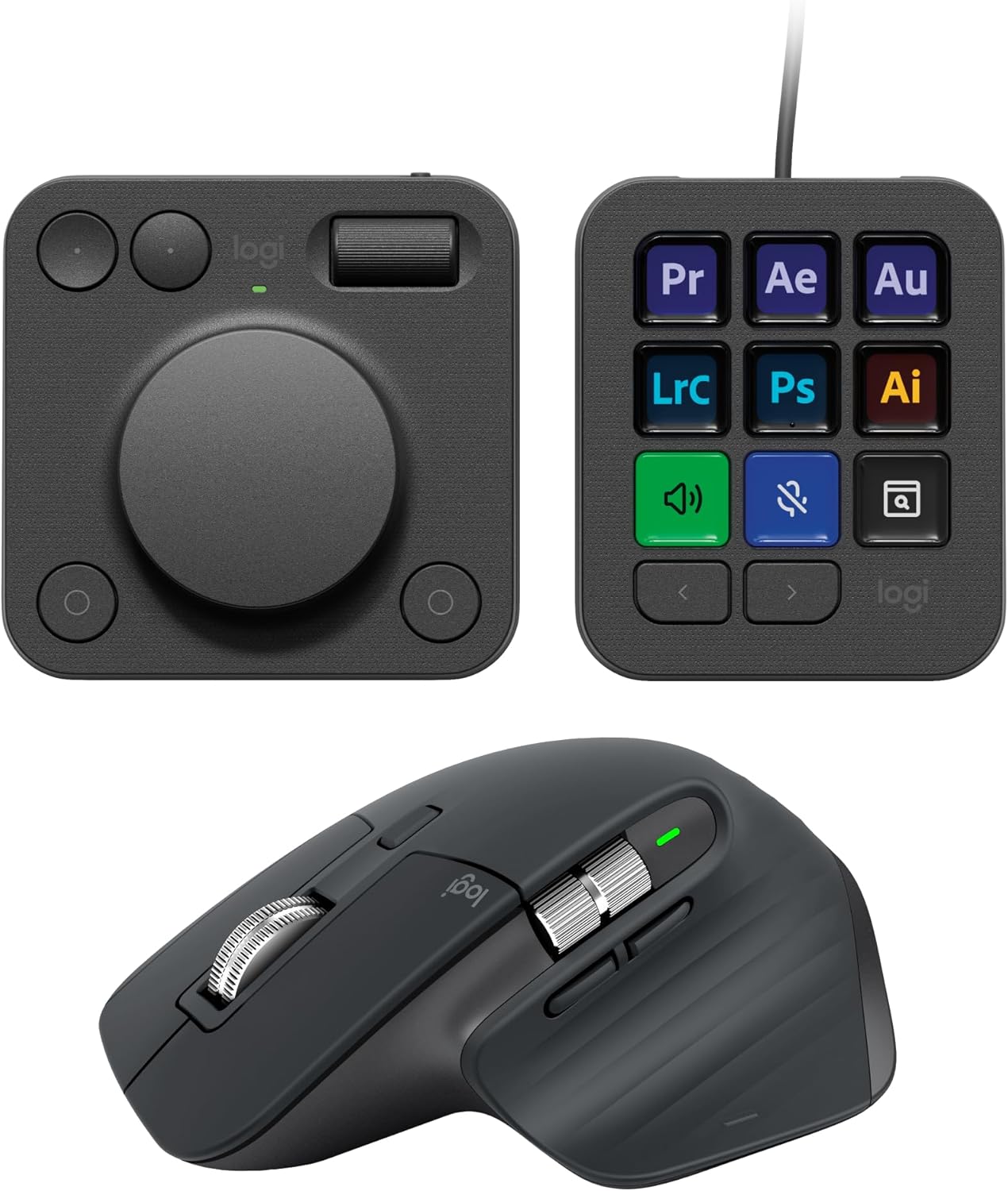
Our review of the Logitech MX Master 3S with the MX Creative Console finds a workflow-focused pairing aimed squarely at creative professionals and power users who want faster, tactile control across design and editing apps. The biggest reason to buy is the combination of the MX Master 3S's ultra-precise 8K DPI sensor and MagSpeed scroll with the Console's customizable keypad and contextual dial, which together let users jump to app-specific tools and speed repetitive tasks. In practice this setup reduces friction for frequent actions while keeping the familiar, comfortable MX shape.
Key Features
- 8K DPI any-surface tracking: The high-resolution sensor reliably tracks on glass and most surfaces for precise cursor control during detailed editing work.
- MagSpeed scroll wheel: The MX Master 3S scrolls up to 1000 lines per second for fast navigation in long timelines and documents.
- MX Creative Console integrations: Native app integrations and recommended profiles let you access common Photoshop, Premiere Pro and Lightroom actions instantly.
- Extensive customization: Assign tools across keypad pages, the dial and mouse buttons to tailor the setup for graphic design, video editing or productivity apps.
- Quiet clicks and comfort: The remastered MX Master 3S offers quiet clicks and a sculpted shape with soft-touch surfaces that most users find comfortable for long sessions.
- Sustainable materials: Key plastic elements in both devices use certified post-consumer recycled plastic, reducing environmental impact.
Who It's For
The MX Master 3S plus MX Creative Console is best for designers, video editors and multitaskers who use apps like Adobe Photoshop, Premiere Pro, Illustrator, Lightroom Classic, Final Cut Pro, Figma, and DaVinci Resolve and want quick, tactile access to repeating commands. It particularly benefits users who rely on a mix of mouse buttons, a dial and a small keypad to speed complex workflows.
Users who prefer a minimal setup or who only need basic point-and-click functionality may find the console overkill; likewise those who want a completely wireless keypad without AAA batteries may want to consider other accessory choices. The MX Master 3S itself still serves well as a premium standalone mouse.
Pros & Cons
Pros
- Excellent tracking accuracy with an 8K DPI sensor that works even on glass surfaces.
- Highly customizable controls and recommended app profiles that speed repetitive tasks.
- Comfortable, soft-touch design with quiet clicks suited for long sessions.
- Fast MagSpeed scrolling that helps navigate long documents and timelines.
Cons
- The MX Creative Console adds complexity and requires setup; some users report mixed feelings about the learning curve for profiles and mapping.
- The keypad uses AAA batteries for one part of the setup, which may not suit those wanting fully rechargeable accessories only.
Specifications
| Product | MX Master 3S Wireless Mouse with MX Creative Console |
| Sensor | 8K DPI any-surface tracking |
| Scroll | MagSpeed scroll wheel, up to 1000 lines per second |
| Connectivity | Bluetooth Low Energy or Logi Bolt USB receiver; Console pairs with Bluetooth and USB-C |
| Console controls | 9 customizable display keys, contextual dial, up to 15 keypad pages by profile |
| Power | MX Master 3S rechargeable; Console keypad uses 2x AAA (included), USB-C cable included |
| Materials | Contains certified post-consumer recycled plastic (varies by color) |
Our Verdict
The Logitech MX Master 3S with MX Creative Console is a compelling choice for creatives who want tactile, app-aware controls and top-tier tracking. It delivers real productivity gains through customization and fast scrolling, and its comfort and battery life make it good value for frequent users. Those committed to streamlined, minimal setups or only occasional mouse use may not need the full console bundle.
Frequently Asked Questions
Does the mouse work on glass?
Yes, the MX Master 3S features an 8K DPI sensor that is designed to track reliably even on glass surfaces.
Which apps have ready integrations?
Recommended profiles and native integrations are available for Adobe Photoshop, Premiere Pro, Illustrator, Lightroom Classic, Final Cut Pro, Figma, DaVinci Resolve, Spotify and Zoom among others.
How does the console connect?
The MX Creative Console pairs its dialpad via Bluetooth and the keypad via USB-C, with 2x AAA batteries included for keypad power.
Editor's Take
The MX Master 3S paired with the MX Creative Console is ideal for creative professionals who want precise 8K tracking, fast MagSpeed scrolling and deep app customization to speed editing and design workflows.

Recently viewed
Recently viewed products will appear here as customers browse the store.