

M.2 NVMe & SATA SSD/HDD Hard Drive Docking Station - TripleBay Cloner
M.2 NVMe & SATA SSD/HDD Hard Drive Docking Station - TripleBay Cloner
Price subject to change. Tap below for current.
Couldn't load pickup availability
In this review the TripleBay hard drive docking station is evaluated as a practical tool for technicians, content creators, and power users who frequently move large amounts of data between different drive types. The single biggest reason to consider it is its one-touch offline cloning, which starts a clone without a PC and removes the usual software setup hassle. For anyone who needs fast, tool-free swapping of NVMe and SATA drives, this unit aims to save time and simplify routine migrations.
Key Features
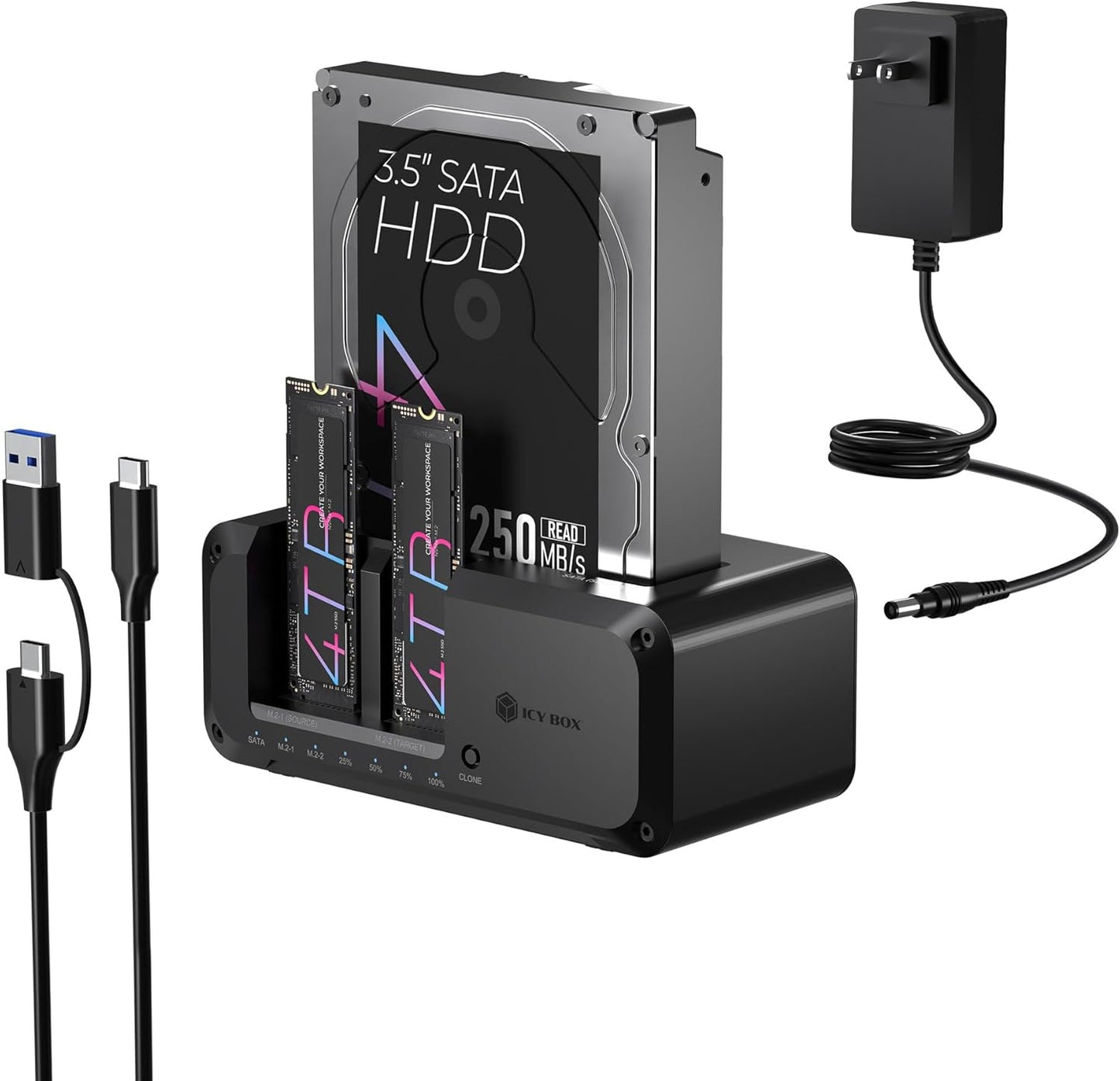
- One-Touch Offline Cloning: Starts a direct clone with a single button press so drives can be copied without a computer or extra programs, saving setup time.
- Flexible Cloning: Supports cloning between M.2 PCIe NVMe and 2.5' or 3.5' SATA SSDs and HDDs so mixed storage environments are easily handled.
- Versatile Triple-Bay Design: Three independent, tool-free slots let multiple drives be docked and swapped quickly for simultaneous access and rapid workflow.
- USB 3.2 Gen 2 Performance: USB 3.2 Gen 2 connectivity offers up to 10 Gbps transfer capability for fast data movement when connected to a host.
- Multi-OS Compatibility: Works with Windows and macOS systems and connects to PCs, laptops, and consoles for flexible cross-platform use.
- Complete Kit: Includes a 2-in-1 USB-C/USB-A cable, power adapter, and a 24-month warranty for out-of-box use and peace of mind.
Who It's For
The docking station is best for IT technicians, system builders, and creators who regularly clone or swap drives and need a compact, standalone cloning solution. Its support for NVMe and SATA media and the tool-free triple-bay layout suit environments where speed and convenience matter.
Users who rarely move drives or who only need a single-bay enclosure may find this unit larger and more expensive than necessary; likewise, those requiring networked or automated backup software should look for dedicated NAS or software-driven solutions instead.
Pros & Cons
Pros
- Standalone one-touch cloning eliminates the need for a host PC during cloning operations.
- Broad compatibility with M.2 NVMe and 2.5'/3.5' SATA drives covers most common media types.
- Tool-free triple-bay design speeds swapping and simultaneous access to multiple drives.
- Includes a dual-purpose cable and power adapter so it is ready to use out of the box.
Cons
- Some customers report mixed feedback on connectivity, so performance may depend on host ports and cables.
- The standalone cloner does not provide network features or software-based scheduling for backups.
Specifications
| Product Type | M.2 NVMe & SATA hard drive docking station |
| Bays | 3 independent tool-free slots |
| Supported Drives | M.2 PCIe NVMe, 2.5' SATA SSD, 3.5' SATA HDD |
| Cloning | One-touch offline cloning (standalone) |
| Interface | USB 3.2 Gen 2 up to 10 Gbps |
| Included Accessories | 2-in-1 USB-C/USB-A cable, power adapter |
| Warranty | 24-month warranty |
Our Verdict
The TripleBay docking station is a practical, time-saving tool for users who clone and manage multiple drives regularly; its standalone cloning and broad drive support make it good value for professionals and hobbyists who need fast, tool-free swapping. Those seeking network features or a single compact bay should consider other options.
Frequently Asked Questions
Can I clone without a computer?
Yes. The device supports one-touch offline cloning so drives can be duplicated without connecting to a PC.
Which drive types are supported?
It supports M.2 PCIe NVMe SSDs and 2.5' and 3.5' SATA SSDs and HDDs for flexible cloning and access.
What cables are included?
A dual-purpose 2-in-1 cable that works as USB-C to USB-C and USB-C to USB-A is included, along with a power adapter.
Editor's Take
A practical, time-saving docking station for technicians and creators who need one-touch offline cloning and broad NVMe and SATA support; good value for multi-drive workflows.

Recently viewed
Recently viewed products will appear here as customers browse the store.