

M.2 NVMe to PCIe Adapter M.2 HAT+ for Raspberry Pi 5 - NVMe Boot Ready
M.2 NVMe to PCIe Adapter M.2 HAT+ for Raspberry Pi 5 - NVMe Boot Ready
Price subject to change. Tap below for current.
Couldn't load pickup availability
In this review the M.2 NVMe to PCIe Adapter M.2 HAT+ for Raspberry Pi 5 is evaluated as a compact, performance-focused add-on for Pi 5 users who need fast storage and stacking flexibility. The bottom line: this adapter is best for makers and developers who want to boot the Pi 5 from a high-speed NVMe M.2 SSD and preserve access to official Pi 5 cooling and accelerator modules. It stands out because it supports multiple M.2 sizes, Gen2/Gen3 modes and includes power monitoring to keep the drive stable under sustained loads.
Key Features
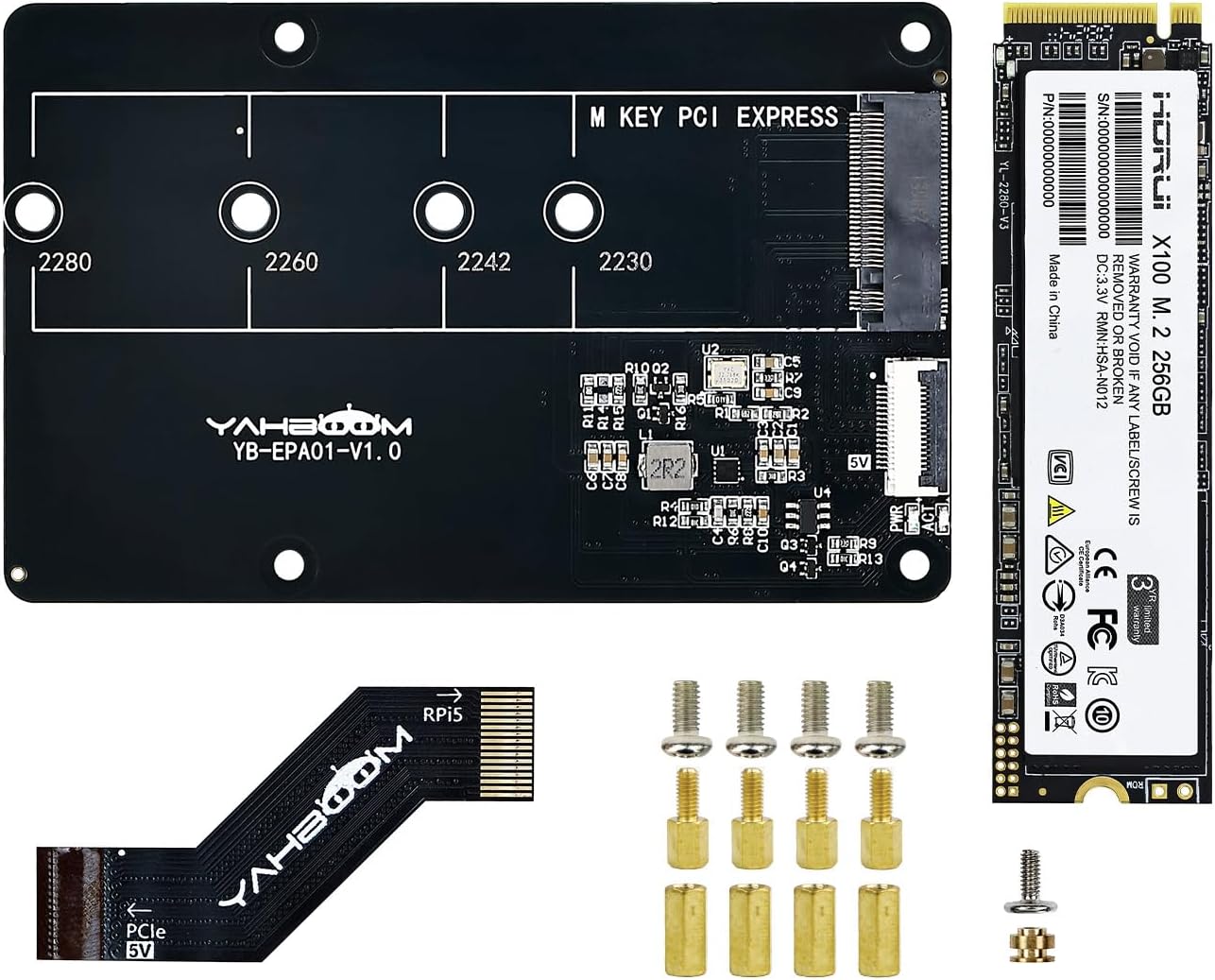
- M.2 NVMe compatibility: Supports 2230, 2242, 2260 and 2280 SSDs so users can choose capacity and form factor that fits their project.
- Bootable NVMe: When paired with the included 256GB SSD image option, the adapter supports booting the Raspberry Pi 5 system from NVMe storage for much faster system responsiveness.
- Cooling-friendly design: The board reserves mounting holes and supports the Pi 5 official active radiator and Yahboom Cool cooler radiator to provide better thermal performance for both board and SSD.
- Stacking and expansion: Designed to stack Pi 5 motherboards and to accept Hailo-8/8L AI acceleration modules, enabling significant on-device inferencing performance improvement.
- Gen2/Gen3 mode and power monitoring: Supports Gen2/Gen3 PCIe modes and offers real-time SSD power status monitoring to help maintain stable operation during heavy I/O.
Who It's For
This adapter is aimed at Raspberry Pi 5 owners who need high-speed local storage and want to run the OS or data-heavy applications from NVMe rather than SD. It is a practical choice for developers building media servers, edge AI prototypes, or I/O bound projects that benefit from sustained read/write performance and an integrated cooling path.
It is less appropriate for casual Pi users who only need a simple SD card setup or those who will never use PCIe accelerators or custom cooling. Also, users uncomfortable with ribbon cable orientation and internal hardware connections should seek hands-on help, since correct cable alignment is required.
Pros & Cons
Pros
- Supports multiple M.2 sizes and booting the Pi 5 from NVMe for faster performance.
- Maintains compatibility with Pi 5 official active radiator and Yahboom Cooler for effective thermal management.
- Stackable design that accepts Hailo-8/8L modules to boost AI computing capability.
Cons
- Requires careful cable connection to the 16-pin PCIe interface; incorrect orientation can cause issues.
- Advanced features like Gen3 mode and AI module stacking may be overkill for basic hobby projects.
Specifications
| Supported M.2 sizes | 2230 / 2242 / 2260 / 2280 |
| Interface | Raspberry Pi 5 16-pin PCIe |
| PCIe modes | Gen2 and Gen3 supported |
| Included SSD option | 256GB M.2 NVMe (image preinstalled if purchased together) |
| Cooling | Supports Pi 5 official active radiator and Yahboom Cool cooler |
| Expansion | Stackable; supports Hailo-8 / Hailo-8L accelerator modules |
| Power monitoring | Real-time SSD power status monitoring |
Our Verdict
The M.2 NVMe to PCIe Adapter M.2 HAT+ is a well-considered upgrade for Raspberry Pi 5 users who need reliable, high-speed NVMe storage and want to preserve cooling and expansion options. Its support for multiple M.2 sizes, bootable NVMe and stacking ability make it a strong value for makers and developers, provided they are comfortable with internal cable connections and more advanced setup steps.
Frequently Asked Questions
Can I boot Raspberry Pi 5 from the NVMe SSD?
Yes, the adapter supports booting the Raspberry Pi 5 from an NVMe M.2 SSD and a 256GB SSD option can come with the Pi 5 image preinstalled.
Will this work with Pi 5 cooling and accelerator modules?
Yes, the board reserves holes for the Pi 5 official active radiator and supports Yahboom Cool cooler and stacking Hailo-8/8L AI modules.
Are there any special setup precautions?
Yes, pay close attention to the 16-pin PCIe cable orientation and connection instructions to avoid incorrect installation.
Editor's Take
A practical upgrade for Raspberry Pi 5 users who need fast, bootable NVMe storage; it supports multiple M.2 sizes, cooling options and accelerator stacking, though correct cable connection is required.

Recently viewed
Recently viewed products will appear here as customers browse the store.